
Downloading online videos sounds like a simple task until we start dealing with different websites, resolutions, playlists, subtitles, audio formats, private content, and multiple files at once. Many people do not just want to save a single video anymore. They may want to archive an entire playlist, extract high-quality audio, download subtitles, save only one section of a long video, or automatically capture new uploads from a channel. That is where SurFast Video Downloader becomes interesting.
We reviewed the current feature set of SurFast Video Downloader to understand how well it handles these different requirements. What stood out to us is that the software goes considerably further than the traditional copy-a-link-and-download approach. It combines video downloading, audio extraction, bulk downloads, playlist management, video clipping, subtitle handling, scheduled downloads, browser integration, private content downloading, and extensive output customization in one desktop application.
SurFast Video Downloader is developed by Nabla Mind and is available for both Windows and macOS. According to the official product information, it supports content from more than 1,000 websites and can download video in resolutions reaching 8K when the original source provides that quality.
In this SurFast Video Downloader review, we will take a detailed look at what the software does, how its major features work, and why it can be useful for people who regularly save online media for offline access.
What Is SurFast Video Downloader?
SurFast Video Downloader is a desktop application designed to download videos, audio, playlists, channels, subtitles, thumbnails, live streams, and other online media from supported websites.
The platform covers many of the websites people commonly use for video and audio content, including YouTube, TikTok, Facebook, Instagram, X, Twitch, Vimeo, SoundCloud, Bandcamp, Dailymotion, Bilibili, and hundreds of additional services.
Instead of depending on separate browser tools for different websites, SurFast Video Downloader provides one centralized environment where we can paste URLs, choose the desired output settings, and manage the resulting downloads.
This multi-platform approach is one of the product’s biggest strengths. Someone who regularly works with content from YouTube, social networks, audio platforms, educational websites, and other streaming sources does not need a completely different downloading workflow for every service.
The official supported-site directory extends well beyond major social networks and includes media, educational, news, entertainment, podcast, sports, and video-hosting platforms.
SurFast Video Downloader Interface and Overall Experience
One thing we appreciate about the philosophy behind SurFast Video Downloader is that the application attempts to reduce unnecessary steps.
The basic workflow is straightforward. We copy the URL of the media we want, bring the application into focus, and SurFast Video Downloader can detect the copied URL and prepare it for downloading.
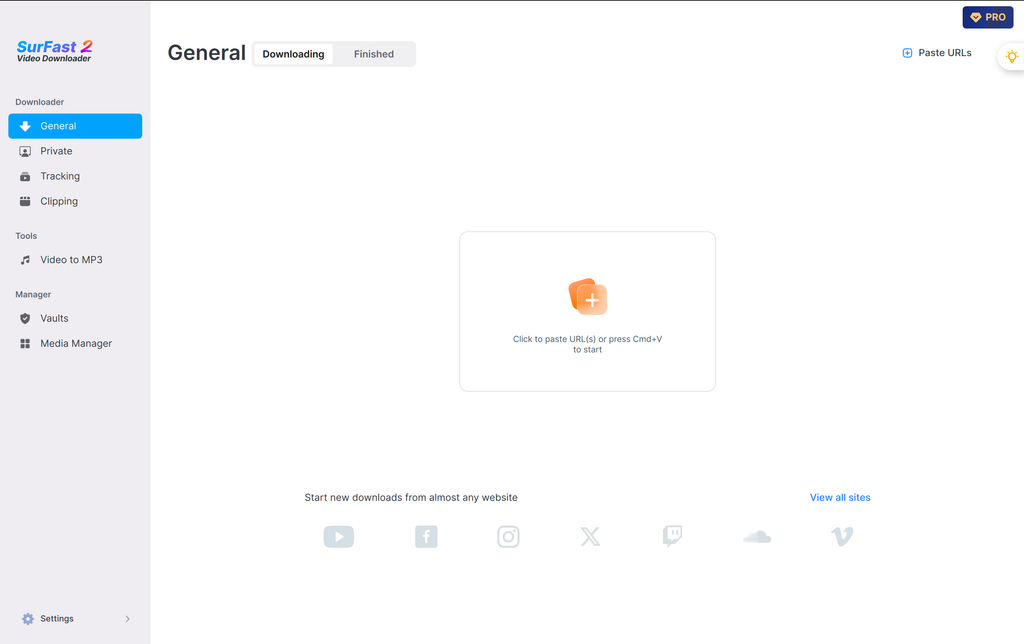
For people who download content frequently, this is more useful than it initially sounds. Repeatedly switching between a browser and downloader, pasting links, selecting settings, and confirming each task can become repetitive. SurFast addresses that through automation features such as clipboard URL detection and global download presets.
The application is also structured around different workflows rather than treating every download as exactly the same. General downloading is available for ordinary media URLs, while additional capabilities handle private content, tracking, clipping, playlist downloads, and more specialized situations.
This makes the software accessible for straightforward downloads while still providing deeper functionality when we need more control.
Download Videos from More Than 1,000 Websites
The core attraction of SurFast Video Downloader is its broad website compatibility.
According to Nabla Mind, SurFast supports more than 1,000 websites. That means its usefulness is not restricted to a single video platform.
Downloading YouTube Videos
YouTube is naturally one of the most important platforms supported by SurFast Video Downloader.
We can use the software to save YouTube videos in different resolutions and formats depending on the source video and our intended use.
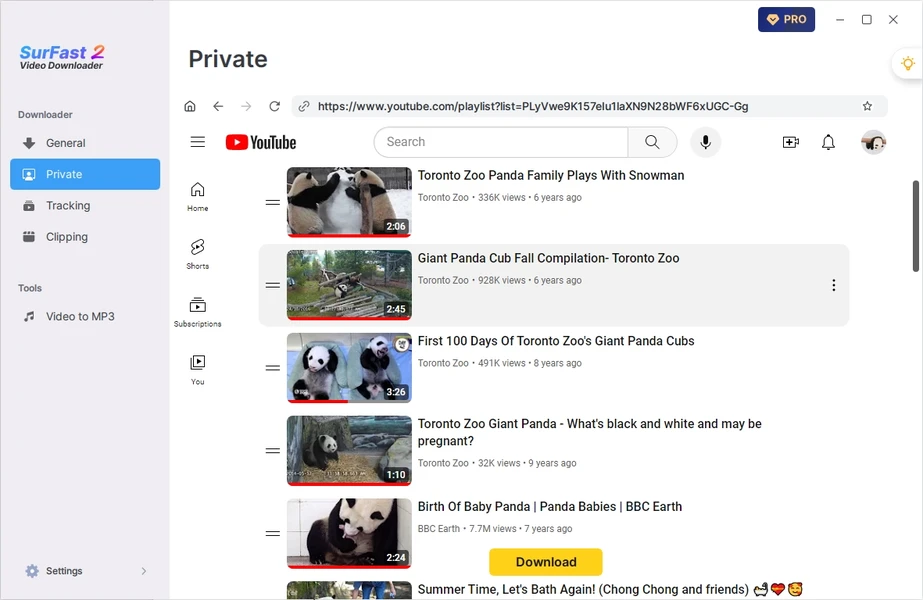
For example, someone creating an offline reference library may prefer high-resolution MP4 files, while someone interested primarily in speeches, podcasts, interviews, or music may simply extract the audio.
The software also extends beyond individual YouTube videos. Playlists and channels can be processed, which makes SurFast much more useful for people dealing with large collections of content.
Downloading TikTok Videos
SurFast Video Downloader also supports TikTok.
Users can save TikTok videos in multiple quality levels, including HD and higher resolutions where the original media supports them. The software also promotes watermark-free TikTok downloading as part of its supported workflow.
For people who organize social-media references or maintain offline content collections, having TikTok downloading inside the same application as YouTube, Facebook, Instagram, and other platforms simplifies the process considerably.
Downloading Facebook Videos and Reels
Facebook support includes videos and Reels, giving users flexibility over the output quality and format.
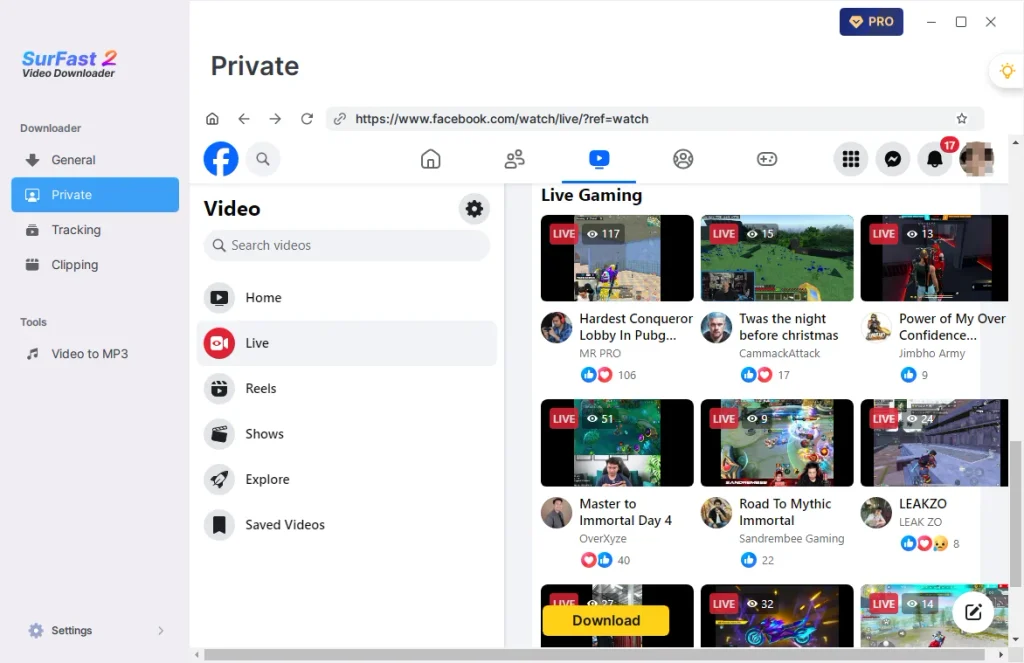
SurFast also supports Facebook live-video downloading, making it useful when users want offline access to longer live content rather than only short uploaded clips.
Instagram Video and Reel Downloads
Instagram is another important part of SurFast Video Downloader’s multi-platform coverage. Users can save Instagram videos and Reels and convert downloadable media into widely compatible formats such as MP4. This can be convenient for people who prefer keeping their offline content library in consistent formats instead of dealing with whatever format each source platform happens to use.
X and Twitter Media Downloads
SurFast Video Downloader supports video content hosted on X, including workflows for saving videos, handling GIF content, converting Twitter videos to GIF, and extracting audio. This illustrates an important part of SurFast’s approach: it is not only about downloading the original media file. Conversion options are built into the workflow, allowing us to decide how we actually want to use the downloaded content.
SoundCloud and Audio Platforms
SurFast also functions as a music and audio downloader. For SoundCloud, users can download individual songs as well as larger collections such as playlists and albums. Audio can be converted into familiar formats such as MP3, making the software useful beyond traditional video downloading. Support also extends to Bandcamp and numerous other audio and media platforms.
Download Videos in Resolutions Up to 8K
Resolution flexibility is another major SurFast Video Downloader feature.
The software supports video quality ranging from lower resolutions through HD, Full HD, 2K, 4K, and all the way to 8K when those resolutions are available from the source. This is valuable because different downloads have different requirements.
Sometimes we want the highest-quality version available for a large display, presentation, archive, or editing workflow. In another situation, a smaller 720p or 480p file may be perfectly suitable and substantially easier to store.
SurFast gives users the ability to make that choice rather than automatically forcing every download into the same quality level. The current product documentation lists supported video quality from low resolutions through 8K and audio quality options including 128 kbps, 256 kbps, and 320 kbps.
Extensive Video Format Support
Format compatibility is just as important as resolution. SurFast Video Downloader supports several widely used video output formats, including MP4, WebM, MOV, FLV, AVI, MKV, and GIF. MP4 will probably be the default choice for many users because of its broad compatibility across computers, mobile devices, media players, video editors, presentation software, and content-management platforms. However, having additional formats becomes important when we have more specialized requirements.
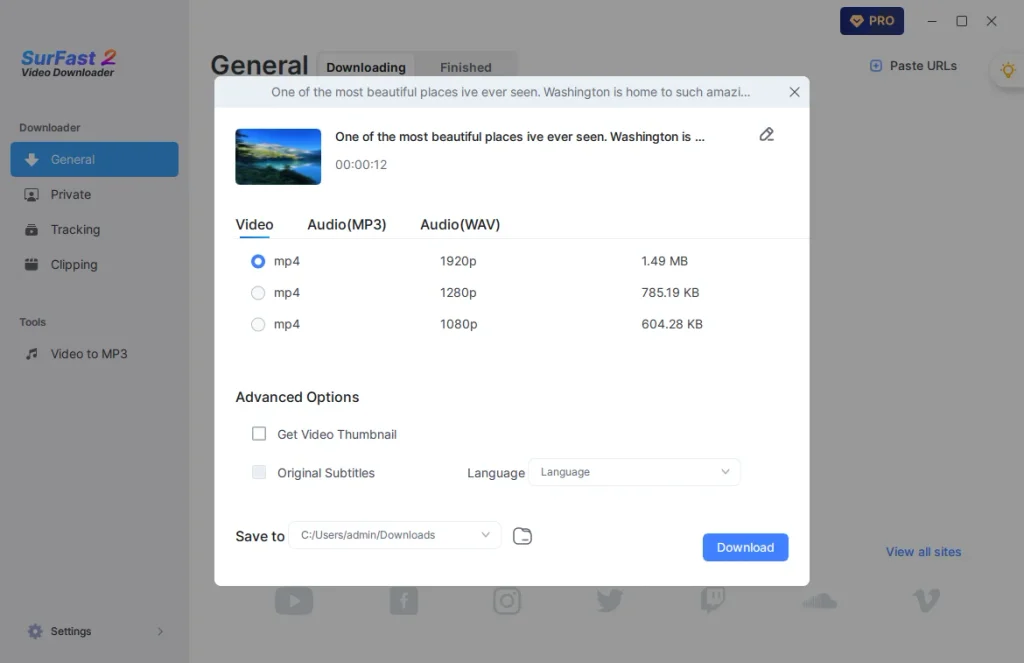
MKV can be useful for flexible media storage. WebM is commonly associated with web-based video. MOV is widely used in Apple and video-production environments. GIF conversion is particularly helpful when we want a short animated segment instead of a complete conventional video file. SurFast can also handle conversion during the downloading process, reducing the need to download one format and then open another application solely to convert it.
Powerful Audio Downloading and Extraction
SurFast Video Downloader is not limited to video.
Users can download or extract audio and save it in several formats, including MP3, WAV, M4A, AAC, ALAC, FLAC, OGG, and OPUS, depending on the supported workflow.
This adds considerable versatility to the software.
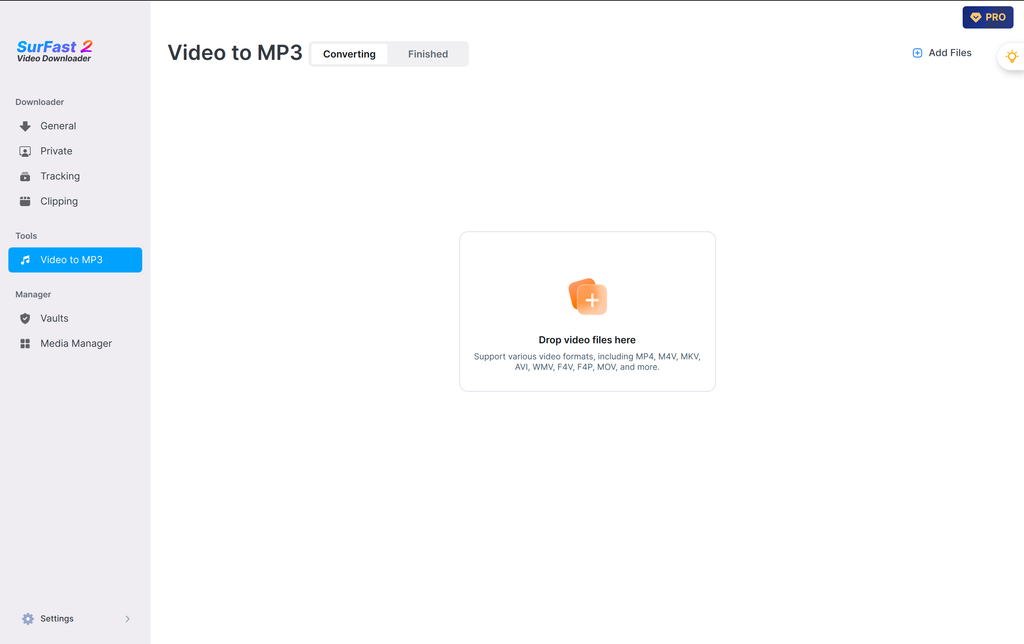
If we are interested in a podcast, interview, lecture, music track, or spoken presentation, downloading the entire video may be unnecessary. Extracting the audio can produce a smaller file that is easier to organize and play on different devices.
Higher-quality options are particularly valuable for music-oriented downloads, while MP3 remains convenient when broad compatibility and manageable file sizes are the priority.
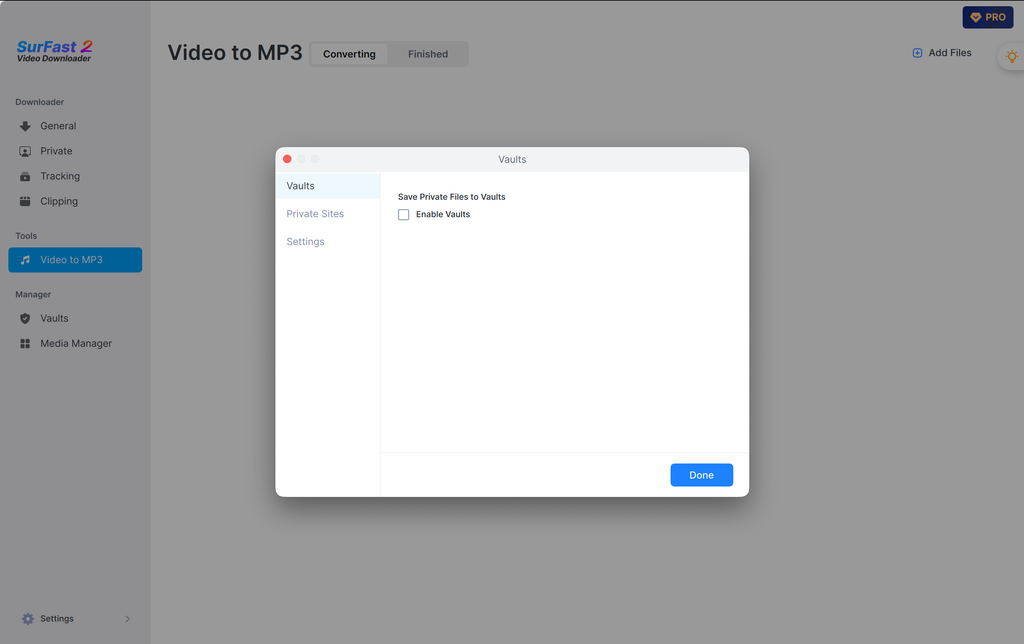
Nabla Mind also describes SurFast as capable of extracting audio from local videos, extending its usefulness beyond online downloading alone.
Advanced Subtitle Downloading
Subtitle support is one of the more complete areas of SurFast Video Downloader. The software can work with original subtitles as well as auto-generated and auto-translated subtitles where available.
Users can save subtitles as separate files in formats including SRT, VTT, LRC, and ASS. That alone can be valuable for researchers, editors, language learners, educators, and anyone building searchable archives of video content. However, SurFast goes further.
Embed Subtitles as a Selectable Track
Instead of keeping the subtitle file separate, SurFast can embed subtitles into the video as a selectable subtitle track. This keeps the video and subtitle information together while still allowing the viewer to turn captions on or off when supported by the playback software.
Burn Subtitles Permanently into the Video
SurFast can also burn subtitles directly into the video. In this case, the captions become permanently visible as part of the video itself. This approach can be useful when the video needs to be played in environments where external subtitle files or selectable tracks may not be convenient.
The ability to choose between separate subtitles, selectable embedded subtitles, and permanently burned captions gives users considerably more control than a basic downloader normally provides.
Download Video Thumbnails
SurFast Video Downloader also supports thumbnail downloading. This may seem like a secondary feature, but thumbnails are useful when organizing collections of videos, building reference libraries, preparing content catalogs, or keeping the original visual associated with downloaded media. Rather than finding and saving the thumbnail separately, SurFast can include it as part of the downloading workflow.
Batch Download Multiple Videos
Downloading media one link at a time becomes inefficient when we need dozens of files. SurFast Video Downloader addresses this through batch downloading. Users can add multiple video links and process them together rather than waiting for one task to finish before starting the next.
The feature becomes particularly useful when gathering media from different sources or building a larger offline library. Combined with global presets, batch downloading can significantly reduce repetitive decisions because we can define our preferred format and quality ahead of time and then process multiple URLs using those settings.
Download Complete Playlists and Channels
Playlist downloading is one of the features that makes SurFast Video Downloader particularly useful for larger collections. Rather than copying every individual video URL from a playlist, users can provide the playlist itself and allow SurFast to retrieve the available content. Channel downloading extends the same concept further.
A user who wants to preserve or access a collection of videos from a particular channel can handle the content as a group instead of manually processing every individual page. SurFast also supports bulk processing from multiple sources, giving users a centralized workflow for larger downloading tasks.
Video Clipper: Download Only the Part You Need
One of our favorite concepts in SurFast Video Downloader is its built-in clipping capability. Traditional downloading often follows an inefficient process. We download a 60-minute video even though we only need a two-minute section. We then open a video editor, import the file, find the right timestamps, trim the clip, export it, and potentially delete the original large file afterward. SurFast Video Downloader can remove several of those steps.
Select Exact Start and End Points
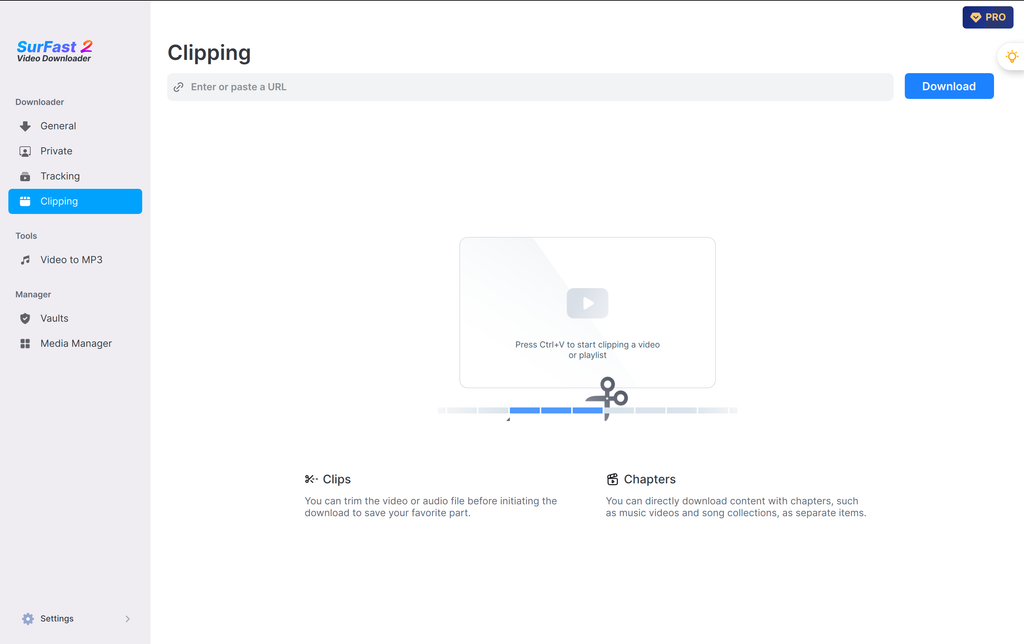
The Video Clipper allows users to specify the exact section of a supported video they want to download. Instead of downloading the entire video first, SurFast can retrieve the selected portion. This is useful for highlights, references, specific instructional sections, presentations, interviews, or any other situation where only part of a long video matters.
Download Individual Chapters
SurFast also recognizes chapter-based content. When a video contains chapters, users can download the specific chapter they need without saving the complete video. The latest updates have also improved the handling and download speed of chapter-based media.
Convert Clips to GIF
SurFast’s clipping functionality can work together with its output settings, allowing selected video segments to be downloaded and converted into GIF files. That makes the clipping tool useful for more than simply shortening a video. It becomes part of a lightweight media-conversion workflow.
Automatic and Scheduled Downloads with Tracking
The Tracking feature is one of the areas where SurFast moves beyond ordinary video downloading. Users can add supported playlists, channels, and upcoming live streams to a tracking list. SurFast can then monitor that content and automatically download media according to a predefined update schedule.
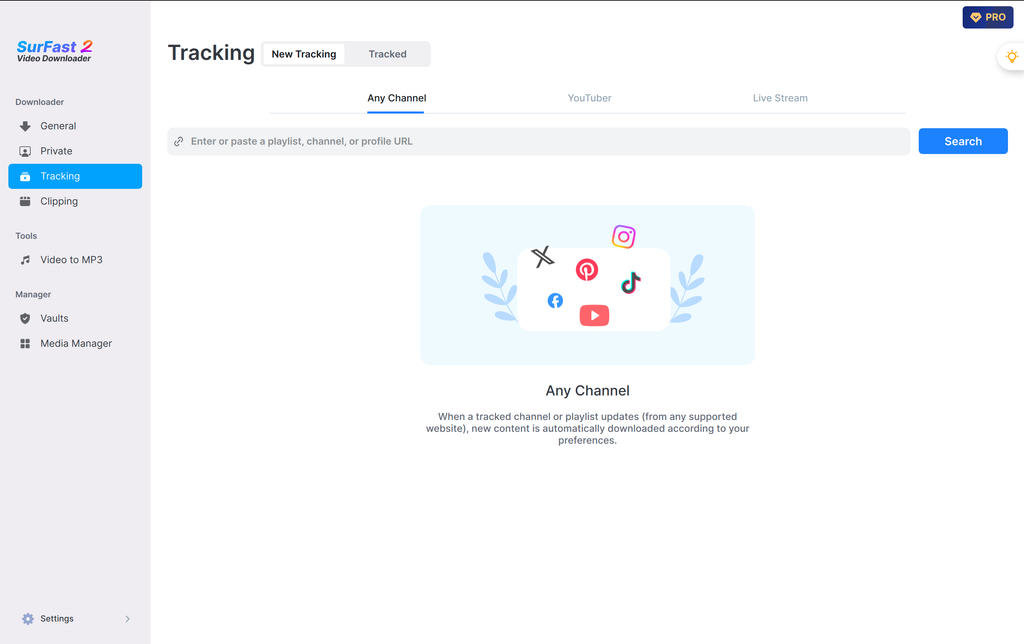
This can be particularly convenient when we regularly follow the same content sources. Instead of manually opening a channel every few days to check whether something new has appeared, the workflow can be automated.
Automatically Download New Channel or Playlist Content
When a tracked channel or playlist receives new content, SurFast can process it according to the configured download settings and schedule. This creates an automated offline media collection workflow.
Automatically Capture Upcoming Live Streams
Tracking can also be used with upcoming live streams. SurFast is designed to initiate the download when the scheduled live stream begins, following the format settings selected in advance. The software documentation says that SurFast can run in the background shortly before the configured schedule or live-stream start time as long as the computer is turned on.
For users who regularly archive streams or new uploads, this is substantially more convenient than manually checking the source every time.
Private and Member-Only Content Downloading
SurFast Video Downloader includes a Private mode for content that requires account access. When users already have legitimate access to private or member-only content on supported platforms, they can log in to the relevant service through the SurFast workflow and save available media for offline access.
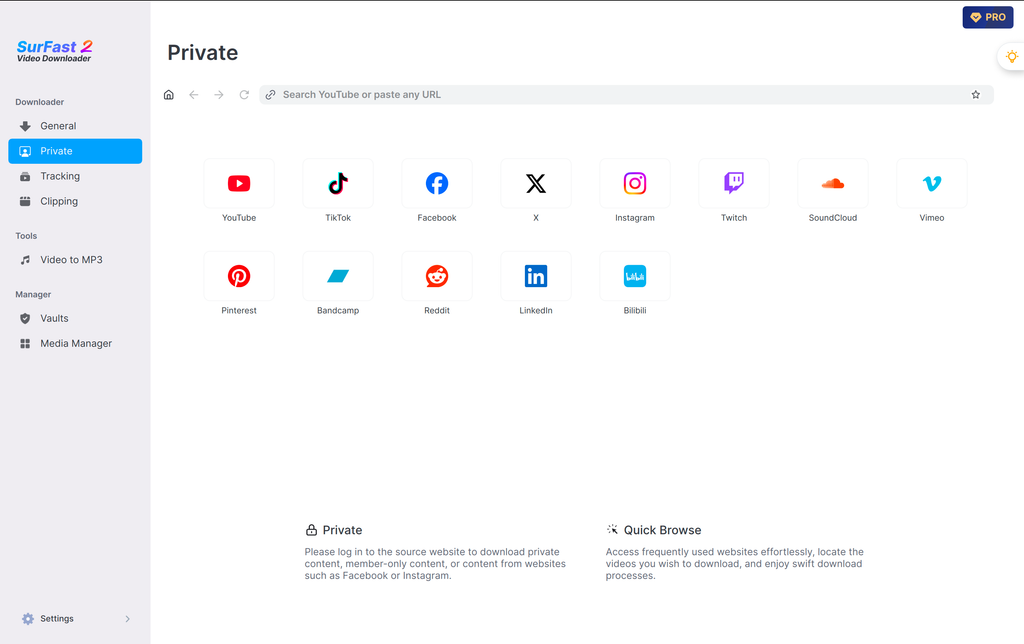
Supported use cases mentioned by the developer include platforms such as YouTube and Bilibili. Private mode also provides browser-like access to supported websites, allowing users to navigate content and initiate downloads without constantly switching between separate applications. Users can bookmark commonly visited websites or pages as well, making frequent downloading workflows more convenient.
Direct YouTube Search Inside SurFast
A newer convenience feature allows users to search YouTube directly from within Private mode. Instead of opening YouTube separately, searching for the video, copying the URL, switching to SurFast, and pasting it, users can enter keywords directly into the SurFast search bar.
They can then find the desired YouTube content and begin the download from within the application. This may appear like a small improvement, but it reinforces the overall design direction of SurFast: reducing the number of repetitive steps between discovering content and downloading it.
Smart Clipboard URL Detection
Another useful productivity feature is Auto-Parse. When SurFast Video Downloader is running in General mode and the application gains focus, it can check the clipboard for a copied URL and automatically parse it. That means the process can effectively become copy, switch to SurFast, choose or confirm the download, and continue.
Users no longer need to manually click into a URL field and paste the link every time. For occasional downloads, the saved step may not seem significant. For someone downloading dozens of items during a working session, it can noticeably streamline the process.
Global Download Presets
SurFast Video Downloader also supports global settings and download presets. This is another feature that becomes more valuable as download volume increases. If we typically want every video in a particular resolution and format, there is little reason to repeatedly make exactly the same selections.
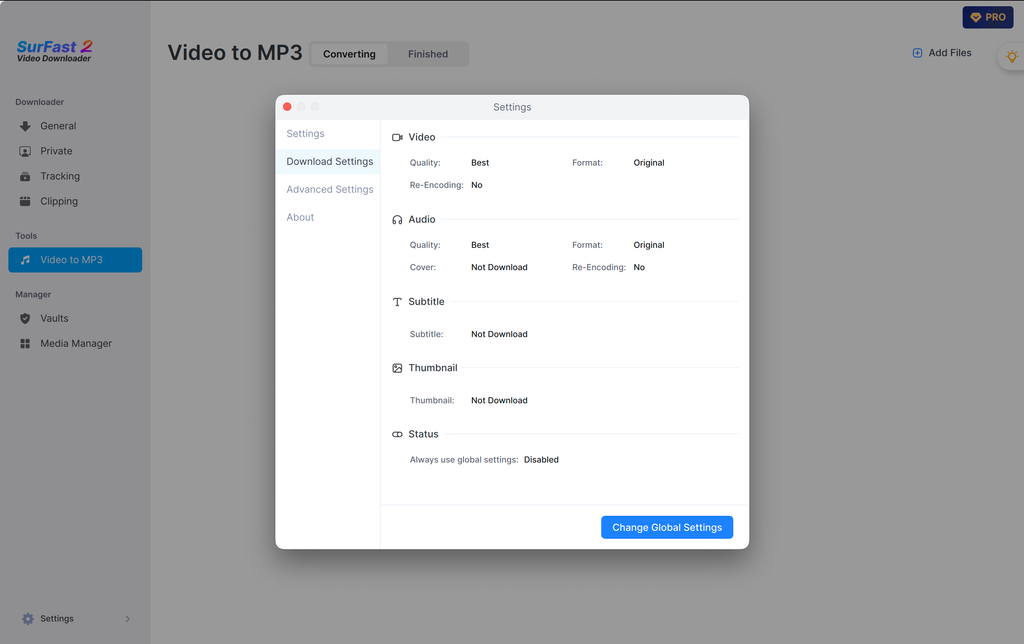
Global presets allow users to define preferred downloading options once and reuse them automatically. Users can customize aspects such as the content type, format, quality, encoding, and related output settings. The latest SurFast version has also refined these preset controls to make downloads from different sources more consistent.
SurFast Video Downloader Helper Chrome Extension
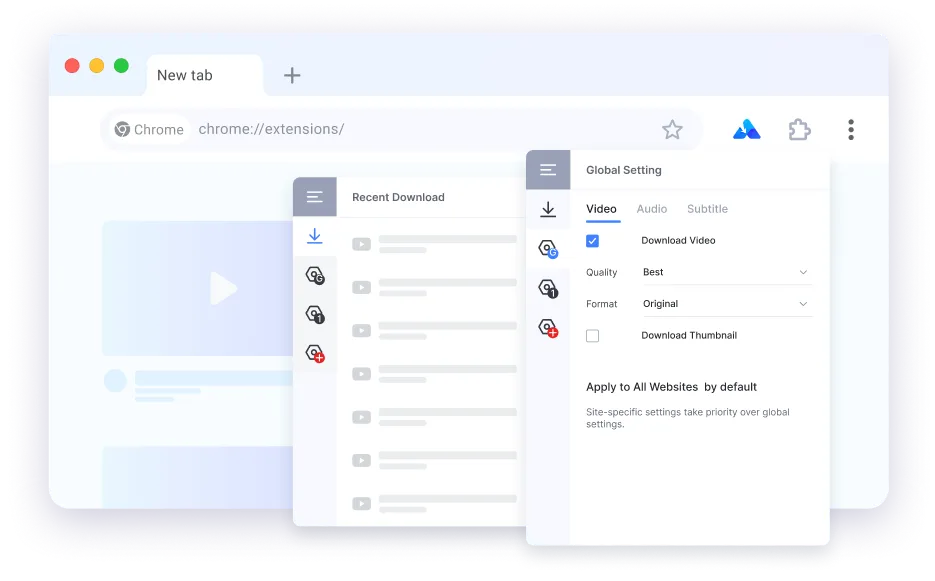
SurFast Video Downloader also integrates with the SurFast Video Downloader Helper extension for Chrome. With both the desktop application and extension installed, downloading can begin directly from the browser. Users can right-click supported video, audio, thumbnail, or subtitle content and send it to SurFast for downloading.
This eliminates another round of URL copying and application switching. The extension works in conjunction with the desktop application and supports SurFast’s wider capabilities, including video, audio, subtitles, thumbnails, clips, playlists, albums, channels, private videos, and live streams on supported sources. For users whose media discovery happens primarily inside Chrome, the extension can make SurFast feel much more closely integrated into their normal browsing workflow.
Pause and Resume Downloads
Download management is another area worth mentioning. SurFast Video Downloader supports breakpoint resume functionality, allowing downloads to be paused and resumed rather than forcing users to restart a task from the beginning every time.
This becomes increasingly important with larger high-resolution files, long-form videos, playlists, and live-stream content. A downloader capable of handling 4K and 8K media needs practical download-management features, and pause-and-resume functionality fits naturally into that workflow.
Automatic Format Conversion
SurFast does more than simply retrieve whatever media format the source website provides. The software can perform conversion as part of the download workflow.
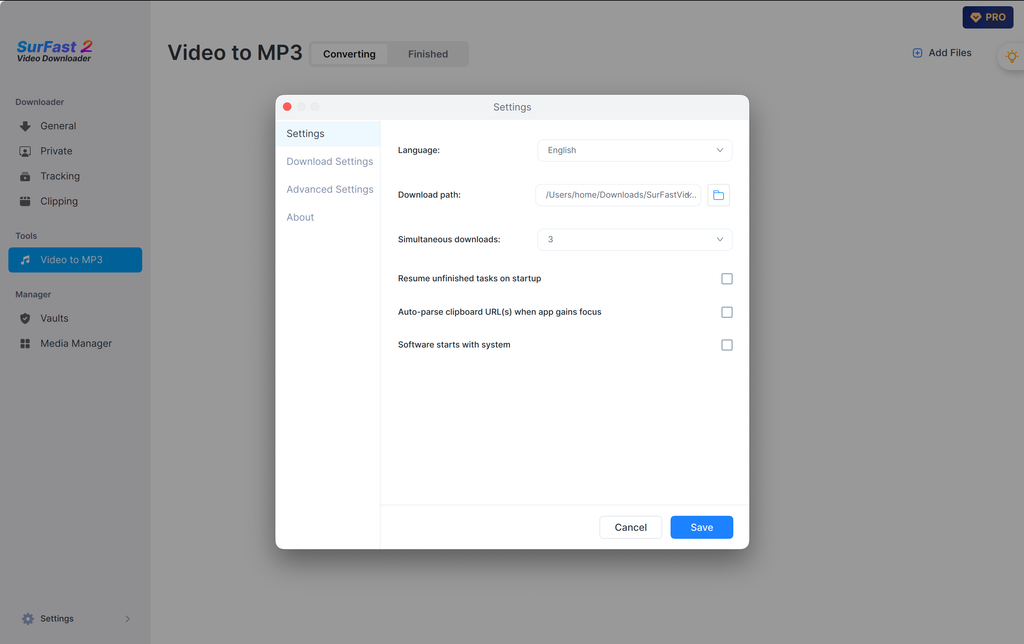
For example, the latest version improves automatic conversion to common formats such as MP4 for video and MP3 for audio even when the source platform itself does not directly provide those exact output formats. For everyday users, this means downloaded files are more likely to arrive in the format they actually want instead of requiring a separate conversion application afterward.
Udemy Video Support
SurFast Video Downloader has also expanded its supported platforms to include DRM-free Udemy video content.
For users who have access to suitable educational content and want offline copies, this adds another major platform to the software’s already extensive list of supported websites. This also demonstrates that Nabla Mind continues to expand and refine the downloader rather than treating it as a static utility.
Windows and macOS Support
SurFast Video Downloader is available for both Windows and Mac. The current official product page lists support for Windows 8, Windows 8.1, Windows 10, and Windows 11, while the current Mac release supports macOS 10.15 and later.
Having native desktop versions for both platforms makes SurFast suitable for mixed-device environments where some team members use Windows while others work on macOS. The software is also available in multiple interface languages, including English and several widely spoken European and Asian languages.
SurFast Video Downloader Free Trial
Users can try SurFast Video Downloader before moving to the full version. The free version allows a limited number of video and audio downloads, bulk-download items, and subtitle downloads and provides video quality up to 720p.
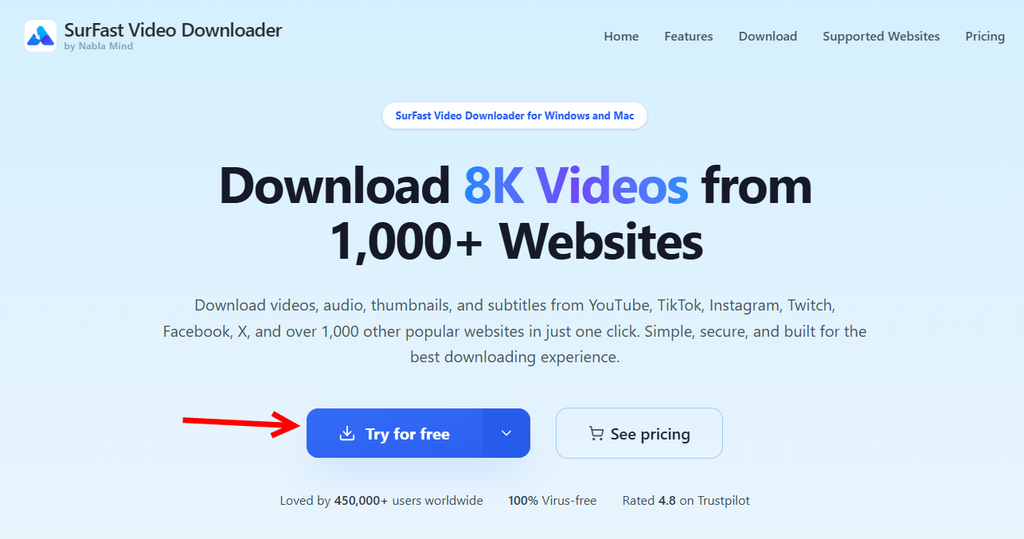
The Pro version unlocks unlimited video and audio downloading, unlimited bulk downloading, resolution up to 8K, unlimited subtitle downloading, video trimming, thumbnail downloading, and playlist and channel downloading.
This gives new users an opportunity to become familiar with the core interface and workflow before deciding which paid option best suits their needs.
SurFast Video Downloader Pricing
Nabla Mind currently offers monthly and annual licensing options for both Windows and Mac. The company also states that one license can activate up to three computers on the corresponding operating system. Windows licenses apply to PCs, while Mac licenses apply to Macs.
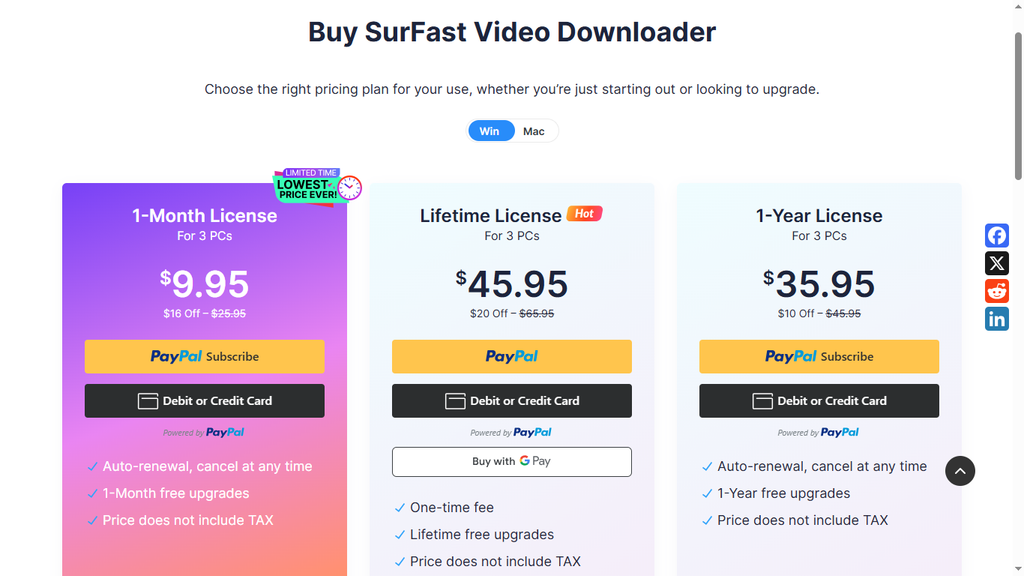
Monthly and annual purchases include updates during the respective license period, while Nabla Mind also provides customer support and a money-back policy according to the terms associated with each purchase. Pricing can change over time, so we recommend checking the official SurFast Video Downloader website when choosing a plan.
Is SurFast Video Downloader Safe?
Security matters when installing any desktop downloader because the software interacts with web content and saves files directly to a computer. Nabla Mind states that SurFast Video Downloader passes major antivirus scans and is distributed through software platforms with security requirements.
The official SurFast website describes the software as virus-free, while Nabla Mind also states that purchases are protected through encrypted payment processing. The availability of a dedicated support center, documentation, software updates, licensing system, and technical support also gives SurFast the structure we would expect from an established desktop software product.
Regular Software Updates
Another positive aspect of SurFast Video Downloader is the frequency with which its feature set continues to evolve. At the time of our review, the latest stable release listed by Nabla Mind is SurFast Video Downloader version 2.8.6.
Recent enhancements include Chrome extension integration, Udemy support, expanded subtitle handling, clipboard URL auto-parsing, direct YouTube search, improved macOS download performance, smarter global presets, improved chapter downloading, a redesigned Tracking feature, and interface refinements.
This continued development matters for video downloading software because websites and media-delivery technologies change regularly. An actively maintained application is much better positioned to adapt as platforms evolve.
Who Should Use SurFast Video Downloader?
We see SurFast Video Downloader as particularly suitable for users who download online media regularly rather than someone who only needs to save one occasional clip.
It makes sense for people who build offline video libraries, researchers collecting reference material, educators organizing downloadable resources, language learners using videos and subtitles, editors gathering source material they are permitted to use, and marketing teams researching social-media content and creative trends. Agencies such as SwiftPropel may also use organized reference libraries as part of broader content research and digital marketing workflows.
The clipping and chapter features are especially useful when only particular sections of long videos are required.
Playlist, channel, batch, and Tracking features make more sense for higher-volume users.
Subtitle functionality adds another dimension for multilingual content, transcription-based workflows, accessibility, and language learning.
Meanwhile, the Chrome extension, clipboard detection, global presets, and direct search features are valuable for anyone who wants to reduce the repetitive work normally associated with downloading content frequently.
Our Experience Reviewing SurFast Video Downloader’s Feature Set
What impressed us most while reviewing SurFast Video Downloader is the way multiple small convenience features combine into a much broader workflow. Video downloading itself is not difficult to understand. Paste a URL, choose a quality, and save the file. SurFast builds substantially more around that basic action.
We can download a single file or an entire playlist. We can choose video or audio. We can specify the format and quality. We can retrieve subtitles and thumbnails. We can clip only the exact part we need. We can select individual chapters. We can work with private content we are authorized to access. We can monitor channels for new uploads. We can schedule automatic downloads. We can capture upcoming live streams. We can search YouTube from inside the application. We can let SurFast automatically recognize clipboard URLs. We can define presets so that repetitive settings no longer need to be selected every time. And with the browser extension, the workflow can begin directly from the web page we are already viewing. That combination is what makes SurFast more compelling than a simple online video downloader.
SurFast Video Downloader Review: Final Verdict
After reviewing its current capabilities, we see SurFast Video Downloader as a comprehensive media-downloading solution for Windows and macOS users who want more control over how online video and audio are saved. Its support for more than 1,000 websites gives it broad practical coverage, while resolution options up to 8K make it suitable for users who prioritize high-quality video.
The extensive output-format selection means downloaded media can be adapted for different devices and workflows. Audio extraction expands the application beyond video. Subtitle downloading, embedding, and burning provide impressive flexibility for captioned content. Playlist, channel, and batch downloading help with larger collections, while the clipping and chapter tools eliminate unnecessary downloading and editing steps.
We particularly like the direction of SurFast’s automation features. Tracking channels and playlists, automatically downloading new content, preparing for upcoming live streams, recognizing URLs from the clipboard, applying global presets, and integrating downloads into Chrome all reduce repetitive manual work.
The addition of private-content workflows, direct YouTube search, automatic format conversion, pause-and-resume support, thumbnail downloads, and continually expanded platform support makes the application feel more like a complete media acquisition and organization utility than a one-purpose downloader. For users who regularly download online video, audio, playlists, subtitles, or entire content collections, SurFast Video Downloader offers an impressive combination of flexibility, automation, format control, and convenience.
Our overall impression is positive. SurFast Video Downloader takes a task that can otherwise involve multiple websites, browser tabs, converters, clipping tools, and repetitive manual steps and brings those functions together into one organized application. If you frequently save online media for legitimate offline use and want more than a basic URL downloader, SurFast Video Downloader is a feature-rich option worth considering.

Vijay Sood is a seasoned digital marketer with a passion for driving online growth and innovation. With a robust background in developing and executing comprehensive digital strategies, Vijay excels in leveraging SEO, content marketing, and social media to boost brand visibility and engagement. His expertise lies in transforming data-driven insights into actionable marketing campaigns, helping businesses achieve their digital objectives.