Google Shopping Ads represent a perfect solution for an excellent advertising campaign that online retail businesses may avail themselves of. They give off an interactive, visually attractive, and excellent shopping experience by providing details, images, and prices of the product directly through Google Search, hence making it very simple to enforce the law of reaching the right user. Differing from the regular text ads by nature, Google Shopping Ads promote the visibility of the product since the potential customer can at least see what they want to buy, even before the decisive click, which in most cases leads to significantly better engagement, higher click-through rates (CTR), and finally, increased conversion rates.
In this guide to Google Shopping, we will dive deep into advanced strategies for maximizing your ad performance, understanding campaign performance, and tracking success with Google Shopping Ads. So, let’s begin and explore everything you need to know about Google Shopping Ads!
What Are Google Shopping Ads?
Google Shopping ads, also recognized as Product Listing ads or product ads, are the must-have tools of any advertiser on Google. One can find these kinds of ads at the very top or top-right of the search engine results pages and also under the Shopping tab. Through this method, Google promotes ads for the brands that want their products to be visible on Google to people who are searching online for various goods and commodities. The brand will supply the product data and its description; on this basis, Google will use algorithms to output only those advertisements that are most relevant. The reason ads are displayed depends on the effectiveness of your product feed management, the relevance, the feed quality, and the optimization levels of what they are targeting.
This guide to Google Shopping Ads interestingly equips advertisers with shopping channel knowledge, the fundamentals of setting up Shopping campaigns, and the benefits of using Google platforms for better visibility.
How Google Shopping Ads Can Transform Your E-commerce Strategy
Online merchants can turn the tables on e-commerce companies by using Google Shopping Ads. They support you in the following manner:
- Target the Interested Audience: Thanks to the power of Google’s search algorithms, your ads will be shown to users who are looking for products similar to yours. Therefore, the chances of a conversion are higher. This is part of the reason why many retailers choose shopping campaigns on Google.
- Visibility Increase: Your product is bound to attract the right attention when Google Shopping Ads show its image and give a brief description right on the result page of the search. So, the user comes across your product amidst a sea of others and gets ‘hooked’ on it. The result is more traffic to your store.
- Obtain Higher Conversion Rates: Since users are already close to making a purchase decision, they are more likely to click on your ad and convert, resulting in a higher return on ad spend (ROAS) compared to other campaign types.
How To Boost Sales With Google Shopping Ads
Below are several means through which you can enhance sales with Google Shopping Ads and, at the same time, bring forth the best results:
1. Segment Your Products Based on Search Queries
The very first and most significant thing to do is to categorize your products based on search queries. Subsequently, advertisers will be entitled to more control over the bids and performance enhancement. For example, suppose a searcher wants Adidas sports shoes; you might want to raise your bid level in your shopping ads campaign since these shoes are more expensive than others, so buyers are more likely to convert. Clever advertisers frequently do this in campaigns on Google.
If one type of market segmentation is a necessity for a standard Shopping campaign or even a Performance Max structure, then the other is equally important.
2. Use High-Quality Product Images
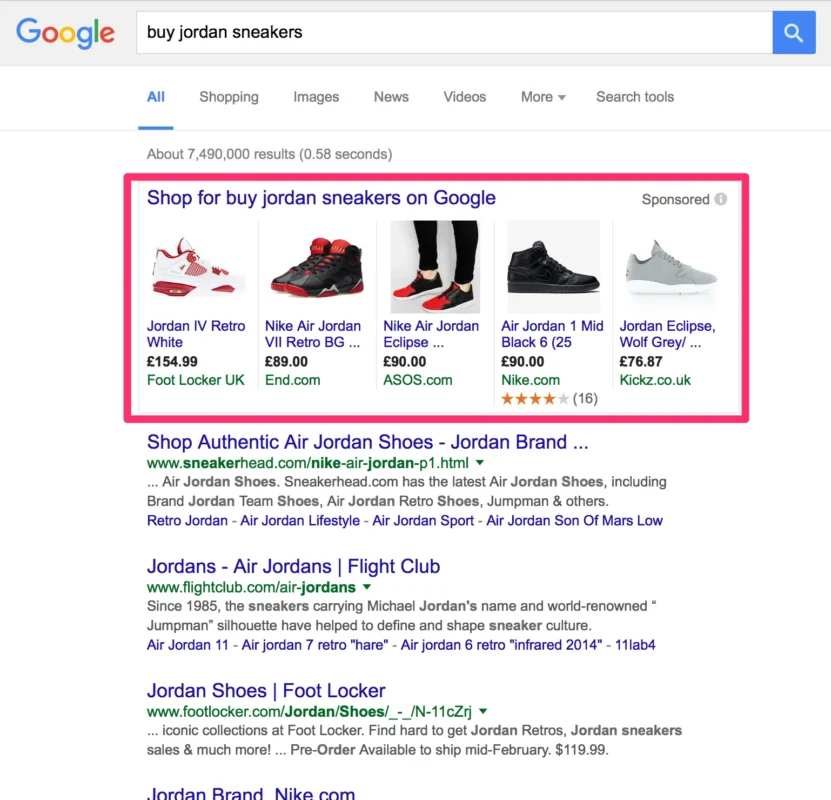
Since Shopping ads rely on visuals, high-quality images eventually lead to increased CTR and more sales.
Image Optimization Tips:
- Use white backgrounds, as they visually keep the products clear.
- Make sure that the images do not possess watermarks, graphical symbols, or text parts to be in line with Google’s rules.
- If possible, please upload various angles of the same product.
Most of the time, it is recommended to follow the best ad practices and the Google Shopping optimization guides, too.
3. Carefully Check Google Shopping Ads Regulations
You should ensure that your adverts meet the regulations for Google Shopping ads by double-checking the policies. When advertisers perform the above, most of them do not consider tuning their ads in regard to compliance with the policies. Google has an entire guide on Google policies. So, by the time you decide to run a new campaign on Google Shopping, you should have already consulted these documents. It is also important for performance max or smart shopping campaign planning.
4. Set up a Google Merchant Center Account
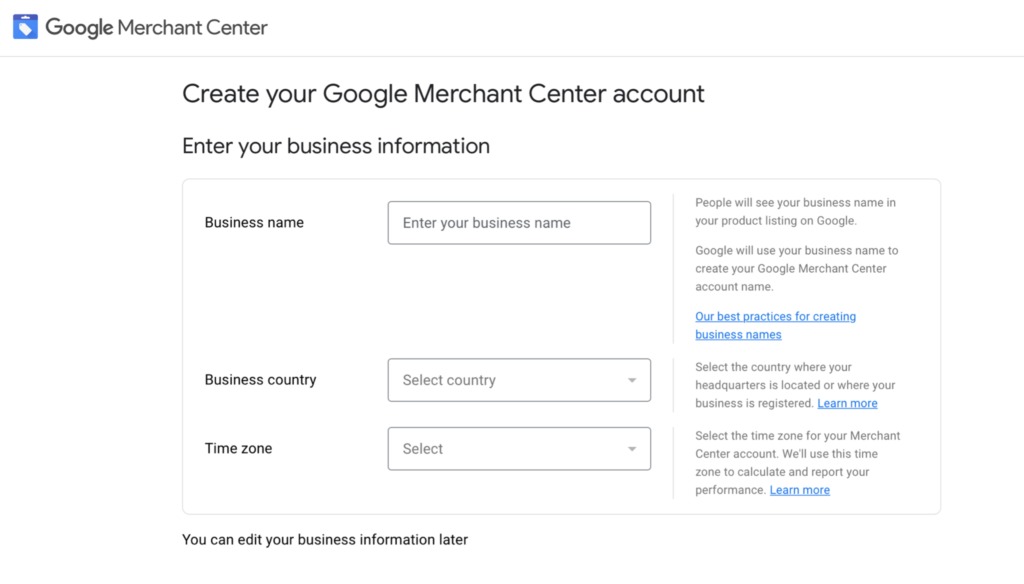
Creating a Google Merchant Center account is the next step and is a must-have for any type of Google shopping campaign.
In order to set up a Merchant Center account, you must:
- Open a Google account if you do not already have one
- Provide your business details accurately
- Put special emphasis on the places about where the buyers will get your products
- Insert your management email/platform info
- Starting the process of Google shopping ads is by clicking on the ‘Growth’ option and then choosing ‘Manage Programs.’
- Link tax data, delivery data, store details, product feed, and the Google Ads account
Regardless of whether you have a typical Shopping Ads account or are using Performance Max automated setups, this is a very important step.
5. Keep Your Price at a Competitive Level
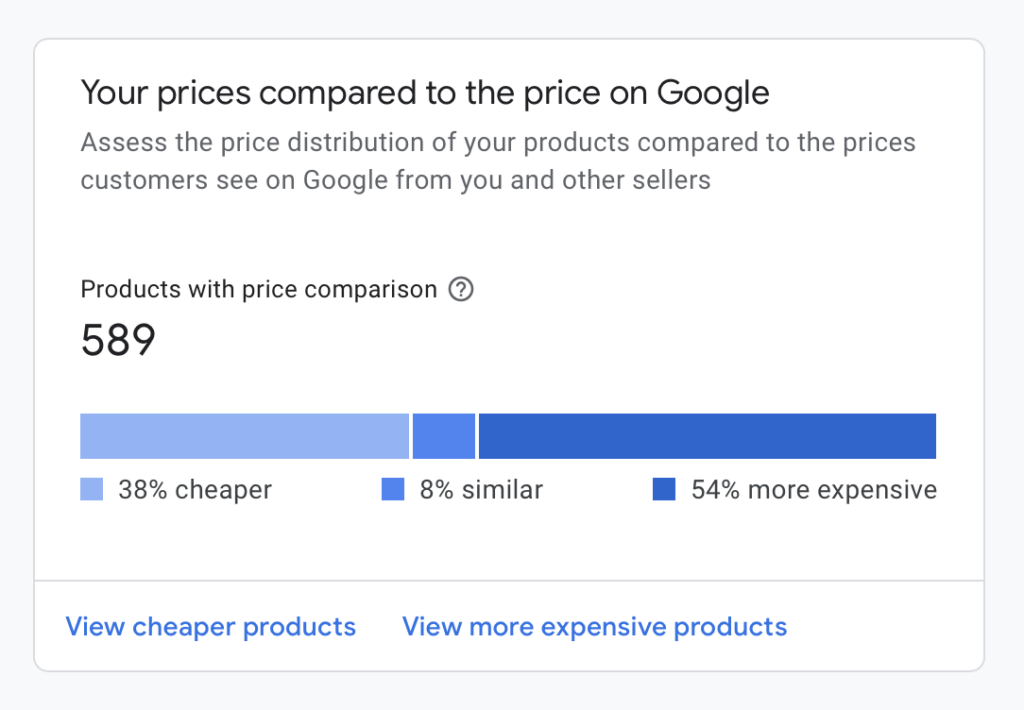
Google Shopping is a kind of service that helps consumers compare prices from different sellers, and as a result, the products with lower prices are given more visibility to consumers.
Price Optimization Techniques:
- Monitor your prices against your rivals that use platforms such as Google Shopping, Amazon, eBay, and Shopify.
- To generate more clicks, set up time-limited offers or promotions.
- To stay competitive, use automated price rules in Shopify or some other e-commerce platform.
Price competitiveness directly influences ad spend, bid strategy, and campaign performance.
6. Experiment with Your Bidding to Discover the Optimal Point
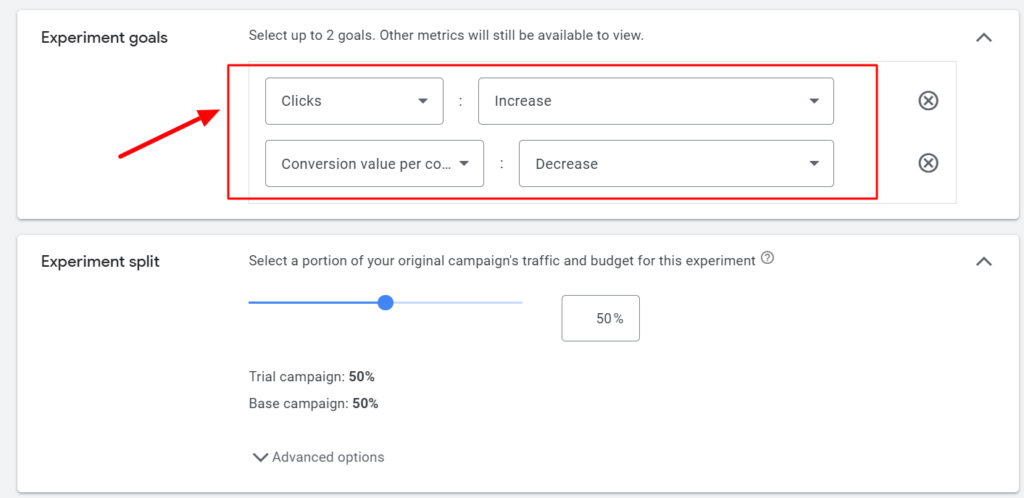
Bidding on Google Shopping ads is more complicated than bidding on Google Search (which is quite simple). So, the effect in business of a tiny raise in your bids can be vastly different.
In other words, the same bidding increase of 5$ can have drastically different impacts on your revenue and profits. It is also very important that you always test your bids if you want to keep control over your bid adjustments.
7. Create Product Feeds
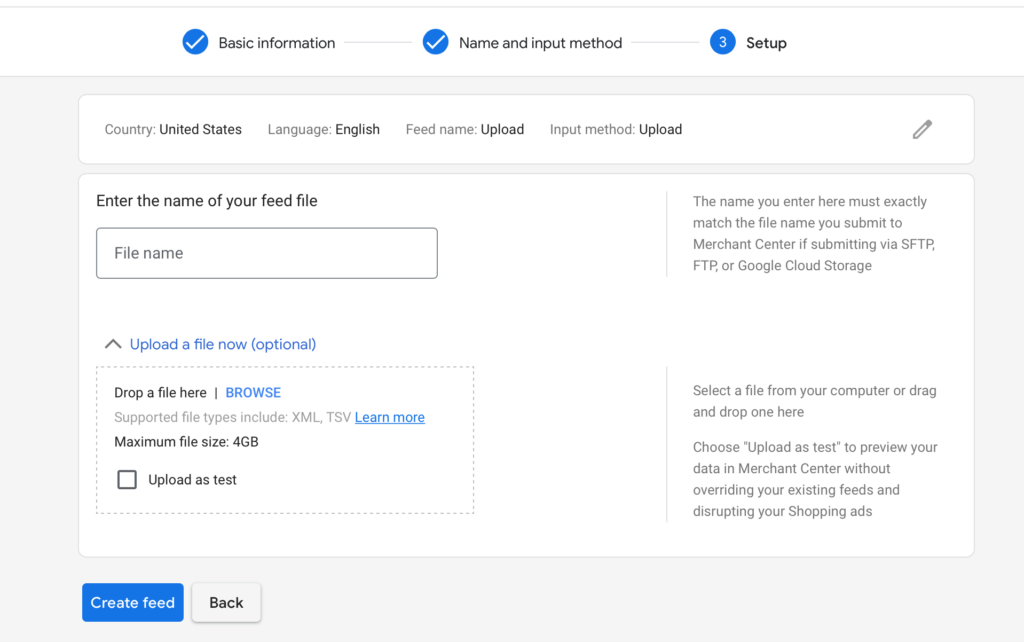
In essence, a product feed refers to a file that has minimal information about your products. The main idea of your feed is that it helps you run more than one campaign with the same data, and it can be used by Google Ads. A reliable product data feed is important because it ensures that your promotions will be accurate to the search engine.
Most of the advertisers choose to optimize their Google shopping feed first before starting the campaign. You may also use automated tools to submit your product feed to Google Merchant or upload it manually to Google Merchant Center.
8. Place Your Keywords Intelligently
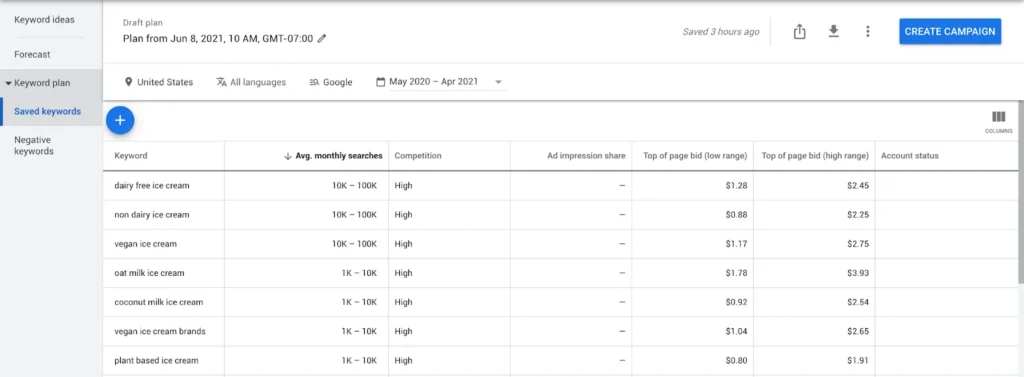
As there are no manual keywords in Google Shopping, you should thoroughly optimize your feed in order to let Google know that your ads are relevant. Suppose you want the customers to find your ads when they search for “hiking boots” or “trainers”; then what you need to do is to put these keyword expressions in your product titles as well as in the descriptions.
Correct product titles enable your ads to be shown when users input related search terms, and thus your ads get more exposure.
9. Linking Merchant Center Account with Google Ads
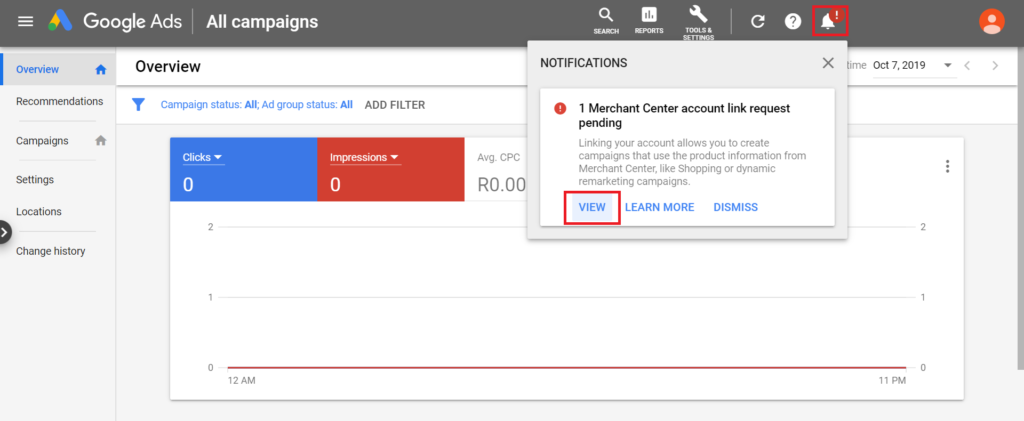
Offline merchants need to create a link between their Google Merchant Center account and their Google Ads account. When combined, these tools can help you to be more visible, make use of Google Shopping Ads in a better way, and save you from using the same product data for different ads. This union is vital while installing a Google shopping campaign, specifically when it is a Performance Max or shopping campaign.
10. Employ Remarketing to Increase Revenue
Retargeting an audience who has previously visited your store is definitely more efficient than targeting new visitors.
That is the remaking secret that works perfectly for online businesses. According to research, the implementation of RLSA in Shopping campaigns can lead to a conversion increase of up to 4✕.
11. Use Google Shopping Ad Extensions
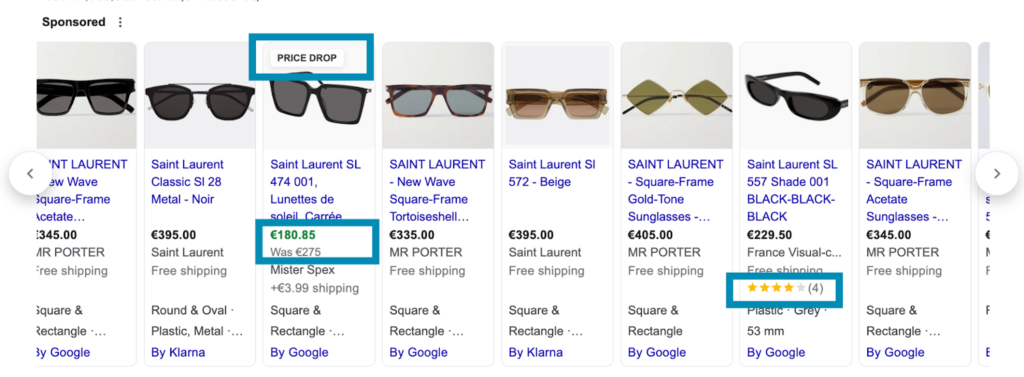
Google shopping ads are more effective when these extensions are added, which portray the extra benefits or attract consumers to the product range. Extensions are basically of four types:
- Merchant promotions
- Local inventory ads
- Product ratings
- Price drops
12. Use Negative Keywords
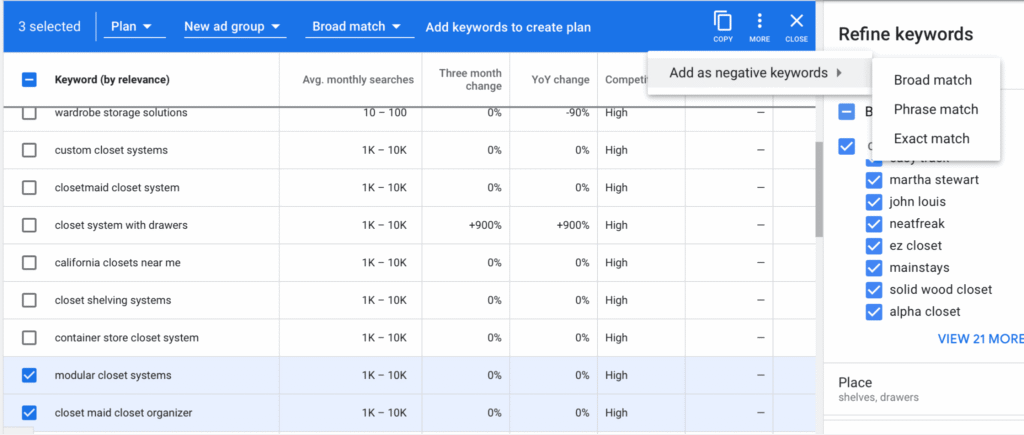
Suppose multiple campaigns of Google shopping ads are in action. In that case, you can segregate them as per priority and make a list of negative keywords for each campaign. For instance, if you are not providing free items or discounts, then take negative keywords such as “FREE” or “Sale.” This will allow you to get exposed to the most relevant search queries and also decrease the waste of the ad budget.
13. Optimize Product Titles for Higher Visibility
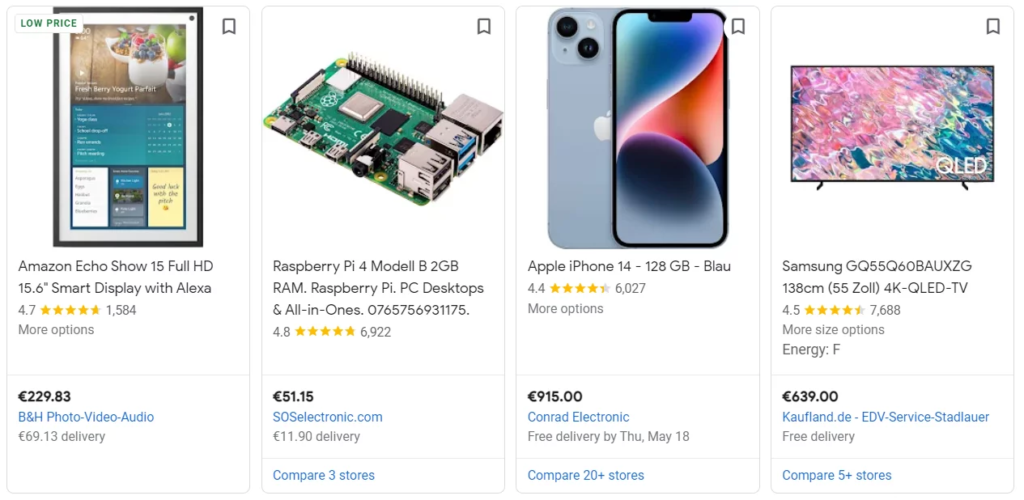
When talking about optimization tips, the titles of the products are the first thing to be considered, as Google automatically ranks the shopping ads based on the product titles, thus making title optimization one of the most critical optimization tips.
Good Product Title Work:
- Use brand name, product type, main features, words of size, and color
- Use keyword phrases that imply user intent
- Do not use words that are already implied in the product
- Put emphasis on clarity and relevancy
14. Write Detailed Product Descriptions
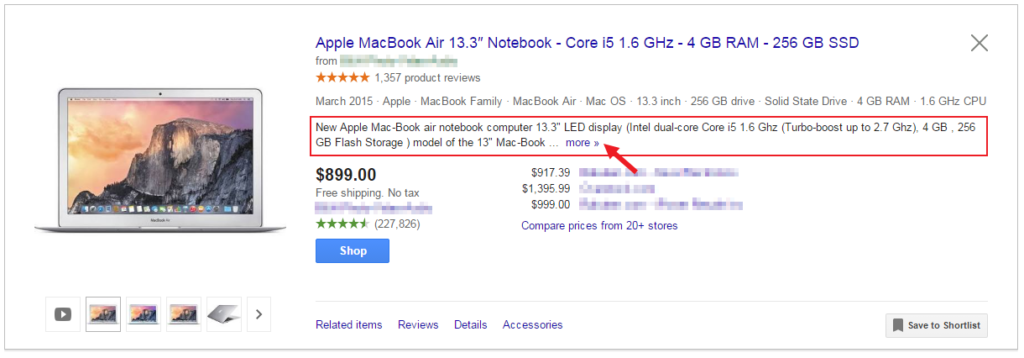
The descriptions of your products should be in the form of real facts about the product, include the relevant keywords, and also be informative, educational, and helpful.
Best Practices:
- Explain features, specifications, and possible ways of usage in your product feed management to enhance customer understanding.
- Do not use overly promotional language
- Provide material, color, and technical details
15. Use Reviews
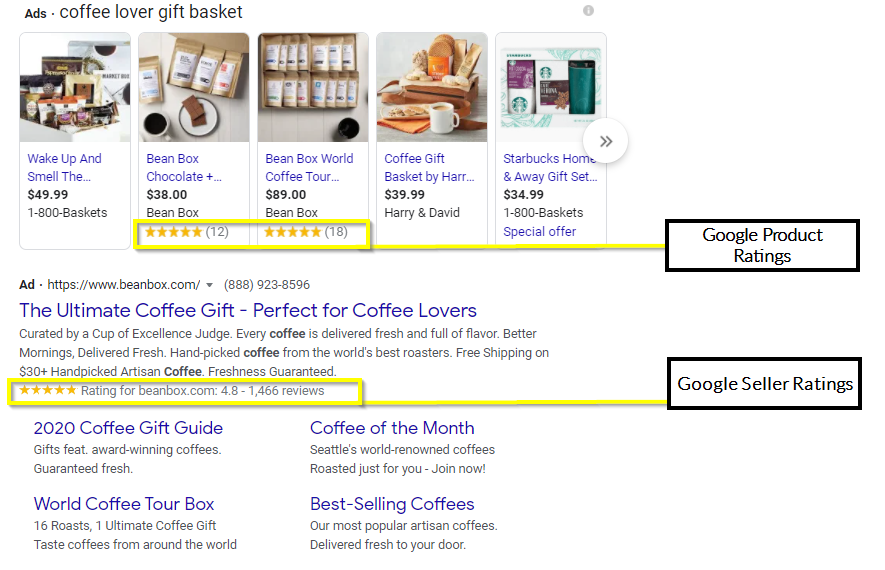
Several studies show that more than 90% of customers make their purchase only if they receive recommendations from their acquaintances or other personal sources. So, showing reviews and ratings in your advertisements can be a big help in gaining customers’ trust and increasing your conversion rate.
Conclusion
One of the most powerful weapons in their arsenal aimed at attracting high-intent shoppers and increasing their revenue is Google Shopping Ads, which have undergone a radical transformation to become instrumental in the success of e-commerce brands. Merchants can significantly improve their e-commerce presence and thus achieve a substantial increase in conversions by implementing strategies such as product feed optimization, engaging product images and titles, competitive pricing, and remarketing.
Advertisers can increase ROAS and minimize the wastage of ad spend when they have the right bidding strategy, data feed optimization, compelling product information, and effectively managed shopping campaigns. Continuous testing, intelligent campaign structures, and adherence to best practices are the keys to success with Google Shopping. These ads, when implemented deliberately, can help in enhancing the visibility of the brand and converting casual browsers into loyal customers.

Vijay Sood is a seasoned digital marketer with a passion for driving online growth and innovation. With a robust background in developing and executing comprehensive digital strategies, Vijay excels in leveraging SEO, content marketing, and social media to boost brand visibility and engagement. His expertise lies in transforming data-driven insights into actionable marketing campaigns, helping businesses achieve their digital objectives.