
Creating professional marketing materials has become an essential part of running a successful business. Whether you’re promoting a new product, managing social media accounts, launching an online store, or preparing promotional materials for an upcoming event, attractive visual content plays an important role in how customers perceive your brand.
For small business owners, creating consistent designs across multiple marketing channels is particularly important. A business may need Instagram posts, Facebook advertisements, product listing images, promotional flyers, email graphics, and printed marketing materials, sometimes all within the same week. Having access to a reliable graphic design platform can make these responsibilities easier to manage.
This is where VistaCreate comes into the picture. We recently explored VistaCreate’s current features and capabilities to understand how this AI-powered graphic design platform helps businesses transform their ideas and existing images into professional marketing materials.
What caught our attention was its emphasis on practical design workflows for small business owners. Rather than focusing exclusively on traditional graphic design tools, VistaCreate allows users to begin with an idea, an existing photograph, or a professionally designed template and develop it into a finished creative asset. The platform also combines artificial intelligence, photo editing, design templates, branding tools, video editing, animation, social media scheduling, and print preparation within one environment.
We particularly appreciate how VistaCreate approaches design as an ongoing business activity rather than an isolated creative task. In this detailed VistaCreate review, we’ll explore its features, AI design capabilities, editing tools, templates, brand management functionality, video creation tools, pricing, and overall value for entrepreneurs, marketers, and growing businesses.
What Is VistaCreate?
VistaCreate is an AI-powered graphic design and visual content creation platform designed to help individuals and businesses produce professional marketing materials. Previously known as Crello, VistaCreate is now part of the Vista family of products, which also includes VistaPrint and 99designs by Vista.
The platform provides a comprehensive collection of design tools for creating social media graphics, digital advertisements, presentations, product images, logos, flyers, business cards, brochures, animated content, and other marketing materials. One of VistaCreate’s defining characteristics is its focus on accessibility.
Users can create designs using a drag-and-drop editor, ready-made templates, AI-generated imagery, and customizable visual elements. The platform also supports more advanced workflows involving AI image editing, brand management, animation, collaborative design, and publishing. We see VistaCreate as a solution that connects creative production with everyday marketing requirements. Rather than requiring business owners to approach each design as a completely new project, it provides resources for developing consistent materials across different formats and channels.
Who Is VistaCreate Designed For?
VistaCreate is particularly relevant for small business owners who manage their own marketing activities. Entrepreneurs running online stores can use it to prepare product images, promotional banners, social media graphics, and advertising creatives. Businesses operating in industries such as food and beverage, beauty, fashion, and lifestyle can use its visual editing tools to present products more professionally.
Digital marketing agencies can benefit from the platform’s templates, Brand Kits, team collaboration, and multi-format design capabilities. Content creators can use VistaCreate to produce Instagram posts, YouTube thumbnails, short-form videos, Pinterest graphics, and other digital content. We also see considerable value for consultants, educators, freelancers, and local businesses that need regular marketing materials. The platform’s combination of creative resources and practical editing tools makes it suitable for different levels of design experience.
Getting Started With VistaCreate
One of the most interesting aspects of VistaCreate is the flexibility it provides when beginning a design. The platform supports three main starting points: an existing image, a design idea, or a ready-made template. This approach reflects the way many business owners actually create marketing content.
Sometimes they have a product photograph they want to improve. Other times they know the message they want to communicate but need help developing the visual presentation. VistaCreate provides tools for both situations.
Start Creating From an Existing Photo
VistaCreate allows users to upload their own product photographs and other images directly into the design editor. Once uploaded, the photograph can become the foundation of a new creative project. Users can adjust the image, remove its background, add text, introduce graphic elements, and apply brand colors.
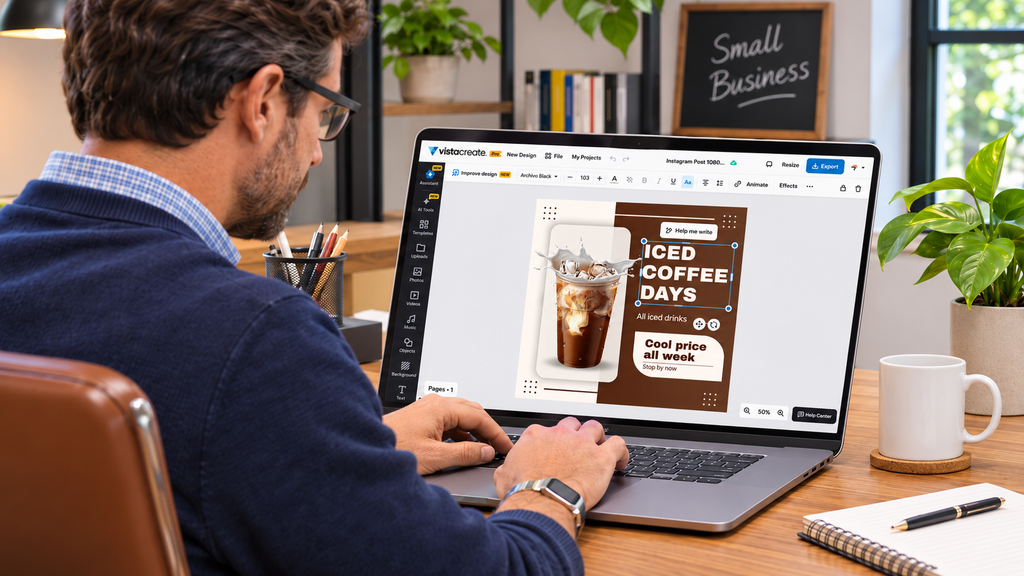
An existing photograph can also serve as a reference for AI-assisted design creation. We find this photo-first approach particularly valuable for small business owners because they often already have photographs of their products or services. Instead of organizing an entirely new creative process, they can begin with the material they already possess.
Start With a Simple Design Idea
VistaCreate also supports creating designs from written descriptions using its AI Assistant. Users can explain what they want to create in ordinary language. The assistant can use the description to help develop a design direction, find relevant templates, or work with uploaded reference material.
We appreciate this conversational approach because business owners often think in terms of marketing objectives rather than design terminology. They may know that they want to announce a new product, promote a seasonal discount, or create a professional advertising graphic. VistaCreate helps connect those objectives with suitable visual designs.
Start With a Professional Template
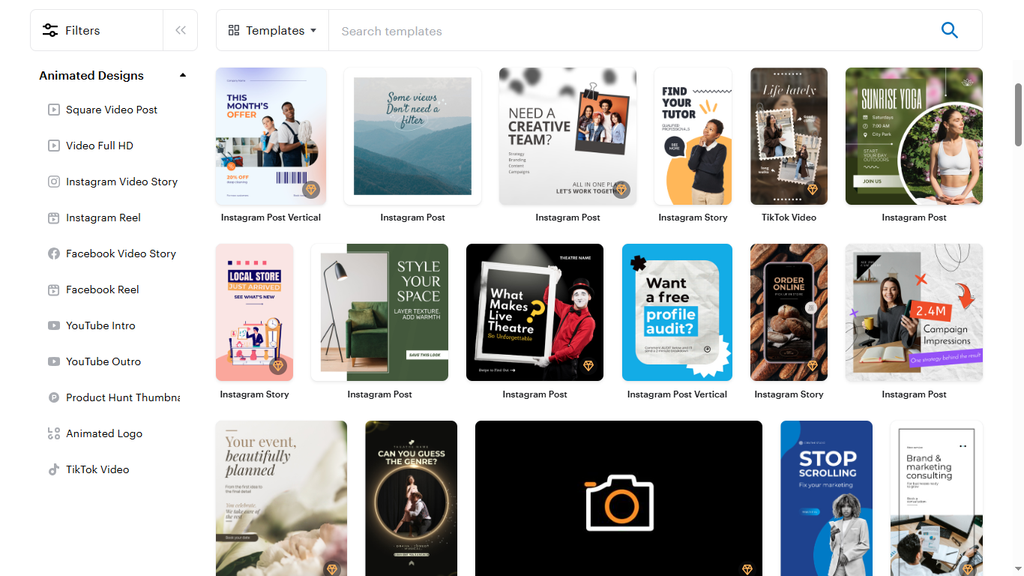
Users who prefer a more traditional design workflow can begin with VistaCreate’s template library. Templates provide an established layout that can be customized with different photographs, text, colors, fonts, and graphics. This is useful for creating marketing materials that follow familiar design conventions. We find the combination of photo-based, AI-assisted, and template-based creation particularly appealing because it allows users to select the starting point that best matches their project.
VistaCreate’s Drag-and-Drop Graphic Design Editor
The drag-and-drop editor is the foundation of VistaCreate’s design experience. It allows users to arrange visual elements on a canvas and customize the layout according to their needs.
Customize Designs Without Advanced Design Skills
VistaCreate supports adding and editing text, photographs, illustrations, shapes, backgrounds, and other visual objects. Users can reposition elements, adjust their dimensions, change colors, and modify the overall composition. The editor also supports layering and transparency adjustments.
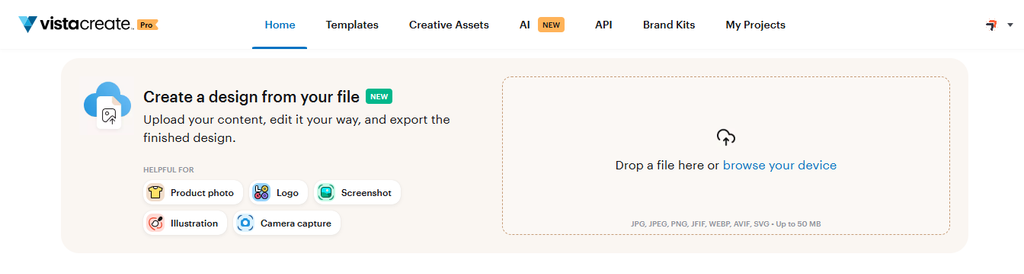
These capabilities provide control over how individual elements appear within the design. We appreciate how the editor makes everyday design activities accessible through a visual interface. Business owners can focus on communicating their message while using the available controls to refine the presentation.
Advanced Text Formatting and Effects
VistaCreate includes a broad selection of typography tools. Users can choose from more than 680 fonts, with support for multiple languages. Text can be customized through font selection, size adjustments, spacing, alignment, and color changes.
The editor also includes text effects such as Outline, Shadow, Text Box, Echo, Glitch, Reflection, and Curved Text. These effects allow users to develop different visual treatments for headlines and promotional messages. We see this flexibility as useful for creating branded advertisements, social posts, and other materials where typography plays an important visual role.
Multi-Page Design Creation
VistaCreate supports multi-page projects. Users can create designs containing up to 100 pages, including supported static and animated projects. This makes the platform useful for presentations, social media carousels, promotional documents, and other multi-page materials. We appreciate the ability to manage several related pages within the same project because it helps maintain continuity across the finished design.
Extensive Design Templates for Marketing Content
Templates are one of VistaCreate’s most significant features. The platform provides thousands of professionally designed layouts for different creative purposes.
Over 100,000 Templates With the Free Plan
VistaCreate Starter includes more than 100,000 design templates. These templates cover social media posts, advertisements, presentations, print materials, and other common business requirements. Users can customize the designs by replacing photographs, changing text, applying brand colors, and adjusting the layout.
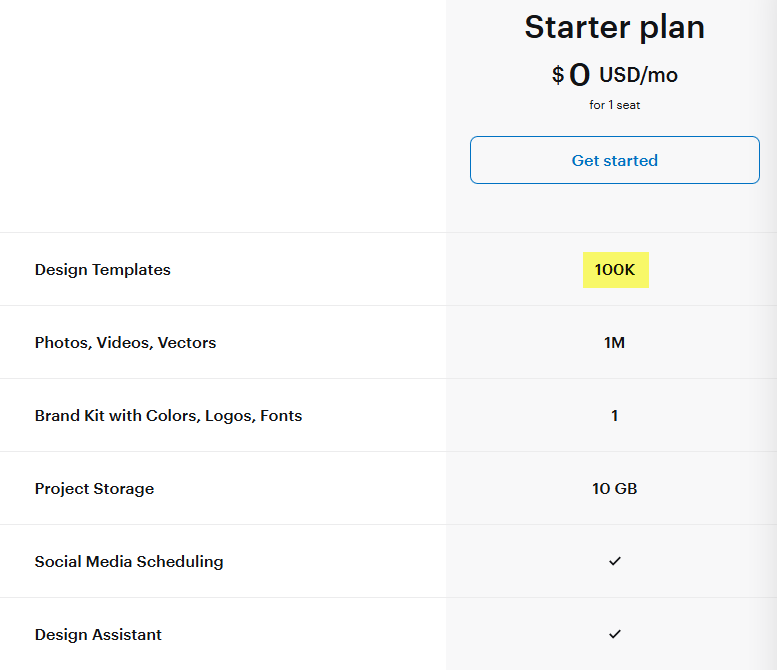
We find this extensive collection useful for entrepreneurs who regularly need different types of marketing content. A template can provide the structure for a design while leaving room for personalization.
Premium Template Collection
VistaCreate Pro expands the available collection to more than 200,000 premium design templates. These designs cover a wide variety of styles, themes, industries, and marketing objectives. The larger library provides additional creative options for businesses developing recurring campaigns. We appreciate the variety because businesses often need different visual approaches for product launches, educational content, seasonal promotions, and brand announcements.
Templates for Over 85 Design Formats
VistaCreate supports approximately 85 design formats across digital and print media. Users can create Instagram posts, Stories, Reels, Facebook graphics, YouTube thumbnails, Pinterest pins, presentations, website banners, business cards, flyers, posters, brochures, and more.
The platform also includes formats for invoices, menus, gift certificates, coupons, and promotional materials. We see this broad format support as one of VistaCreate’s strongest practical features. It allows businesses to develop a consistent visual identity across different customer touchpoints.
VistaCreate’s Creative Asset Library
In addition to templates, VistaCreate provides an extensive collection of creative resources. These assets can be incorporated into designs without creating every element from scratch.
Millions of Stock Photos, Videos, and Vectors
The free Starter plan provides access to more than one million royalty-free creative assets. VistaCreate Pro expands this collection to more than 170 million photos, videos, and vector assets. These resources can be used to complement existing product photographs or create entirely new compositions.
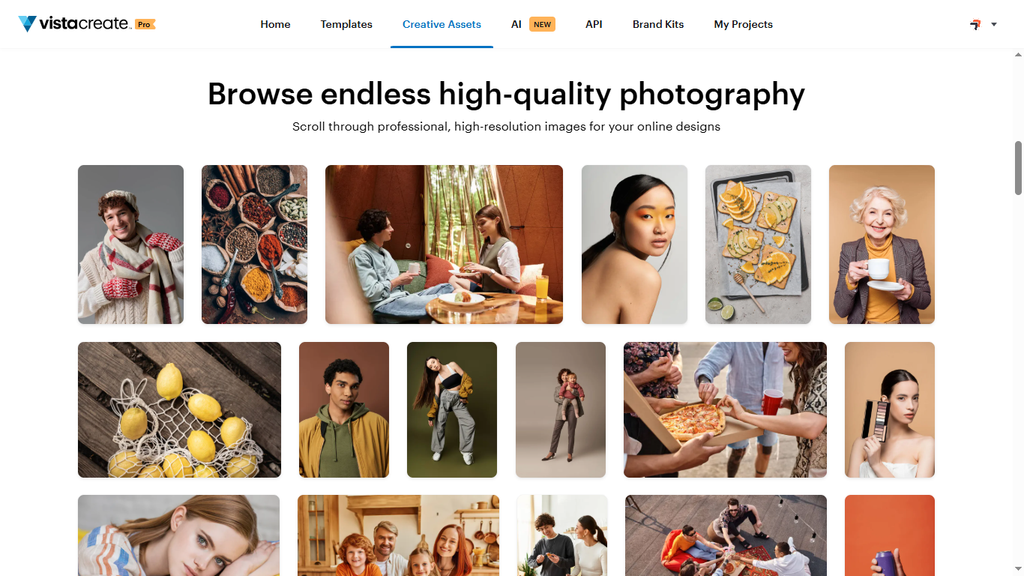
We find the stock library particularly useful for businesses producing educational content, seasonal campaigns, and promotional graphics. Having different types of visuals available within the editor helps streamline the creative process.
Graphic Elements and Backgrounds
VistaCreate’s Starter plan includes more than 60,000 design objects, over 2,800 backgrounds, and more than 14,000 animated elements. Users can incorporate shapes, decorative graphics, icons, illustrations, and animated objects into their designs. The platform also offers different background styles, including static and animated options. We appreciate how these elements provide opportunities to create original-looking compositions while maintaining a consistent visual structure.
VistaCreate AI Image Generator
Artificial intelligence is an increasingly important part of VistaCreate’s functionality. The AI Image Generator allows users to create images directly from written descriptions.
Generate Images From Text Prompts
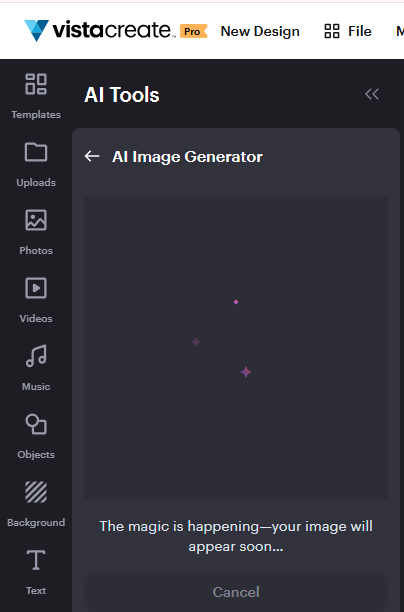
Users can enter a prompt describing the image they want to create. VistaCreate then generates visual options based on those instructions. The generator supports choosing a style and format before producing the image. Once an image is generated, it can be inserted directly into the current design and customized using the editor. We see this as valuable for marketers who need visual content that reflects a particular theme, atmosphere, or creative direction. Instead of searching exclusively through existing stock imagery, users can explore custom visual concepts.
Transform Existing Images With AI
VistaCreate also supports AI image generation using reference images. Users can provide an existing photograph and describe the changes they want. The AI can help explore different styles, colors, backgrounds, and visual treatments. We particularly appreciate this functionality for product-focused businesses. An existing product photograph can provide the visual starting point for creating additional marketing materials.
AI Image Generation for Commercial Content
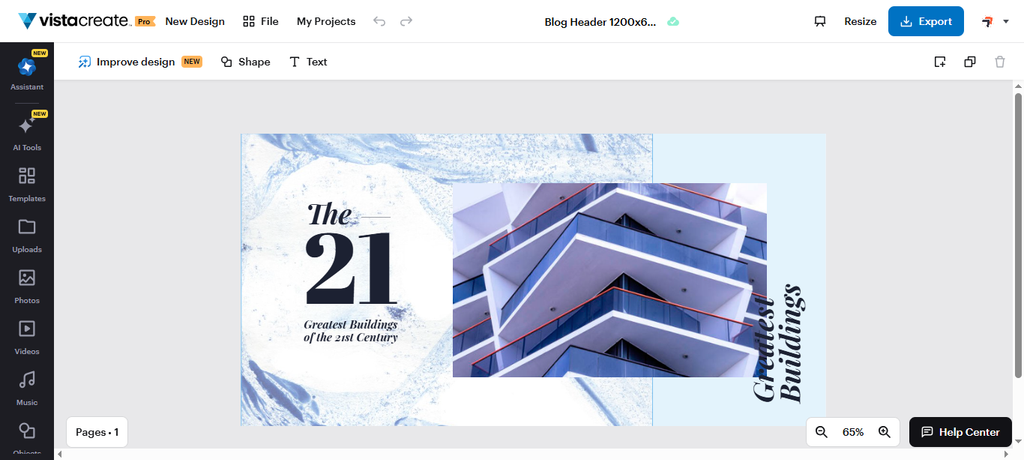
VistaCreate’s AI Image Generator is designed to support marketing, branding, and other business projects. VistaCreate Pro includes 100 AI image generations per month, shared across the account or team. We see this feature as a valuable addition to the broader design workflow because generated imagery can be combined with templates, branding elements, and promotional messaging.
AI Background Remover
Removing image backgrounds is a common requirement when preparing product photographs and promotional graphics. VistaCreate includes an AI-powered background remover designed for this task.
Remove Backgrounds From Product Photos
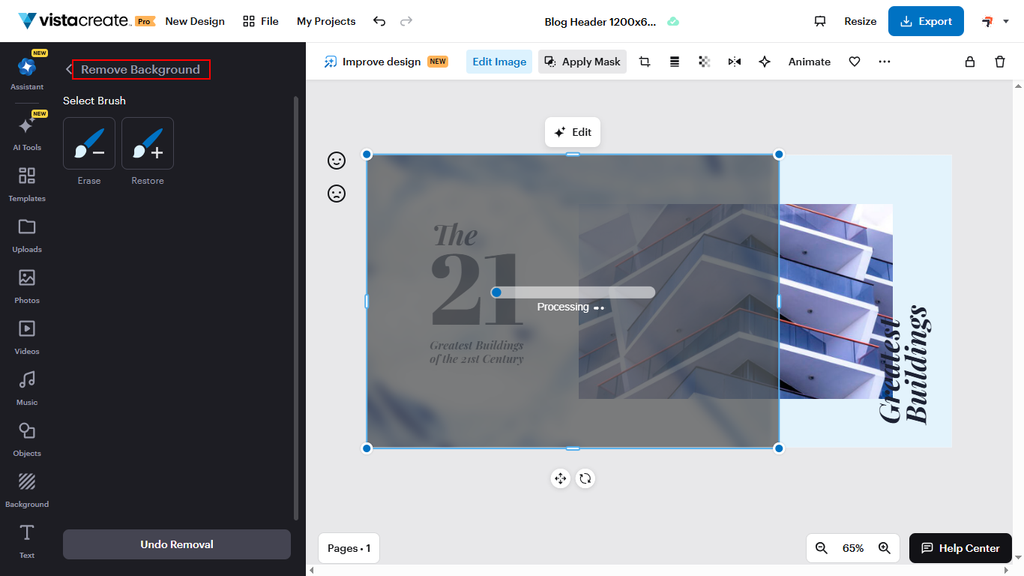
Users can upload a photograph or select an image from VistaCreate’s library. The Background Remover then separates the main subject from its existing background. The resulting image can be incorporated into a new composition. We find this particularly useful for online sellers and product-based businesses. Clean product imagery can help establish a more consistent presentation across online stores, promotional materials, and social media channels.
Create Branded Product Compositions
After removing the original background, users can add a different color, photograph, or designed backdrop. They can also include promotional text, product details, and branding elements. This makes it possible to create different visual treatments around the same product. We appreciate the flexibility because businesses often need multiple creative assets featuring identical products.
AI Background Replacer
VistaCreate also offers an AI background replacer. This feature allows users to replace an image’s existing background with a new AI-generated environment.
Create New Backgrounds With Text Prompts
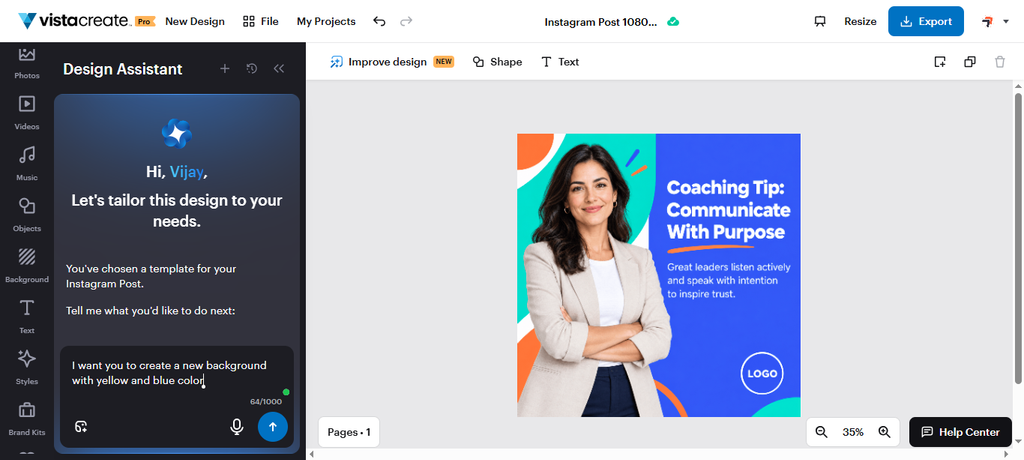
Users can describe the setting they want to introduce. The AI uses the description to generate a suitable background scene. This creates opportunities to explore different visual presentations for product images. For businesses working with physical products, the feature can help develop marketing visuals that match different campaign themes. We find this especially interesting because it connects existing product photography with AI-powered visual customization.
Adapt Product Imagery for Different Campaigns
A product photograph can be reused with different background treatments to support multiple marketing objectives. Businesses can create designs suitable for online listings, promotional announcements, and social media advertising. We appreciate this approach because it allows product photography to become a reusable creative resource rather than a single-purpose image.
AI Object Remover
VistaCreate’s AI Object Remover helps users remove unwanted elements from photographs. The tool can remove distracting objects, people, text, or other visual details.
Clean Up Images With AI
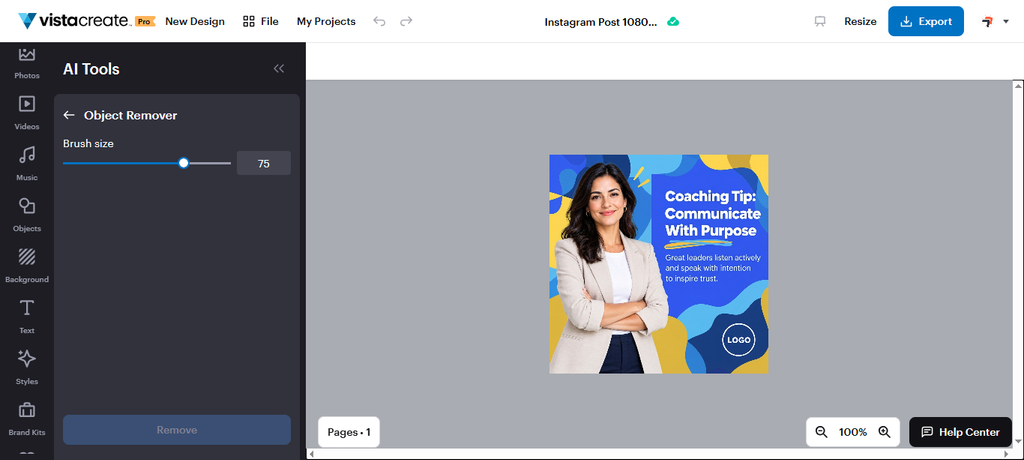
Users can select an image and identify the elements they want to remove. The AI processes the photograph and produces an edited result. This can be useful when preparing images for marketing materials or improving the overall composition. We appreciate this functionality because attention to visual detail can make a significant difference in how professionally a design is presented.
Refine Existing Marketing Photographs
The Object Remover works with uploaded images and AI-generated visuals. Users can refine their photographs before adding them to advertisements, presentations, or social media posts. We see this as a practical feature for businesses that regularly work with their own photographs.
AI Object Grabber
Another interesting editing feature is VistaCreate’s AI Object Grabber. This tool allows users to select an object within an image and turn it into a separate editable design element.
Extract Individual Objects From Images
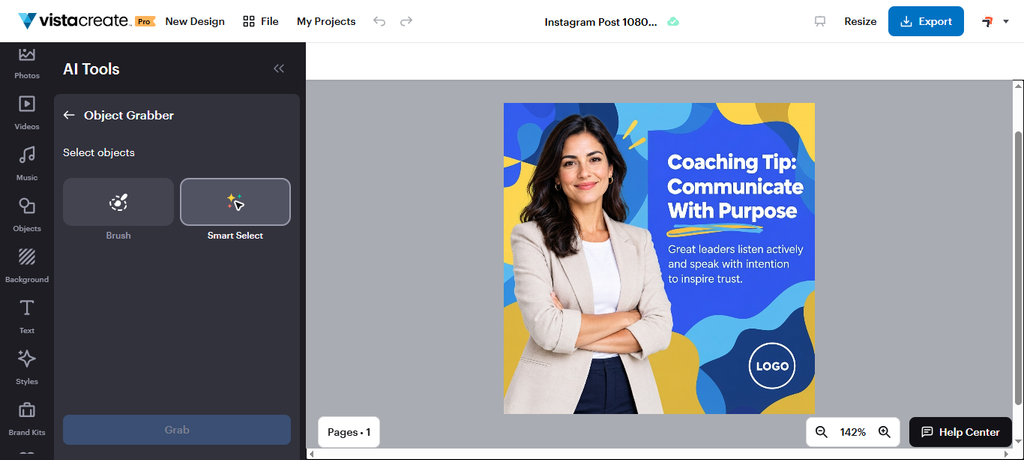
Object Grabber supports selecting objects using a brush or Smart Select functionality. Once selected, an object can be extracted from the original image. The extracted element becomes available separately on the canvas. We find this particularly useful for developing more flexible compositions from existing photographs.
Move and Resize Extracted Objects
After extraction, users can reposition, resize, or edit the object independently. The element can also be copied into another design. This provides additional creative flexibility when developing promotional graphics. We appreciate how this feature allows users to work with individual elements of a photograph rather than treating the entire image as one fixed object.
VistaCreate AI Writer
Visual design and marketing copy often need to work together. VistaCreate includes an AI Writer that helps users generate and refine text directly inside their designs.
Generate Marketing Copy With AI
The AI Writer can produce text for social media captions, advertising headlines, product descriptions, presentations, and other marketing materials. Users can provide instructions and generate copy that suits the intended communication. We see this as useful because creating effective marketing graphics requires both compelling visuals and relevant messaging.
Rewrite, Expand, and Shorten Text
VistaCreate’s AI Writer can rewrite existing copy, improve clarity, correct grammar, expand content, or make it more concise. It also supports changing the tone and translating text into different languages. We appreciate the convenience of editing copy within the design project itself. This allows marketers to coordinate the wording with the visual layout and available space.
AI Assistant and Conversational Design Creation
VistaCreate’s AI Assistant supports a more conversational approach to creating marketing designs. Rather than requiring users to begin by selecting individual editing tools, it allows them to describe their desired outcome.
Design Using Natural-Language Instructions
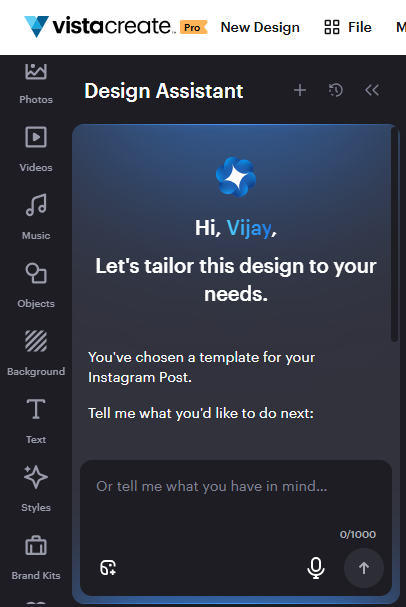
Users can communicate the type of design they want to create. The AI Assistant can help them begin with an idea, locate relevant templates, or use uploaded reference material. We find this particularly appealing for entrepreneurs who understand their marketing needs but prefer not to approach design through technical terminology.
Turn Reference Images Into Design Concepts
Users can upload a photograph and provide instructions describing the desired design. This creates a connection between existing visual material and AI-assisted design generation. We appreciate how this workflow supports the natural process of developing a creative idea from something a business already possesses.
AI Design Reviewer and Design Improvement Tools
VistaCreate also provides AI-assisted design feedback functionality. The design reviewer helps users examine a design and identify opportunities to improve its presentation.
Evaluate Layout and Visual Hierarchy
The design reviewer can provide feedback about composition, alignment, spacing, text placement, and visual balance. These elements influence how clearly a design communicates its intended message. We see this as particularly useful for business owners who want guidance while preparing professional marketing materials.
Improve Designs With Greater Confidence
VistaCreate’s design improvement features help users review their work and make targeted refinements. Instead of concentrating exclusively on generating new designs, the platform also supports improving existing ones. We appreciate this direction because creating a useful marketing asset often involves reviewing and refining the composition before publishing.
Product Photography and Ecommerce Design Tools
One of VistaCreate’s most relevant applications is creating marketing materials for product-based businesses. Online retailers and small brands often need photographs and promotional graphics for multiple channels.
Create Professional Product Listing Images
VistaCreate allows businesses to upload product photographs, adjust their appearance, remove backgrounds, and incorporate them into branded layouts. Users can add product names, promotional information, graphics, and other supporting elements. We find this particularly valuable for online sellers who want consistent visual presentation across their product catalog.
Design Product Launch Graphics
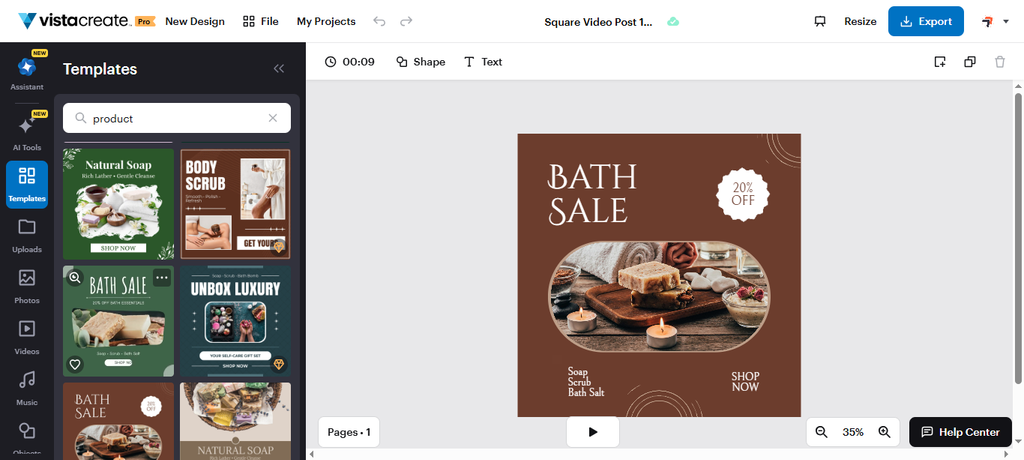
Businesses can also prepare promotional materials for new product releases. VistaCreate’s templates, AI image tools, and branding features can support designs for social media announcements, advertising creatives, and email promotions. We appreciate how these capabilities connect product presentation with broader marketing activities.
Maintain a Consistent Look Across Sales Channels
A business may need different creative dimensions for its website, online marketplace, and social media profiles. VistaCreate’s customization and resizing tools can help adapt related designs across these channels. We see this as useful for establishing a recognizable visual identity.
VistaCreate Brand Kit
Brand consistency is one of the most important considerations in business marketing. VistaCreate includes Brand Kit functionality that helps users organize essential visual identity elements.
Store Logos, Brand Colors, and Fonts
A Brand Kit allows users to save their company logos, preferred colors, and typography. These assets can then be applied to different design projects. The Starter plan includes one Brand Kit, while Pro supports unlimited Brand Kits. We find this particularly valuable for businesses that produce marketing content regularly. Using consistent visual elements can help audiences recognize a brand across different communication channels.
Apply Brand Identity Across Designs
Users can incorporate saved logos, colors, and fonts into promotional materials. This supports consistency across social posts, product graphics, advertisements, and print designs. We appreciate the ability to maintain a central collection of brand assets because it creates a more organized design workflow.
VistaCreate Logo Maker
VistaCreate includes a Logo Maker designed to help businesses develop visual identities.
Generate Logo Ideas From Business Information
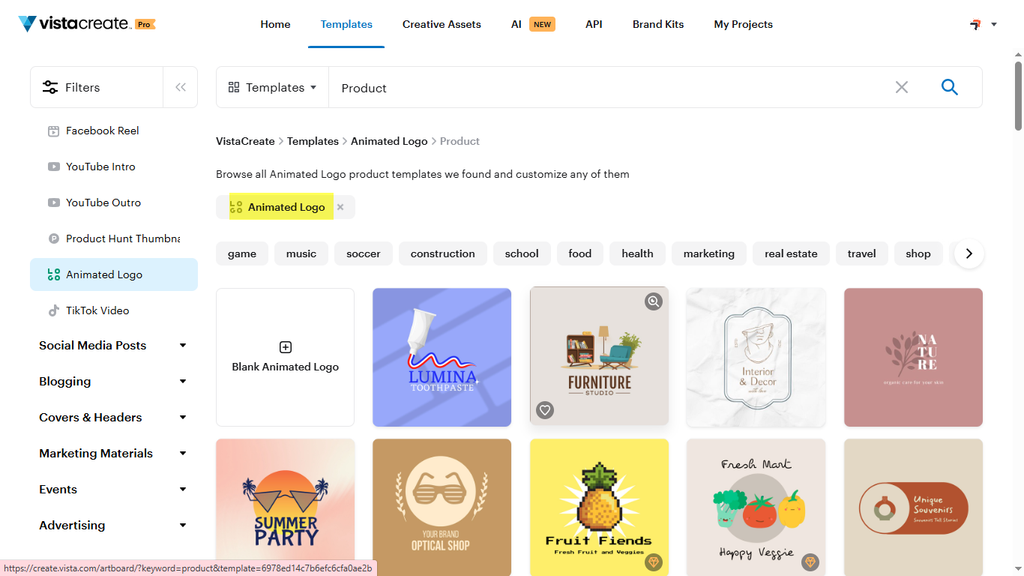
Users can enter their business name, industry, and relevant keywords. The Logo Maker generates logo concepts based on that information. Users can then select a suitable direction and customize its appearance. We see this as particularly useful for entrepreneurs creating a visual identity for a new business.
Customize Logo Designs
The platform allows users to adjust logo colors, typography, graphics, and layouts. VistaCreate also offers ready-made logo templates and animated logo creation options. Completed designs can be saved and reused in future marketing projects. We appreciate how logo creation connects with the Brand Kit and broader design environment.
One-Click Resize Tool
Businesses often need to adapt a design for different marketing platforms. VistaCreate Pro includes a resizing feature designed to simplify this process.
Adapt Designs for Different Social Platforms
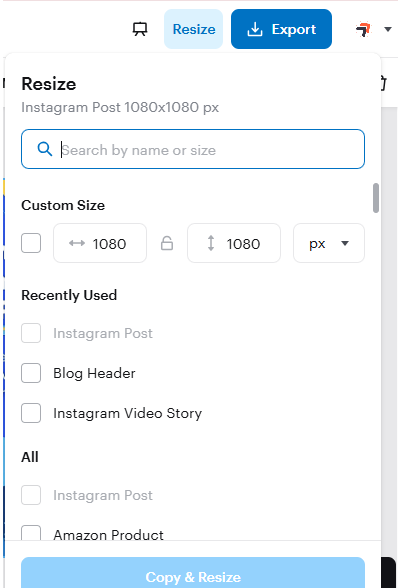
Users can change the dimensions of an existing design to suit another format. This helps repurpose content for Instagram, Facebook, Pinterest, and other channels. We find this useful because consistent campaigns often require multiple versions of the same promotional message.
Create Different Formats From One Design
The resize feature can also help adapt graphics for digital and print requirements. Businesses can maintain similar colors, imagery, and messaging while preparing different dimensions. We appreciate this approach because it supports more efficient content repurposing.
Social Media Graphics and Content Creation
Social media marketing is one of VistaCreate’s strongest use cases. The platform offers templates and editing tools for a wide variety of social media formats.
Instagram Posts, Stories, and Reels
VistaCreate supports creating Instagram feed posts, Stories, Reels, and carousel designs. Users can combine photographs, text, graphics, animations, and video elements. We see this as useful for brands that need regular visual content to maintain an active Instagram presence.
Facebook and Pinterest Graphics
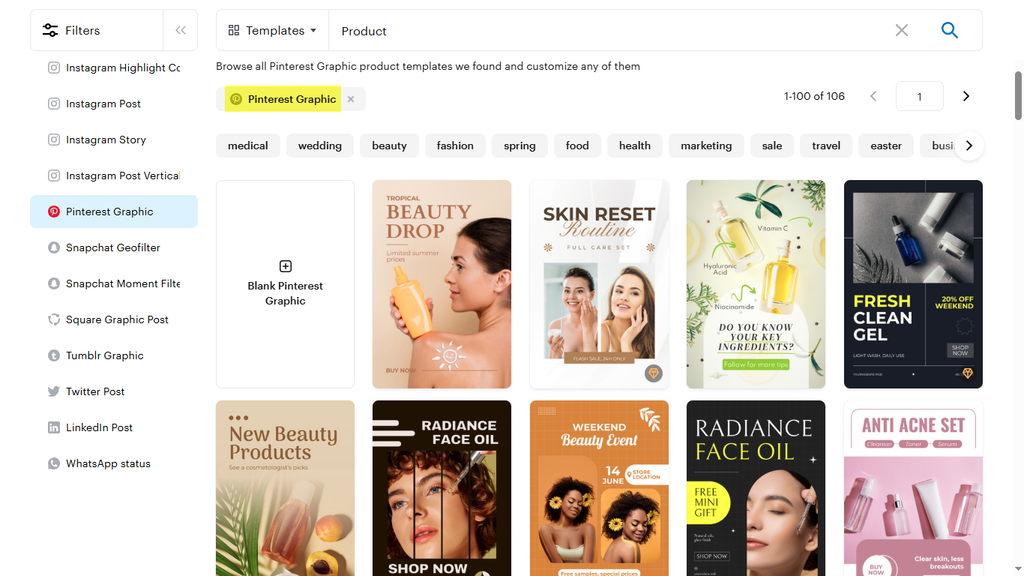
Businesses can create Facebook posts, advertising graphics, cover images, and Pinterest pins. The available templates provide relevant dimensions and layouts for different formats. We appreciate the ability to produce coordinated content across several social media platforms.
YouTube Thumbnails and Channel Graphics
VistaCreate also supports YouTube thumbnails, channel art, video introductions, and outros. Creators can customize these materials with branding and relevant visual elements. We find this particularly valuable for businesses that incorporate video marketing into their content strategy.
Social Media Scheduling and Publishing
VistaCreate goes beyond design creation by offering integrated social media publishing tools.
Schedule Posts Directly From VistaCreate
Users can connect supported Facebook, Instagram, and Pinterest accounts. Once a design is complete, they can schedule it for publication through VistaCreate. The platform also supports publishing eligible content immediately. We appreciate this integration because it connects content production with distribution.
Plan Social Media Content in Advance
VistaCreate’s scheduler allows users to organize upcoming posts and prepare their publishing schedule. Scheduled content can also be edited within the platform. The tool supports carousel scheduling using multi-page designs. We see this as particularly useful for small business owners who want to maintain a consistent social media presence while managing other responsibilities.
VistaCreate Video Editor
Video content has become an important part of digital marketing. VistaCreate includes video editing tools that help users prepare short-form marketing content.
Trim, Crop, and Split Videos
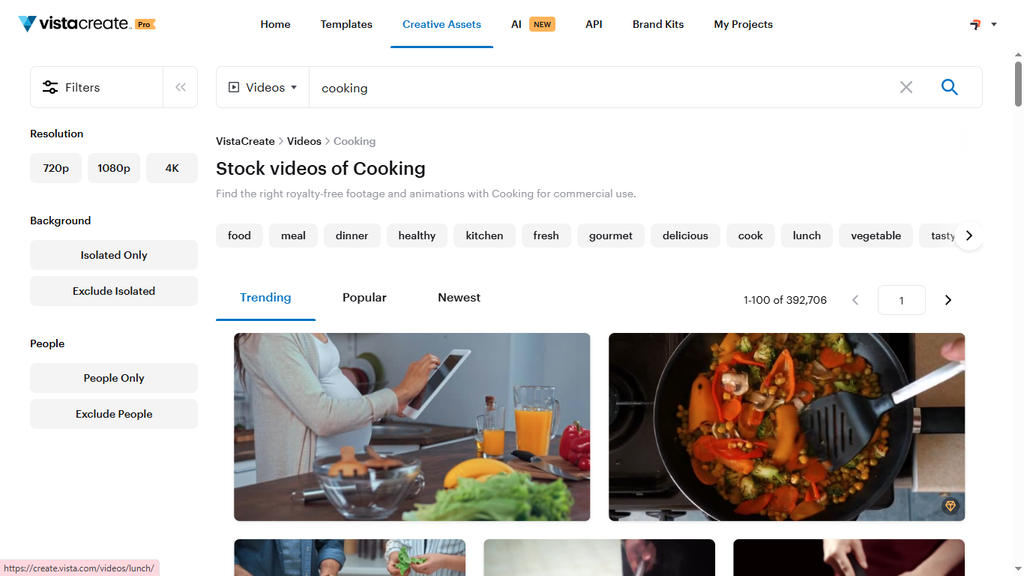
The video editor supports trimming clips, cropping footage, and splitting videos into sections. Users can adapt videos for vertical, horizontal, and square formats. We find these capabilities useful for creating content suited to different social media environments.
Add Text, Graphics, and Music
VistaCreate allows users to incorporate text overlays, stickers, images, and music into video projects. Its audio library includes more than 7,000 licensed music tracks. Users can also upload their own audio files. We appreciate this combination of video and graphic design features because it allows businesses to maintain a recognizable visual style across both static and moving content.
Animation Tools and Motion Graphics
VistaCreate provides animation functionality for creating more dynamic designs.
Animate Text and Graphic Elements
Users can apply animation effects to supported text and visual elements. The platform offers effects including move, fade, scale, zoom, wobble, flash, shake, and spin. These effects can help draw attention to important parts of a design. We see this as useful for promotional messages, social media announcements, and short animated graphics.
Create Animated Social Media Content
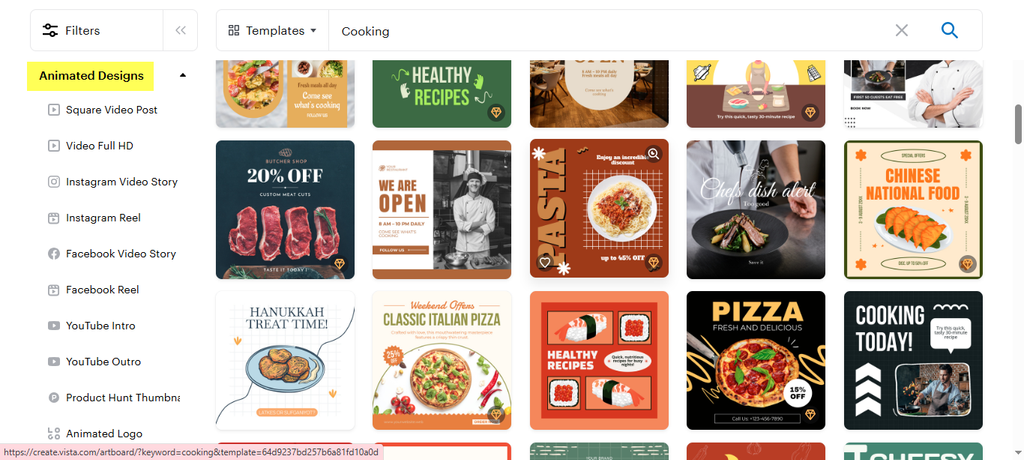
VistaCreate supports animated designs for Instagram Stories, Facebook posts, TikTok content, and YouTube introductions. Users can begin with animated templates or introduce motion into an existing design. Finished animations can be exported in supported formats such as MP4 and GIF. We appreciate how motion graphics are integrated into the same visual design environment.
VistaCreate Sticker Maker
VistaCreate Pro includes a Sticker Maker that allows users to turn photographs and design objects into custom stickers.
Create Custom Stickers From Images
Users can select an image and apply a sticker effect. The tool provides controls for adjusting border color and thickness. It also includes erase and restore brushes for refining the result. We find this useful for creating playful promotional graphics, decorative elements, and visual assets for social media content.
Print Design and VistaPrint Integration
VistaCreate also supports physical marketing materials through its connection with VistaPrint. This is particularly relevant for businesses that promote themselves through both online and offline channels.
Create Business Cards, Flyers, and Brochures
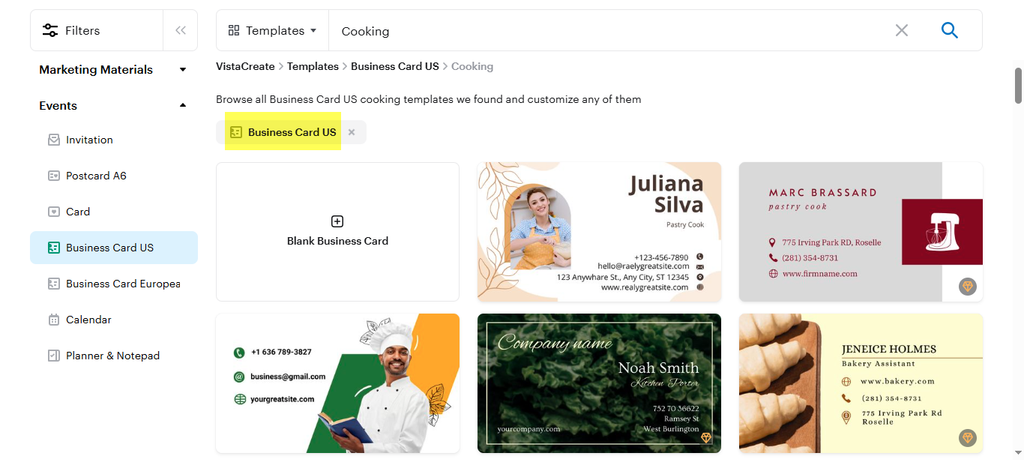
Users can prepare business cards, flyers, brochures, posters, menus, invitations, coupons, labels, and other print materials. The platform provides templates and design formats suited to these purposes. We appreciate the ability to develop print and digital marketing assets using the same branding resources.
Order Printed Materials Through VistaPrint
VistaCreate allows users in supported countries to send eligible designs directly to VistaPrint for printing. Businesses can review their designs, choose available printing options, and complete orders through VistaPrint. Printing is supported in markets including the United States, Canada, the United Kingdom, Australia, and India. We see this integration as valuable for businesses that need physical promotional materials alongside their online marketing campaigns.
Coordinate Digital and Printed Branding
A company can maintain similar colors, typography, and visual elements across its digital graphics and printed materials. The Brand Kit and design templates support this consistency. We find this particularly useful for businesses preparing materials for retail locations, promotional events, and customer-facing activities.
Team Collaboration With VistaCreate Pro
VistaCreate includes team collaboration functionality for businesses and marketing professionals.
Work Together in a Shared Workspace
The Pro plan supports inviting up to 10 team members into a shared workspace. Team members can collaborate on projects and access relevant design resources. We see this as useful for small marketing teams and agencies that need to coordinate creative work.
Share Brand Assets and Designs
Team members can organize brand resources and work with shared design projects. This helps maintain consistency when different people contribute to marketing activities. We appreciate the ability to centralize creative assets because it supports a more coordinated production process.
Version History and Project Management
VistaCreate Pro includes Version History functionality. This feature allows users to access earlier versions of a design and restore previous work.
Restore Previous Design Versions
Users can revisit earlier stages of a design project. This supports an iterative creative process where different layouts and visual approaches may be explored. We find Version History useful for ongoing marketing projects that involve multiple revisions.
Organize Creative Projects
VistaCreate also provides project storage and management capabilities. Users can save designs and return to them for additional editing. The platform’s project organization features help maintain a collection of reusable marketing materials. We appreciate the ability to keep designs accessible for future campaigns.
Mobile Design With VistaCreate
VistaCreate is available through web browsers and mobile applications.
Create Designs on iOS and Android
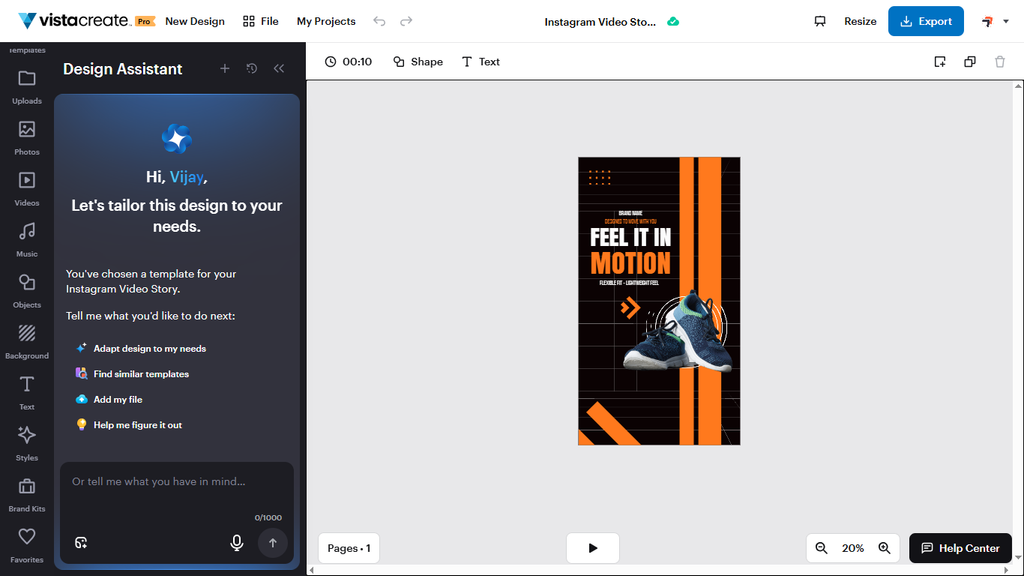
The mobile apps allow users to create and customize designs using their smartphones. Users can work with templates, photographs, text, and supported visual elements. We see this as useful for entrepreneurs who manage their marketing activities while away from their desks.
Continue Projects Across Devices
VistaCreate supports synchronization between compatible devices. Users can begin a project on one device and continue working on another. We appreciate this flexibility because small business marketing often involves creating and reviewing content throughout the working day.
Download Formats and Export Options
VistaCreate supports several formats for downloading finished designs.
Export Images and Documents
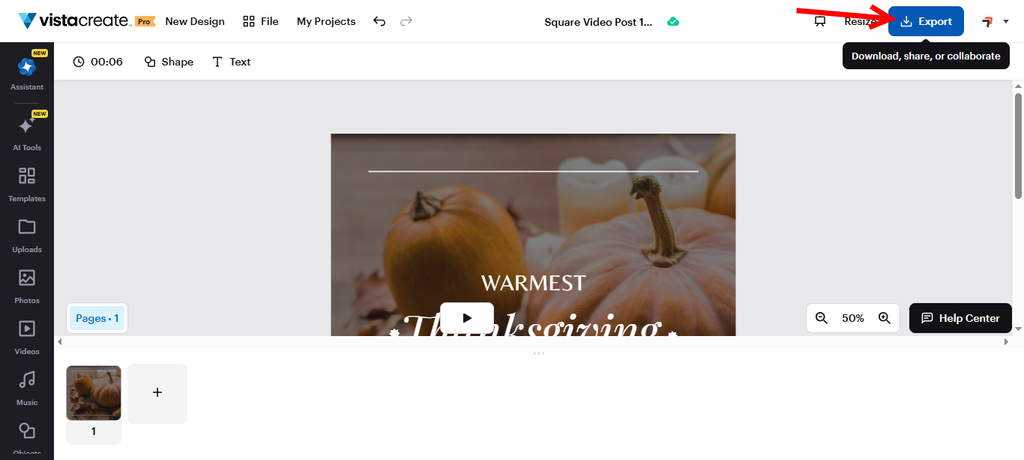
Users can export supported designs in formats including JPG, PNG, transparent PNG, and PDF. This provides options for website images, social media graphics, presentations, and print materials. We find the selection useful because different marketing channels require different file formats.
Download Videos and Animated Designs
Animated projects can be exported as MP4 or GIF files. VistaCreate Pro also offers high-definition download capabilities. We appreciate how the platform supports exporting creative materials for multiple distribution environments.
Commercial Use of VistaCreate Designs
VistaCreate supports creating designs for personal and commercial projects. Users can develop marketing materials for their businesses or client-related work under the applicable licensing terms. This includes materials for websites, social media, advertising, and print. We see this as an important feature for digital marketing professionals and businesses that use design assets in commercial activities.
VistaCreate Pricing and Subscription Plans
VistaCreate operates on a freemium pricing model. The platform offers a free Starter plan and a paid Pro subscription.
VistaCreate Starter Plan
The Starter plan is available free of charge. It includes more than 100,000 templates, over one million creative assets, basic photo and video editing, animation tools, and social media publishing. Users also receive one Brand Kit, access to the Logo Maker, and 10 GB of project storage. We see the Starter plan as useful for individuals and small businesses beginning to organize their visual marketing activities.
VistaCreate Pro Plan
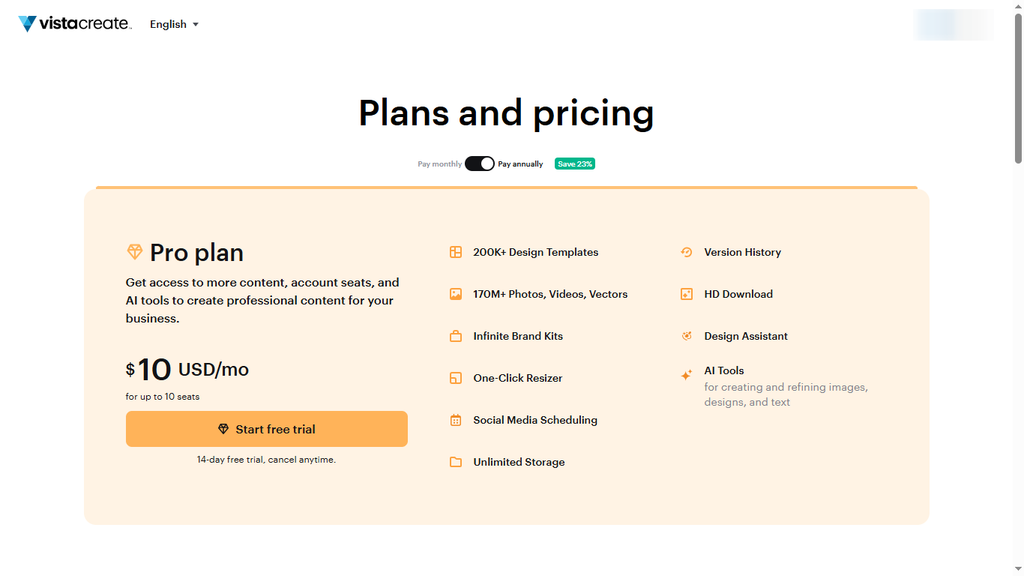
VistaCreate Pro is listed at $10 per month. The subscription includes more than 200,000 premium templates and access to over 170 million creative assets. It also includes AI Image Generator access with 100 image generations per month, AI Writer, AI Object Remover, Background Remover, unlimited Brand Kits, Sticker Maker, one-click resize, Version History, unlimited storage, and HD downloads. The subscription supports up to 10 team seats. We find this combination particularly relevant for businesses that create marketing materials frequently.
VistaCreate Free Trial
VistaCreate offers a 14-day free trial of its Pro subscription. This allows users to explore premium design tools and AI functionality before continuing with a paid plan. The platform also allows users to cancel their subscriptions. We appreciate this flexibility because businesses can evaluate the available features against their creative requirements.
How VistaCreate Helps Small Businesses With Marketing
After examining VistaCreate’s capabilities, we believe its greatest value lies in helping business owners turn existing ideas and resources into practical marketing materials.
Creating More Consistent Marketing Content
Brand kits, templates, and reusable designs help maintain visual consistency across campaigns. This can support a recognizable brand identity across social media, advertising, online listings, and physical promotional materials. We consider this an important benefit for businesses establishing their presence in competitive markets.
Making Better Use of Existing Product Photos
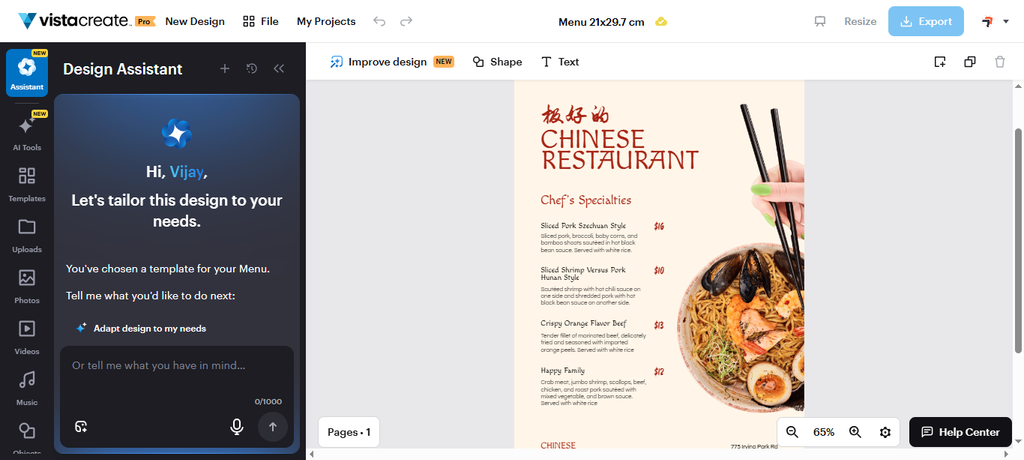
VistaCreate’s photo editing and AI tools help businesses build new creative assets around existing images. Background removal, background replacement, object editing, and customizable layouts provide different ways to present the same product. We find this particularly relevant for product-based businesses that depend on visual presentation.
Supporting Regular Content Production
The combination of templates, AI writing, video editing, resizing, and scheduling supports ongoing content creation. Rather than treating each social media post as a separate process, businesses can establish repeatable design workflows. We appreciate how this connects design production with everyday marketing operations.
Bringing Online and Offline Marketing Together
VistaCreate supports designs for websites, social media, digital advertising, and printed promotional materials. The VistaPrint integration further connects the design process with physical marketing assets. We see this as particularly valuable for small businesses that interact with customers through multiple channels.
Who Should Use VistaCreate?
VistaCreate’s feature set makes it suitable for several professional and business categories.
Small Business Owners
Small business owners can use the platform to prepare promotional content, product images, advertisements, and printed materials. The AI Assistant and templates provide different starting points for creating useful designs. We consider this one of VistaCreate’s primary applications.
Ecommerce Businesses and Online Sellers
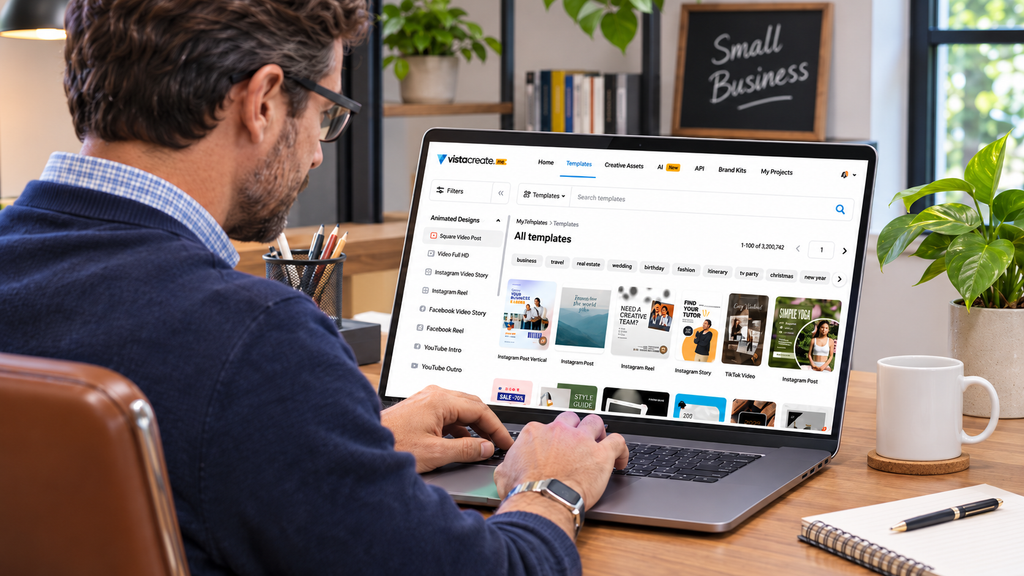
Online sellers can use VistaCreate to develop product graphics, listing images, promotional banners, and branded social media content. Its AI editing tools can help improve the presentation of existing photographs. We see this as particularly useful for brands operating in fashion, beauty, food, lifestyle, and consumer products.
Digital Marketing Agencies
Agencies can benefit from the platform’s large template library, Brand Kits, collaboration tools, and multi-format design capabilities. The Pro plan’s support for multiple team members also makes shared creative production possible. We appreciate the ability to organize different branding resources within the same design environment.
Social Media Managers and Content Creators
Social media professionals can use VistaCreate for posts, Reels, Stories, thumbnails, advertisements, animations, and other visual content. The built-in scheduler also helps connect design creation with publishing. We see this as useful for maintaining consistent content production across supported platforms.
Is VistaCreate Worth Using in 2026?
Based on our examination of VistaCreate’s current features, we consider it a compelling graphic design platform for small businesses, entrepreneurs, content creators, and marketing teams. The combination of AI-powered design tools, extensive templates, branding features, and social media functionality provides a connected environment for creating different types of marketing materials. What stands out most to us is the platform’s focus on helping business owners begin with the resources they already possess.
A photograph, reference image, design idea, or existing template can become the starting point for a new marketing asset. VistaCreate’s AI tools then help users refine that material through image generation, background editing, object manipulation, writing assistance, and design feedback. We also appreciate the platform’s emphasis on brand consistency. The Brand Kit, resizing functionality, and reusable templates help businesses develop recognizable visual materials across different marketing channels.
Beyond static graphics, VistaCreate offers animation, video editing, social media scheduling, and print design capabilities. These features make it relevant to businesses that manage a combination of online and offline marketing activities. The availability of a free Starter plan and a feature-rich Pro subscription also provides options for different creative requirements. Overall, we believe VistaCreate is worth exploring for businesses that want to make visual content creation a more organized part of their marketing workflow.
Final Verdict: Our Overall VistaCreate Review
After reviewing VistaCreate’s features and capabilities, we believe it offers a comprehensive and practical approach to graphic design and marketing content creation. The platform combines traditional design functionality with AI-powered tools that help users develop creative assets from ideas, photographs, and existing materials. We particularly appreciate how VistaCreate addresses the everyday requirements of small business owners. Rather than focusing exclusively on producing attractive designs, it helps businesses create materials for specific purposes, including product promotion, social media marketing, ecommerce listings, advertising, and print campaigns.
The extensive template library provides a foundation for different creative projects, while the drag-and-drop editor allows users to personalize their designs. Its AI Image Generator, Background Remover, Background Replacer, Object Remover, Object Grabber, and AI Writer add further flexibility to the creative process. We also see value in the AI Assistant and Design Reviewer, which support a more guided approach to creating and refining marketing content. For businesses focused on brand identity, the Logo Maker and Brand Kit provide tools for establishing consistent visuals.
For social media marketers, the video editor, animation features, resizing functionality, and scheduling tools support different stages of content production. The VistaPrint integration adds another dimension by connecting digital design with physical promotional materials. From a digital marketing perspective, we believe the platform’s greatest appeal is its ability to bring creative production, branding, and publishing activities into one accessible environment.
Our overall assessment is that VistaCreate is a feature-rich AI-powered graphic design platform that can help small businesses create professional, consistent, and practical marketing materials.
We believe its combination of creative tools, AI assistance, templates, branding functionality, and multi-channel publishing makes it a valuable option for entrepreneurs and marketing professionals. For small business owners who regularly need social media graphics, product images, promotional materials, and branded content, VistaCreate offers an extensive collection of resources worth exploring.
Visit the official VistaCreate website: https://create.vista.com/

Vijay Sood is a seasoned digital marketer with a passion for driving online growth and innovation. With a robust background in developing and executing comprehensive digital strategies, Vijay excels in leveraging SEO, content marketing, and social media to boost brand visibility and engagement. His expertise lies in transforming data-driven insights into actionable marketing campaigns, helping businesses achieve their digital objectives.