
SEO plays a major role in increasing website visibility. It assists in increasing organic traffic, enhancing ranks in search engines, and achieving user intent in content. Research indicates that three-quarters of search users do not scroll past the first page of the search results. This is what makes SEO an important concern for businesses and bloggers.
Even a well-designed WordPress site without appropriate strategies may fail to get noticed. In this blog, we will provide the necessary recommendations to help you optimize SEO on WordPress. So, read on!
Why SEO Is Important for WordPress Websites
WordPress sites cannot do without SEO. It assists your business in coming into the limelight. When you are well searched, you will be found by more people. The higher the ranking, the more visitors your site attracts. This will result in growth and sales.
Search engine optimization (SEO) enhances the user experience. Powerful keywords will draw the correct people to your business. Good content will keep them entertained. With the help of WordPress, bringing your site to better visibility on the Internet may be easier through the use of WordPress plugins.
How to Improve SEO on WordPress: Proven Strategies for Higher Rankings
The following are some of the actionable tips to enhance your WordPress site in terms of SEO:
1. Begin with Quality Content
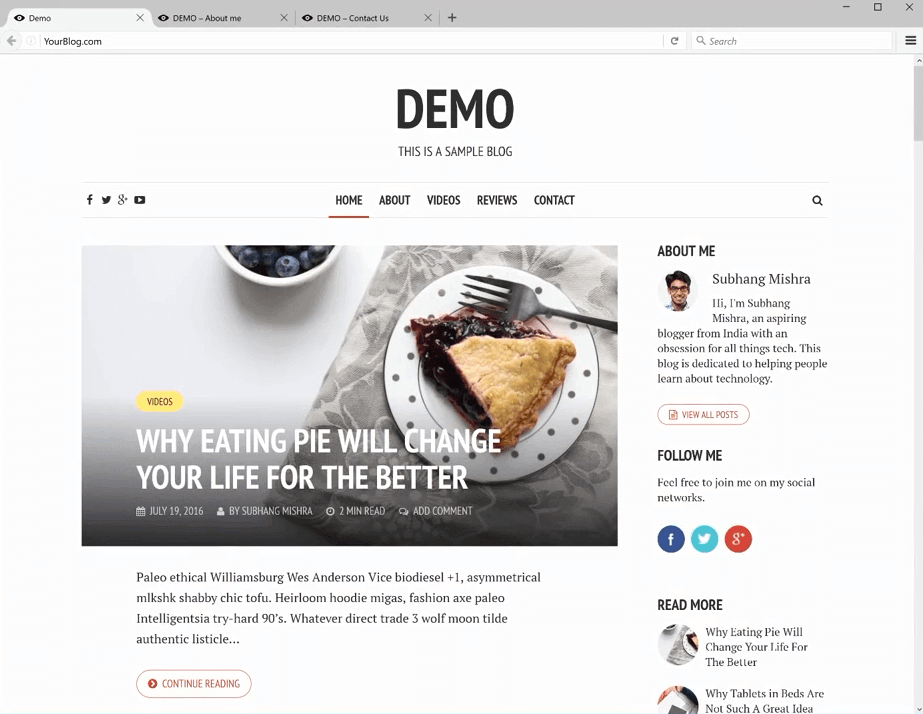
Approximately 72% of marketers claim that they can most effectively increase their search rating through the creation of content. SEO on WordPress should be done by creating quality information that responds to the queries of the audience. Posts on blogs, articles, or videos all have to be of actual value.
Key tips for quality content:
- Conduct extensive research and provide information that the reader can not find elsewhere.
- Avoid keyword stuffing. Insert keywords in the natural content.
- It should be simple to read with simple paragraphs and clear subheadings.
- Revise the old content frequently so that it is up-to-date and relevant.
Keep in mind that search engines focus on content that matches the intentions of the users. When your content does not satisfy their expectations, then you will not rank highly. Low rankings result in low visitors, which will not make your site successful. Be regular and provide value to create a loyal audience and boost the search ranking!
2. Select a Search Engine Optimized WordPress Theme
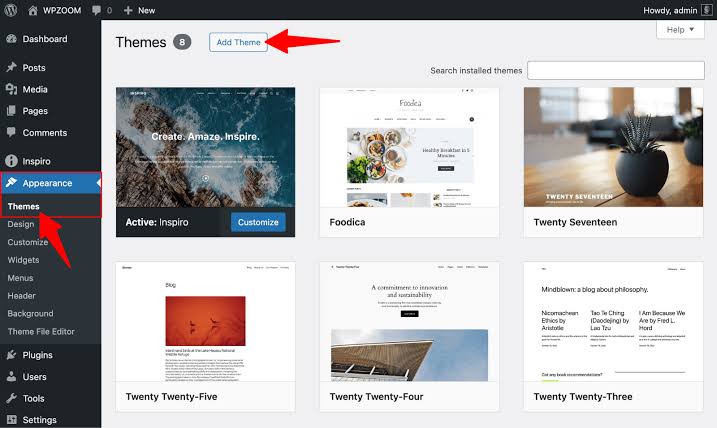
WordPress themes are the keys to your SEO. The optimized theme should also be lightweight, responsive, and fast to improve site speed. Do not use useless, sophisticated themes. A simple theme is preferable, well-written, though not too complicated. This theme must guarantee quicker page loading for any successful user experience or SEO.
The reasons why SEO-friendly themes are important are as follows:
- Reduced Load Time: Search engines prefer websites that have a high load time, which enhances user experience and ranking.
- Mobile Responsiveness: Regarding Google mobile-first indexing, your theme should be able to fit the screens of different sizes.
- Clean Code: Themes that are well coded have improved performance on the site, making it easier to optimize and manage the SEO activity.
While choosing a theme, give preference to the ones that are designed, keeping in mind the SEO. Watch out for such characteristics as schema markup implementation and easy editing of title tags and meta descriptions. These factors are important in enhancing the searchability and interest of your site.
3. Set Up an SSL Certificate
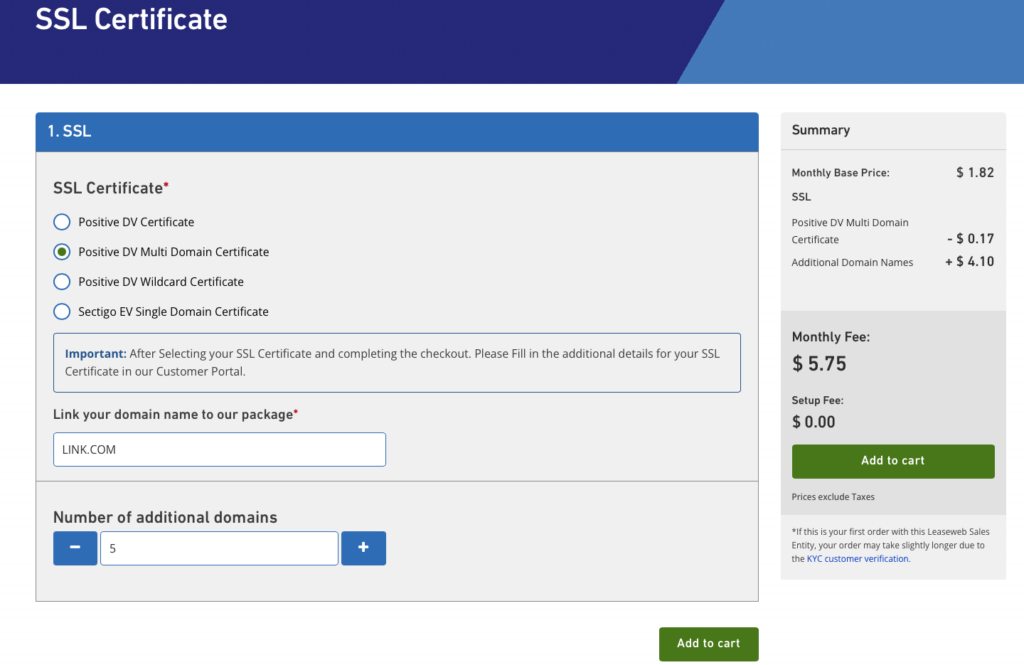
A Secure Socket Layer (SSL) certificate will be required. This assists in the validation of a website and the person or group that owns it. An SSL certificate contains such information as:
- The domain name (and other subdomains attached to it) in which the certificate is needed.
- The one who has earned the certificate is the organization.
- The certification authority is the name and digital signature.
- The date of issue and expiry of the certificate.
- The certificate key of the user.
SSL helps websites to utilize Hypertext Transfer Protocol Secure (HTTPS), which is a protocol that enables the secure transfer of data between a website and the web browser of a user. Google has been keen on ensuring that the web browsing experience is secure. Every webpage should be based on the use of SSL and HTTPS.
4. Use WordPress SEO Plugins
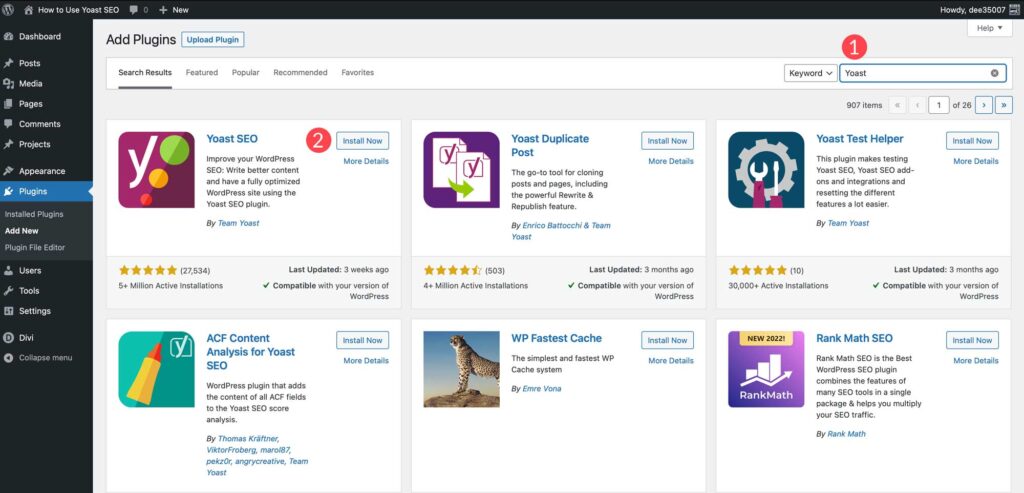
Yoast SEO and Rank Math are some of the plugins that have the user go through a series of necessary optimization steps. They make the work of processes such as keyword optimization, meta tags, and analysis of the content to be read simpler. The tools can be applied by both novices and experts who desire to operate WordPress sites.
The main characteristics of SEO plug-ins are:
- On-Page SEO Analysis: Gives recommendations on how to enhance titles, keywords, and legibility.
- XML Sitemaps: Automatically generates and files sitemaps to search engines to be indexed.
- Schema Markup: This assists the search engine in comprehending the content of the search better and enhances search visibility.
SEO plugins help to optimize your site and save time. This also enhances the performance of your site. These are tools that make sure that your site is well ready to be ranked by the search engines.
5. Optimize for Mobile Devices

Mobile-firstt indexing is the heart of the Google strategy, and therefore, mobile optimization is paramount. Site optimization can maximize user involvement and encourage more participation and conversion.
Here are some tips to follow:
- Apply a responsive design that will automatically respond to different screen sizes.
- Do not use big photos, as they can make the mobile comparatively slow.
- Make menus and buttons easy to use on the small screens.
- Consider fewer or smaller items, such as big background photographs or elaborate animations, which could cause slower mobile loading speeds.
6. Focus on Internal Linking
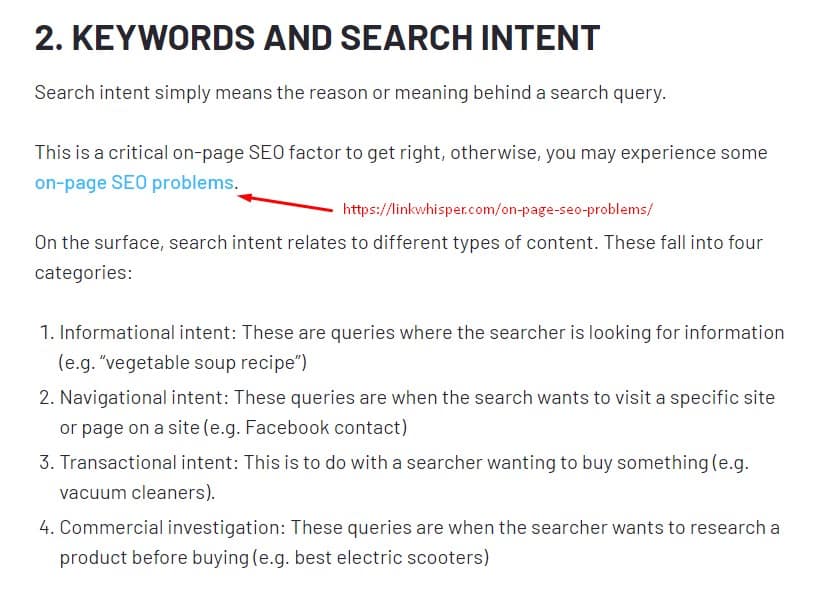
The internal linking is the connection between various pages of your site. It enhances the search and navigation, invites the visitor to explore further, and encourages the visitor to spend more time on the site.
Use the following steps of internal linking:
- You should organize your internal links in a definite hierarchical manner, as it will simplify the crawling and indexing of your pages by the search engines.
- Develop a plan to connect similar material so as to have a cohesive cluster of subjects. This will assist in creating a sense of the purpose of your pages to the search engines and increase ranking.
- Ensure that your cornerstone or pillar content is internally connected across different pages of your site in order to make it more visible and powerful in search engines.
- Use descriptive anchoring text that is clear about what one has linked to in order to optimize your website.
- To provide value and context to your readers, you should have relevant pages that you can link them to.
- Avoid overlinking; avoid including any links to irrelevant material.
7. Use Alt Text for Images

The search engines cannot perceive pictures but can read the alt-text that is added. To enhance SEO and increase the accessibility of your site, descriptive alt text should be included. Alt text makes images visible to search engines and increases the search ranking of images.
Best practices for alt text:
- Write descriptive and keyword-based alt text that is pertinent to the contents of the image.
- Do not stuff the keywords; make the text read meaningfully and naturally.
- Be to the point and achieve a crisp statement of not more than 125 characters.
8. Create an XML Sitemap

An XML sitemap on the site exposes all the pages to the search engines, allowing them to be crawled and indexed more easily or efficiently. An XML sitemap can be generated automatically with the help of WordPress plugins, such as Yoast SEO. Send your sitemap to Google to have good indexing of your materials.
Why XML sitemaps matter:
- They assist in faster search and indexing of your pages by the search engines.
- They give you a logical means through which you can navigate all the content of your site.
- They also accelerate the indexing, particularly for large websites.
These are the tips to follow to achieve better results:
- The XML sitemap should be updated on a regular basis in case of any additions or alterations.
- Make sure to include the most important pages only so as not to be cluttered up.
- Add your sitemap to Google Search Console in order to track indexation.
- Web crawling software, such as Google Search Console, will help find any problems or mistakes made with your sitemap.
- It is important to keep your sitemap simple and organized and to avoid too many and too similar URLs.
9. Submit Your Sitemap to Google Search Engine
A sitemap is a file that covers all the pages and content of your site. It helps the search engines crawl and comprehend your site. WordPress will automatically generate an XML sitemap of your company. It is typically found in the root directory of your website called sitemap.xml.
Note: Assuming that you install the Yoast SEO plugin, it will also create a sitemap by default that will substitute the default WordPress sitemap.
- After identifying your sitemap URL, add it to Google Search Console (GSC) to assist Google in crawling and indexing your site more effectively.
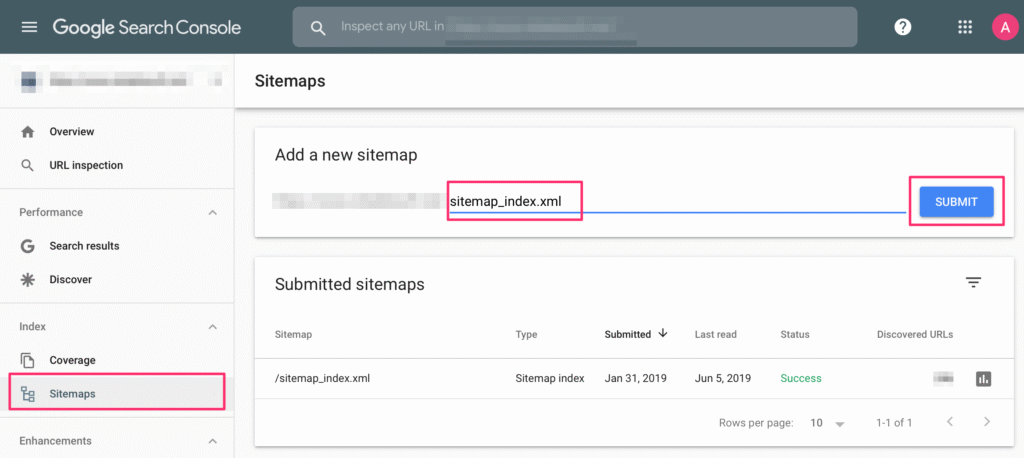
- Sign in to your GSC account, go to the left menu, and choose Sitemaps.
- Enter the URL of your sitemap in the box provided to add a new sitemap and click on Submit.
- Google will afterward crawl your sitemap. This does not always mean that it crawls your pages on the spot, but most likely it is in a crawl queue.
10. Keep Track of Your SEO Performance

Google Analytics and Search Console are some of the tools that can be used to examine the results of the implemented SEO strategies.
Key metrics to monitor:
- Organic Traffic: Determine the number of search engine traffic.
- Keywords Relations: Monitor the performance of your target keywords.
- Bounce Rate: A high bounce rate can be an indication that the content is not good or the user experience is not good.
Monitor these metrics regularly so that your SEO will not be ineffective. Measures results in order to manipulate strategies to attain even greater results. Being consistent and constantly improving your strategy will help you optimize the performance of your website.
Note: To make sure that any major traffic or ranking changes are pointed out, custom alerts should be set up in Google Analytics and Search Console. This will make you proactive in the long run.
Final Thoughts
SEO is one of the important elements of WordPress to achieve success. These are some of the tips that can be used to increase your visibility. Target both off-page and on-page strategies. Make your content entertaining and new, as well.
SEO is not a task but a process, which must be consistent and updated on a regular basis. Track your performance using analytics software and change your plan using the data. Keep abreast of the changes in search engine algorithms in order to keep your positions. It is possible to attain sustainable growth and long-lasting online success for your WordPress site, with the right attitude and patience.

Vijay Sood is a seasoned digital marketer with a passion for driving online growth and innovation. With a robust background in developing and executing comprehensive digital strategies, Vijay excels in leveraging SEO, content marketing, and social media to boost brand visibility and engagement. His expertise lies in transforming data-driven insights into actionable marketing campaigns, helping businesses achieve their digital objectives.