Since companies work day and night to reach clients online, successful advertising is something that is just imperative, especially in terms of aligning with search intent and utilizing the Google Merchant Center effectively. Whether you’re a fresh start-up or an established brand, reaching the right audience with the most appropriate information is the key to success on the World Wide Web, especially when considering relevant pages for your target users. This is precisely where Final URL Expansion comes into play.
It’s a compelling feature that is designed to supercharge your ad campaigns by automatically connecting individuals to your website’s most valuable content through relevant landing pages. It’s not merely about clicks; it’s about getting potential customers directly to what they’re looking for, providing a seamless online experience that is highly productive. In this article, we will explore how you can use final URL expansion. So, let’s begin with implementing best practices for URL expansion!
What is Final URL Expansion?
Final URL Expansion is a higher-tiered feature in Google Ads, within Performance Max campaigns, that ensures users are directed to the most relevant product page to enhance ad performance, using insights provided by Google. Unlike passing users directly to the single “Final URL” you’ve entered for an ad, this feature dynamically passes users to the most appropriate landing page on your site, enhancing their experience based on search query and intent.
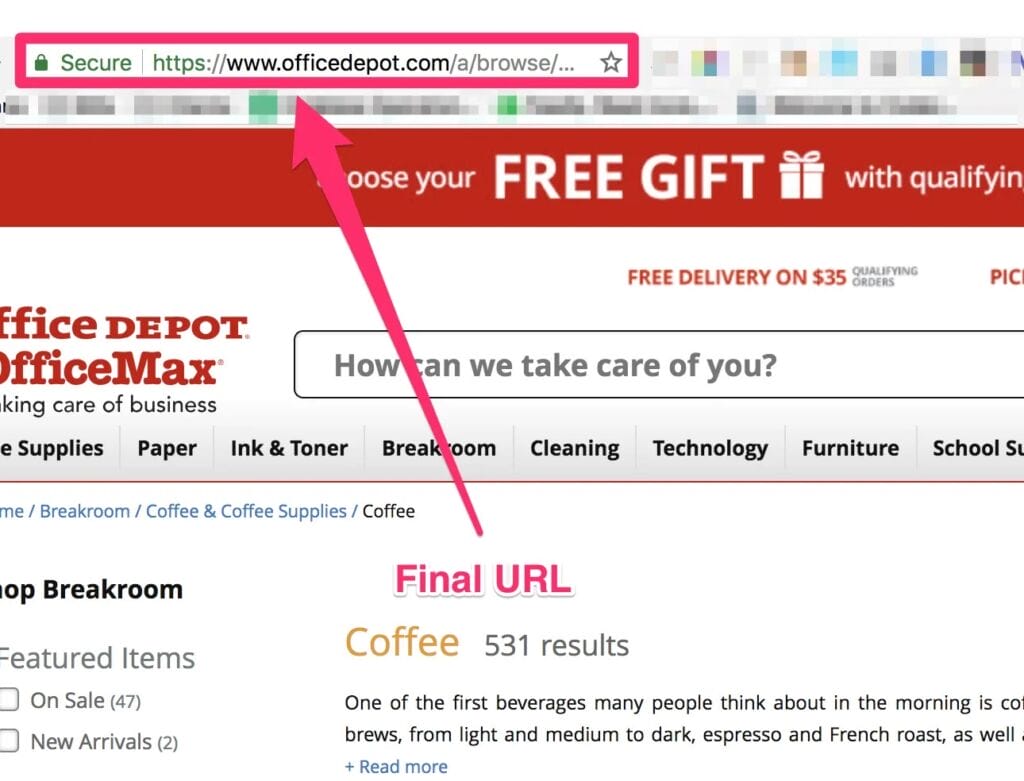
Depending on the precise search query and intention of a single user, Google will select a better page from your site in an attempt to enhance the user experience and ensure a better selection of landing pages for conversion possibility. Although it is turned on by default, advertisers can exclude selections by URL or submit page feeds in order to control Google’s selection process, providing both the automation and the control of where traffic is sent.
How to Leverage the Power of Last URL Expansion
Final URL Expansion is a natural part of Google Ads’ Performance Max campaigns, an automated campaign that maximizes your advertising goal on all Google platforms by directing users to relevant product URLs. This innovation takes the effort out of getting individuals to the most applicable pages of your site, including the final URL, so you can concentrate on optimizing the performance of your overall marketing strategy. It’s about letting Google’s machine learning work its optimization magic, and you maintain strategic control over the relevant landing page based on user intent and the provided keywords.
Step-by-Step: How to Use Final URL Expansion
Here is how you can use the final URL expansion step-by-step to enhance your campaign’s performance based on search query and intent:
1. Use the Default Option
In the case of most Performance Max campaigns, Final URL expansion is enabled by default, which is a feature that enhances campaign performance. What this implies is that Google is already proactively engaged in determining the most suitable landing page on your site for each web search user, maximizing the effectiveness of URL expansion in performance max campaigns.
This automation is highly ideal for companies with long product lists or multifaceted service offerings, as it saves a great deal of effort involved in manually mapping every conceivable Query string to a given page. You’re basically handing Google the reins to steer people intelligently to specific landing pages, which can save a great deal of time and resources.
2. Access Campaign Settings
To control Final URL expansion, go to your Google Ads account and adjust the final URL expansion setting to ensure it aligns with your best practices. Choose the particular Performance Max campaign you want to optimize.
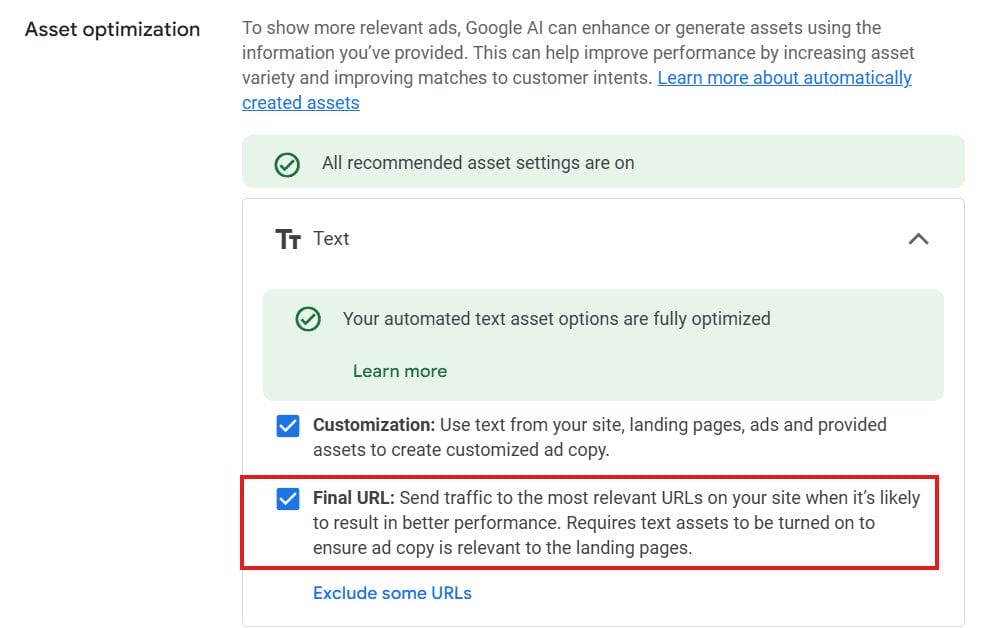
In the campaign settings, find “Asset optimization” or “Text customization,” where final URL expansion ensures that URL expansion is a feature that can be adjusted for better targeting of relevant pages. These areas give you the controls you need to modify the way your ads engage with your site content, so you have the power over the automation.
3. Verify or Modify Final URL Expansion
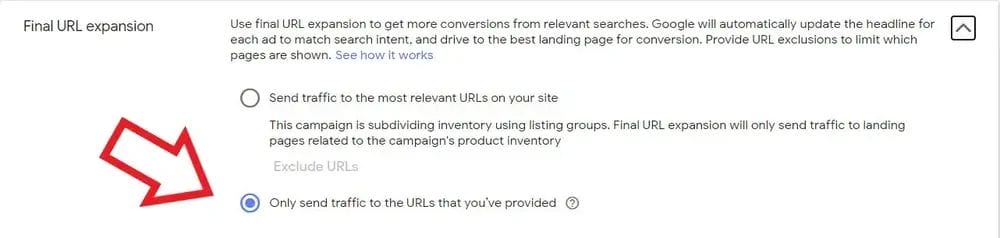
Here, you will have a box labeled “Final URL expansion,” which you can use to adjust the final URL expansion setting. If you wish to use this feature, just leave it selected to enhance your final URL expansion in performance.
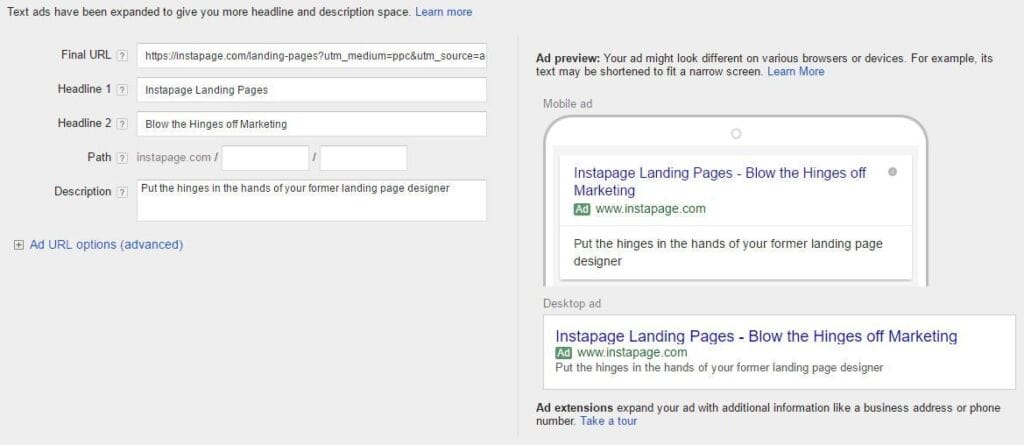
If for any reason you would prefer not to include yourself and would like to have complete control of what URL your ads point to, you can disable the final URL expansion setting and replace it with a provided final URL. That being said, it’s usually best to leave it on for most campaigns, particularly if your number one priority is highest conversions and using final URL expansion.”
4. Use Exclusions for URLs (if required)
Although the Final URL extension is intended to show your best pages, there may be certain parts of your Website on which you may not want ad traffic to be dropped (such as “About Us” pages, FAQ pages, or data that is old). Google Ads provides a feature to exclude specific URLs or even entire directory (computing) paths, which is essential for effective URL expansion in Performance Max campaigns, especially for e-commerce.
This ensures that, though the system is still flexible, it never clashes with your own authority and only sends traffic to pertinent content, avoiding wastage of ad spend on non-pertinent pages and optimizing the page on your website.
To filter out URLs: Under “Asset optimization” or “Text customization,” go to the “Exclude some URLs” option under “Final URL.” You can list specific URLs to exclude, or you can have rules to exclude URLs according to patterns, allowing you to have exact control over where your ad traffic is being sent.
5. Use Page Feeds (For More Control)
For even more control over the pages Google takes into consideration, you may supply a Data feed of product URLs to enhance your campaign performance. When Final URL expansion is turned on, this feed works to inform Google about the content you desire but won’t limit adverts to those URLs only, allowing for broader URL expansion in performance max.
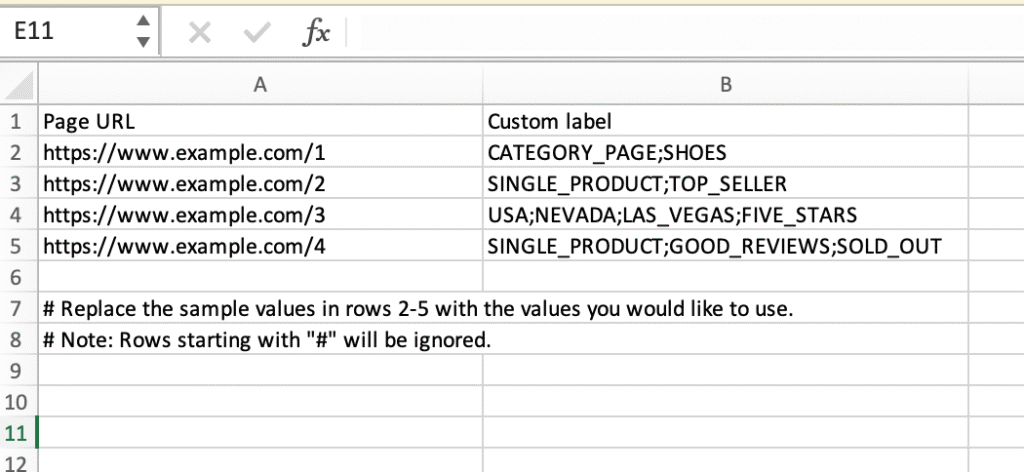
When Final URL expansion is turned off, your campaign will exclusively employ the URLs you supply in your asset groups and page feed. This is especially beneficial for e-commerce businesses operating on the product feed model, providing a strategic means of dictating Google’s knowledge about your most critical inventory.
6. Optimize Your Landing Pages
The quality of the final URL is highly dependent on the correctness and quality of content on your website, ensuring that the landing page URL aligns with user expectations. Make sure that your landing page content is descriptive, well-structured, and relates clearly to the intent of the potential user, particularly when directing them to a specific landing page.
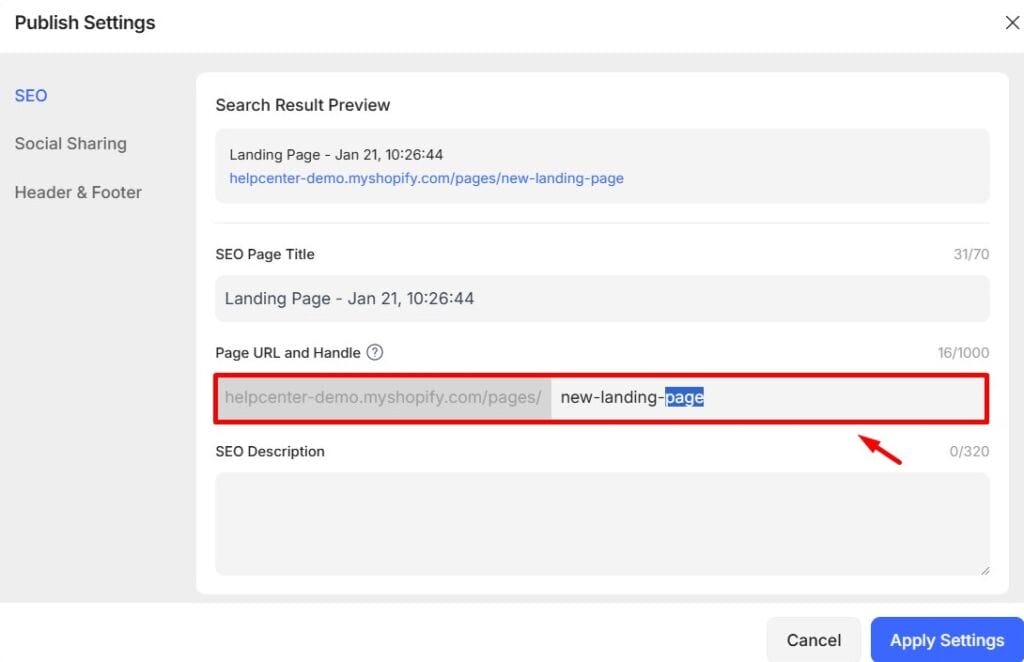
Content in these pages determines the dynamic Headline and other resources Google provides for your advertisement. So a good, well-optimized user experience is more vital than the ad itself, especially when considering the relevant landing page.
7. Iterate and Monitor Performance
Regularly check the performance Data of your Performance Max campaigns to ensure that URL expansion ensures that users reach the intended product page. Watch, in particular, for metrics such as Click-through rate (CTR) and conversion rates, as they are crucial for evaluating campaign performance. See what dynamically selected URLs are doing well and use those insights to further optimize your website content and overall Marketing strategy, particularly in the context of URL expansion in performance max campaigns.
Keep in mind, the long-term goal of this Advertising feature, as with good Search engine optimization, is to create the most relevant experience for the user and drive your return on investment as high as possible.
Conclusion
Final URL Expansion is a significant improvement for Google Ads, enabling marketers to break away from fixed ad destinations and adopt dynamic, user-relevant URL redirection, which includes automatically created assets. By tapping into Google’s advanced algorithms, companies can guarantee that their advertisements always point potential customers to the most appropriate Website content, optimize user experience, generate greater engagement, and consequently achieve greater ad potential on the internet platform.
Though the feature has tremendous automation, knowing how it operates and using features such as URL exclusion and page feeds enables advertisers to be in a position to remain in control and guide Google’s efforts to specific business goals. Maximize the potential of this great tool, and see your Google Ads campaigns flourish in the saturated online market by leveraging pmax campaign strategies to enhance the performance of your campaigns.

Vijay Sood is a seasoned digital marketer with a passion for driving online growth and innovation. With a robust background in developing and executing comprehensive digital strategies, Vijay excels in leveraging SEO, content marketing, and social media to boost brand visibility and engagement. His expertise lies in transforming data-driven insights into actionable marketing campaigns, helping businesses achieve their digital objectives.