Meta platforms have undeniably changed how businesses operate with their user-friendly social media platforms. Handling the Meta Business Suite or personal Facebook Ads Manager is not an easy task. It can be extremely challenging for business owners to manage a Facebook business. Responding to customers, running advertisement campaigns, and controlling team access to sensitive assets all seem like daunting tasks.
Meta provides businesses with Business Suite and Business Manager to help them maximize social media efficiency, such as by working with a Facebook advertising agency. These platforms aim to optimize workflows and enhance your business’s efficiency in achieving social media marketing objectives. But which tool is best for your business: Meta Business Suite or Business Manager?
What is Meta Business Suite?
Meta Business Suite/Dashboard is the newest social media management tool available, and it is completely free for business owners. It markets itself as user-friendly and controls a variety of pages, like managing your Facebook, Meta, and Ads Director. Business Suite also centralizes the analytics, marketing, and posting process, which allows for smoother operations from one control board.
Meta Business Suite and business guarantees that businesses focus on engagement and growth by providing them with message performance tracking, post creation, and unified messaging. That, along with the simplicity of this tool, makes it ideal for small and medium-sized enterprises looking to grow their online presence.
Key Features of Meta Business Suite
Content Creation & Scheduling

Create posts and stories, set them to automatic posting, manage Facebook and Instagram, and cross-post them to your other relevant accounts so they go out simultaneously on both platforms.
Community Management
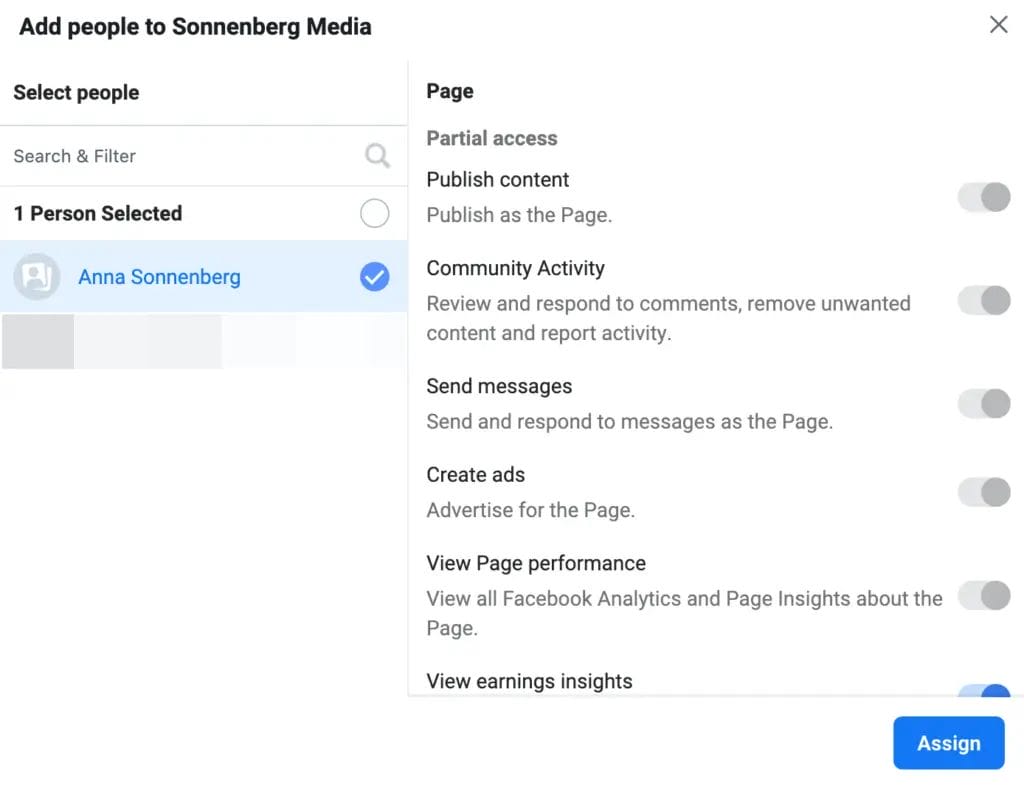
All comments and direct messages coming from the two platforms are located in the same unified inbox, allowing users to respond very quickly.
Basic Insights
Get to know who your audience is by tracking the performance of your posts using basic metrics such as reach, likes, and comments.
Post Boosting Features

Business Account Suite may not be suitable for some intricate campaigns, but it allows for “boosting” posts to enhance their visibility.
What is Meta Business Manager?
Business Manager serves as a singular application for big teams and agencies. Unlike Meta Business Suite, it emphasizes structuring assets, managing permissions, and collaboration workflows. It serves companies that manage multiple ad accounts, pages, and users by teams.
Meta Ads Manager allows advertisers to gain control over their ads, assisting in dynamic ad building and ad optimization, and is integrated into Business Manager so seamlessly that many would consider it part of it. All of these tools help businesses meet their campaign targets while offering security, centralized control, and streamlined processes designed for professional marketers.
Key Features of Meta Business Manager
Organize Your Assets

From a single location, oversee all Facebook Pages, Instagram accounts, product catalogs, and the website domain.
Run Effective Ads

Develop and manage complex advertising campaigns. Refine your audience by interests, location, and more, and then track results to evaluate their effectiveness.
Manage Business Settings

Add different team members with selective permission levels. Control billing, payments, and other business tools, such as CRM, applications, websites, and creative assets.
What’s the difference between Meta Business Manager (Portfolio) and Meta Business Suite?
With Meta/Facebook Business Manager (Business Portfolio), you can manage all your assets under one platform, but it doesn’t let you create and schedule content.
With the use of Meta Business Suite, there is a user-friendly back-end interface that allows users to manage content on Facebook and Instagram. It allows you to create/schedule posts for your Facebook and Instagram accounts, as well as reply to comments or messages.
Meta Business Suite vs. Business Manager: Feature Differences
Business Suite focuses on streamlining the management of posts, insights, and messaging across Facebook and Instagram, while Business Manager Account (now Business Portfolio) focuses on the administrative side, allowing you to manage ad campaigns, user permissions, and other business assets like pages, catalogs, datasets, Facebook pixel, and ad accounts.
New users may think the dashboards are the same, but here are some important things to know:
1. Business Management for Facebook is Centralized

Use Meta Business Manager; you can access the backend settings for all your Meta assets. You can add partners and team members with the appropriate employee and admin access, assign Facebook Business pages to manage, and create ad accounts.
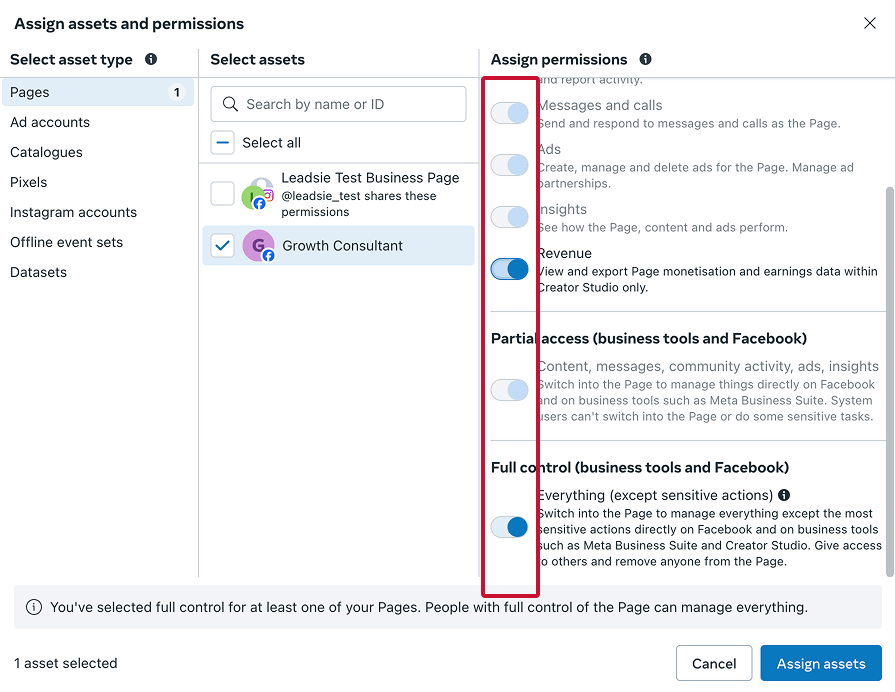
Use Meta Business Suite, which provides a limited number of customizable business settings. Most of the options provided will lead you to Business Manager.
2. Social Media Scheduler
Meta Business Account is unparalleled when it comes to content creation, posting, and scheduling for Facebook and Instagram. You can create posts and plan your monthly content calendar along with going live and posting reels.
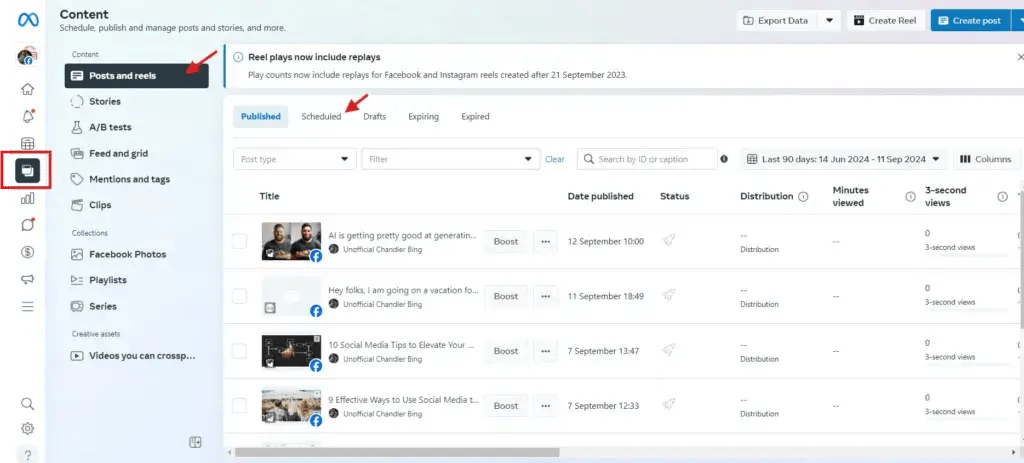
The planner tab lets you make your own marketing calendar and schedule content months before. You can achieve your posting goals and track your Facebook and Instagram content all in one place.
Meta Business Manager does not allow you to create or schedule posts in any way. You can only link your Instagram and Facebook to Business Manager, but for content management, you have to go to Meta Business Suite.
3. Community Management
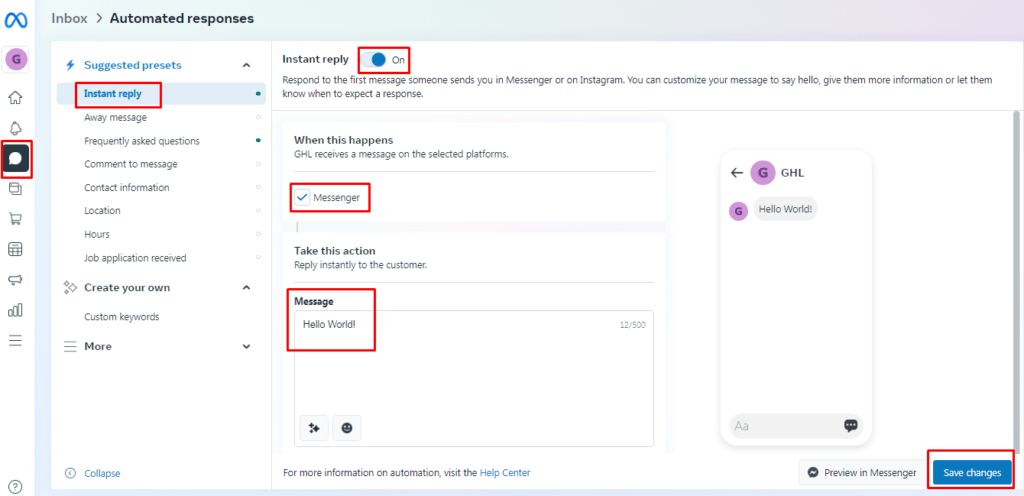
Business Suite lets you manage comments or DM replies at a Facebook page admin level and notifies you of subsequent post engagement as well.
Business Manager lacks community handle features. To respond to comments or messages, you must go to Business Suite.
4. Create/Manage Facebook Ads
Meta Business Manager enables you to set up a Facebook ads account, link it to Ads Director, add Facebook datasets to your website for more precise targeting, and connect to your Meta Ads Manager.
Via your Ads Manager account, you’re able to manage Facebook ad creatives, create and manage custom and lookalike audiences, and analyze cultivated ad campaigns.
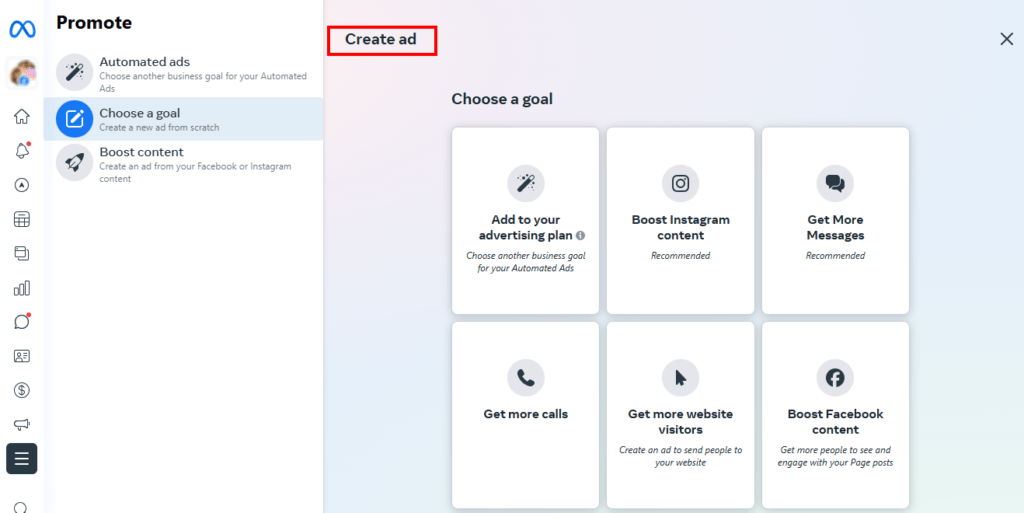
You can create ads with Meta Business Suite, but running ads requires boosting a post to extend reach with limited analytic review, which is not offered.
5. Manage Ad Creative Library
You can access Meta Business Manager to view all creativity in one location.

For better organization, you can strategize them based on campaign events, months, or performance, a feature not available in Business Suite.
6. Mobile and Desktop Website
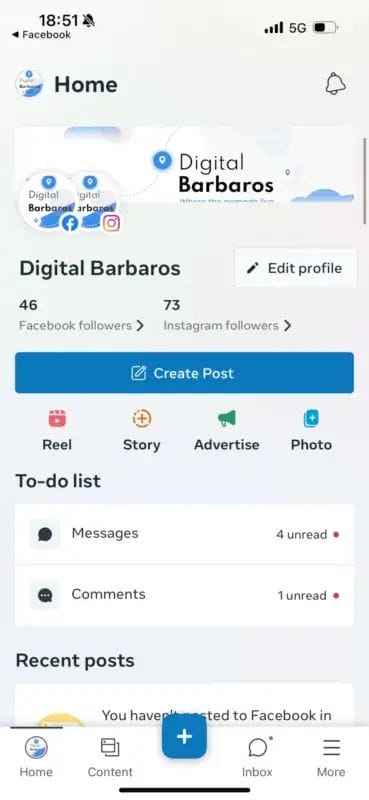
Meta Business Portfolio isn’t mobile optimized and is only available as a website and accessible on a browser. At the same time, you can access Meta Business Suite on a desktop and also download the mobile app from your phone’s app store.
So, which should you use?
While Meta criticized the Business Suite for its shortcomings in other areas, it excels in social media management, specifically in the areas of content creation, management, and tracking. Therefore, to fully leverage the features offered by both tools, it is best to use them in conjunction.
Conclusion
Staying up to date with ever-growing marketing tools, it is very important to distinguish the differences between Meta Business Suite vs Business Manager for better optimization of business processes. With Meta Business Suite, the front end of the business processes is easier to execute to perform tasks such as scheduling content, engaging with the community, and managing several accounts at once.
On the other hand, Business Manager is useful for fundamental tasks like controlling assets, pumping out mega-secure advertisement barrages, and setting up security. These two tools together serve all sizes of businesses, ensuring cooperation and strategic development. These two platforms can assist in everything from relationship management to sophisticated advertising campaigns and can work together for overarching strategies tailored to the business’s needs. Choosing the right blend of integrated tools depends on the strategy and operations goals one is focusing on.

Komal is a dynamic and results-driven digital marketing professional with a passion for leveraging innovative strategies to drive business growth. Her expertise spans across social media marketing, content creation, SEO optimization, and data analytics, making her a valuable asset in the ever-evolving digital landscape.