Visitors rarely purchase the first time they visit your website. At this stage, they have no idea who you are or what value you can offer. But the last thing you want is for people to visit your website, click away, and never return.
Fortunately, Facebook retargeting advertisements allow you to re-engage customers who have already visited your website or connected with your business. These people are the “low-hanging fruit” of marketing because they are already aware of the brand.
They know who you are and are likely to have a solid notion of the value you can provide because they have already visited your website. This awareness makes it easier to convert them than new, unaware customers who are visiting your website for the first time.
What is Facebook retargeting?
Facebook retargeting refers to identifying the visitors that have visited the website. To use the information to search their Facebook profiles. You can launch an advertising campaign to target individuals and persuade them to return to the website. Retargeting these audiences encourages them to take the next step in their buyer journey, such as:
- Visit a landing page on your website.
- Watching a customer narrative video advertisement.
- Joining your email list.
- Buying from your online store
How do you set up a Facebook advertising retargeting Campaign?
To use retargeting properly in a Facebook ad campaign, you’ll need a data source and an audience. Here’s a step-by-step method for establishing a uniform workflow:
Map out your marketing funnel
The best remarketing campaign plan for your organization is determined by your funnel. Consider how you intend to move prospects from awareness to conversion. Here’s a simplified example of how your funnel could work:
- Awareness: An interesting video can help you introduce your business and catch new prospects’ attention. Create a broad audience based on interests or characteristics. Choose the engagement target in Facebook Ads Manager to ensure that as many people as possible watch at least a portion of your video.
- Consideration: Retarget individuals who viewed a specific percentage of your introductory video. Use the traffic aim in Ads Manager to drive as many website visitors as feasible. Connect the ad to a landing page featuring a customer narrative or case study that addresses your target audience’s concerns and aspirations.
- Conversion: Retarget website visitors who navigate to your landing page. Use the leads objective in Ads Manager to encourage prospects to schedule an appointment with your sales staff. Use Meta’s built-in lead qualification questions to guarantee that your team only schedules appointments with your prospective customers.
As you can see, the first stage of this sample marketing funnel is designed to raise brand awareness by targeting a cold audience. Then it sends advertising to engaged prospects by retargeting warm audiences at the consideration and conversion stages of the funnel.
Most marketing funnels follow the core concepts outlined above but with additional activities at each funnel stage. They frequently use advertising to engage the target audience, educate potential consumers, and guide those with purchase intent into a conversion.
Configure a Facebook pixel
If your digital marketing funnel includes increasing traffic to your website, the next step is to set up conversion tracking. A Facebook pixel allows you to track clicks and click-through rates (CTRs) from your advertising and subsequently retarget people who have visited your website.

Open Meta Events Manager to build a pixel that connects your ad account and website. Check that your ad account is selected, and then click the “Connect Data” button. In the data source popup, pick “Web” and click the “Connect” button.
Build a product catalog
Create a catalogue if you intend to advertise e-commerce products, new or used autos, real estate listings, or hotel reservations. With a catalogue, you may dynamically promote inventory using single picture or carousel advertisements. You can also use Meta’s dynamic retargeting audience.
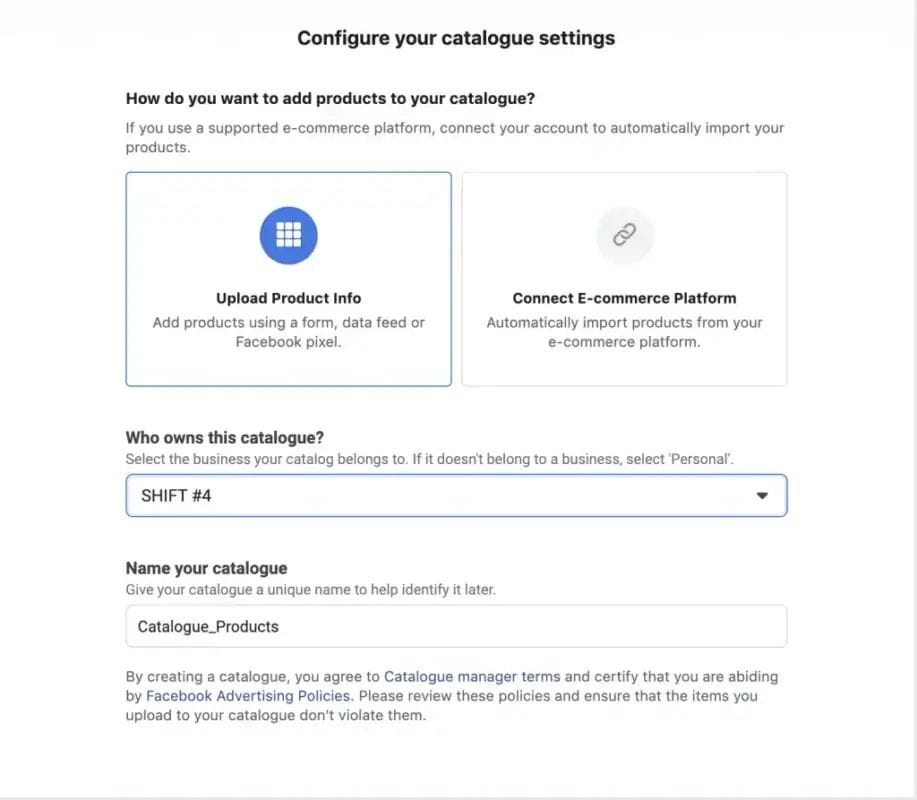
To begin, navigate to Business Manager and launch Meta Commerce Manager.
Choose “Add Catalog.” Then, using the options provided below as a guide, select the appropriate catalogue type for your firm.
Next, decide how you want to add things to your catalogue. Your company’s ideal solution is determined by the products you offer and the amount of inventory you have. The options include:
- Manual, which is ideal for a limited inventory that does not change frequently.
- Pixel, which works exclusively for products and can support a greater inventory
- Partner platform, which works if you utilize a supported platform (for example, Shopify).
- Data feed that works with all inventory kinds and sizes.
Create a custom audience
After configuring your data sources, you’re ready to create Facebook custom audiences. This step can be completed in Meta Audience Manager or on the ad set level of any campaign. Select one of the available data sources from either dashboard.
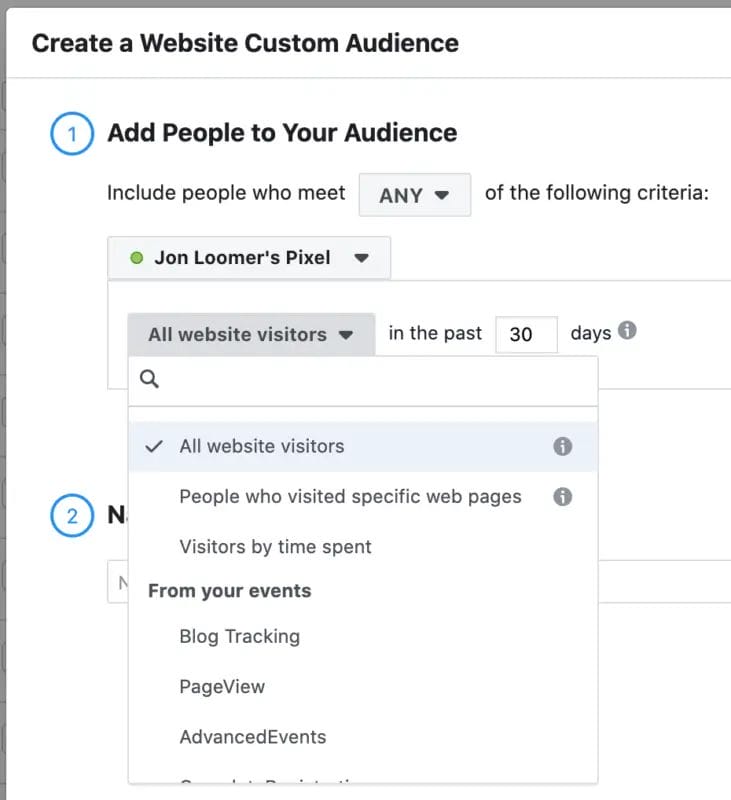
Using your funnel map, select the most relevant source for remarketing using Facebook advertisements. Consider targeting folks based on their website or app activities. You can retarget people who have visited specific landing pages or taken actions that you encouraged earlier in the funnel.
Make sure the timeframe corresponds to your buyer’s journey. When you employ metadata sources such as lead forms or videos, you can be just as specific. You can retarget viewers of specific videos, as well as users who watched a specified percentage (e.g., 50%), to reach more engaged prospects.
Set up a dynamic retargeting audience
If you have a product library, you may develop dynamic product advertising that uses Meta’s built-in retargeting capabilities. At the campaign level, enable the “Use a Catalog” option. At the ad set level, select “Retarget ads to people who have interacted with your products on and off Facebook.”

Then select the sort of interaction you wish to retarget. For example, you can set up a cart abandonment sequence to encourage prospects to complete their orders. Alternatively, develop a cross-sell or upsell procedure to boost the lifetime value of your current clients.
At the ad level, use dynamic tools to generate more efficient ad copy. These dynamic capabilities display facts such as product names and pricing automatically, ensuring that ads are as relevant as possible to each Facebook user.
How does Facebook retargeting work?
Facebook retargeting allows you to target previous website visitors (or other custom audiences) with ads. Specifically with ads from Facebook’s ad network, which includes Instagram. Here’s remarketing explained in three simple stages.
- A person interacts with your brand.
- Facebook algorithms recognize that individual’s Facebook account.
- If the user is on your retargeting list, they will see your Facebook advertising.
Top 7 best practices for Facebook retargeting campaigns
1. Keep at least one remarketing campaign live, always
Most brands that advertise on Facebook use retargeting strategies. If you’re already spending money advertising your product to cold audiences (those who are unfamiliar with it), it makes sense to increase your remarketing efforts to them.
Most consumers will not convert on their first visit to your website or blog. You should pique their interest in your product. And it’s definitely worth the effort!
2. Test several high-value retargeting audiences
While the most-used remarketing audience is “past 30 days’ website visitors,” there are plenty of other Facebook Custom Audiences that deliver fantastic results. Once you’ve added the Facebook Pixel code to your website, you can build the following retargeting audiences:
- Website visitors during the last 30, 60, and 90 days.
- People who have viewed your pricing page during the last 30 days
- Repeat visitors to your blog.
- Visitors to specific landing pages and blog content.
- Past customers of your online store (this group is ideal for upselling!)
- Online customers who put products in their shopping basket but did not complete their purchase.
- Online buyers who searched for certain products or product categories
3. Ensure a strong message and marketing funnel match
Once you’ve decided on the retargeting populations you want to target, the next step is to create ads and choose landing pages. During this step, you must ensure that your ad creatives are relevant to their intended demographic. This means that your remarketing advertising should not be the same as those in your prospecting campaigns.
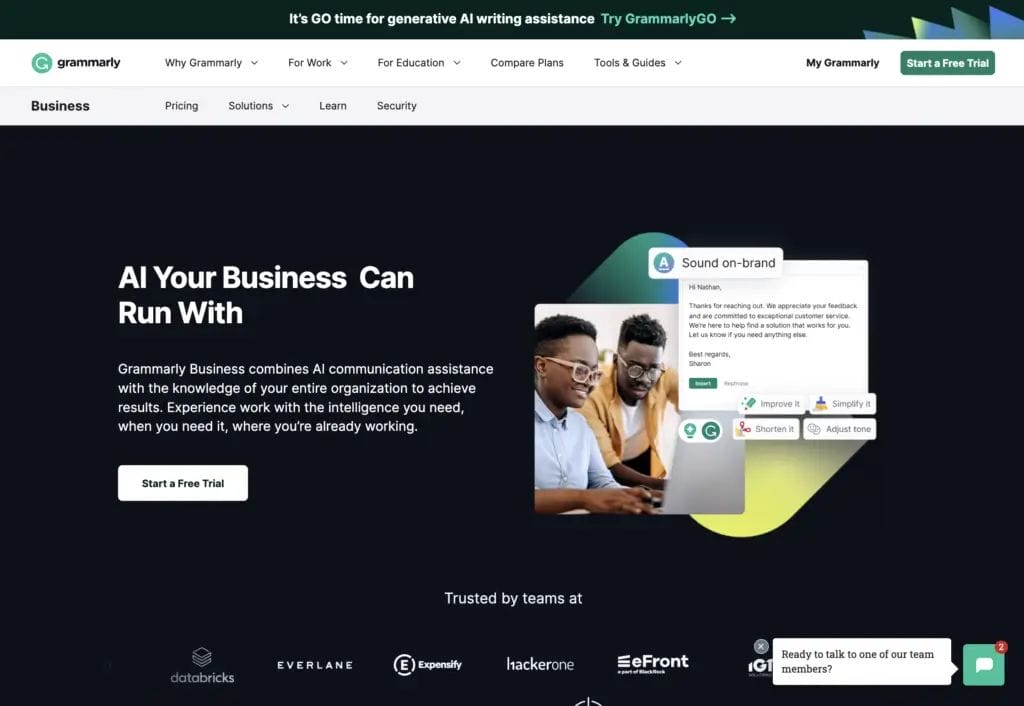
Take MOO, an on-demand online print service, as an example. They offer a wide range of products, including customized notebooks, business cards, and stickers. MOO can display somewhat different Facebook retargeting ads to diverse audiences. For example, they can present an ad promoting a discount on business cards to persons who looked at the product on their website.
4. Include special offers for remarketing audiences
If a visitor does not convert on their first (or second) visit to your website, there is a good explanation. And more often than not, the issue is that your product is prohibitively pricey.
If you think this is the case, try offering remarketing ads with a discount offer. Here are two great discount ad examples from Hootsuite and Click & Grow.
5. Do not segment your audiences too much
We recently learned that it’s a good idea to develop multiple remarketing audiences. However, there is a limit to healthy segmentation. All of your Facebook retargeting audiences should have at least 1000 people.
If you establish too many separate remarketing audiences and ad settings, here’s what could happen: Without large audiences and many conversions, Facebook algorithms will not be able to quickly learn who is interested in your ads. You’ll spend too much time designing unique ad images and text for different retargeting audiences.
6. Exclude users who already converted
One common mistake that Facebook advertising beginners make is not excluding users who have already converted. Always exclude converted users from your remarketing campaigns. Otherwise, people will become increasingly tired of your advertisements.
Luckily, excluding already-converted users is easy. You simply need to: Create a Facebook custom audience of past converters. Exclude that audience from your remarketing campaigns on the ad set level.
7. Keep your eye on the ad frequency
We all love chocolate. However, consuming too much of it will cause you to feel nauseous as a result of a sugar overdose. The same theory applies to Facebook remarketing ads: if you view a retargeting ad too frequently, it will have a negative rather than positive impact.
The best approach to determining how frequently individuals see your Facebook advertising is to look at the frequency parameter in your Facebook advertising manager report. Check the frequency of your Facebook advertising campaigns.
- Go to Facebook’s Ads Manager.
- Set the reporting period to the past 30 or 14 days.
- Select the “Delivery” report and examine the frequency per ad campaign.
Conclusion
Facebook retargeting is a great approach for re-engaging potential clients who have previously expressed an interest in your business. Following these methods and continually upgrading your campaigns will help you to create highly effective retargeting ads that boost conversions and maximize ROI.
Remember that relevance and timeliness are essential components of effective retargeting. Your advertising should add value to the user based on their previous interactions with your site, whether by responding to common concerns, offering incentives, or simply reminding them of things they’ve expressed interest in.

Vijay Sood is a seasoned digital marketer with a passion for driving online growth and innovation. With a robust background in developing and executing comprehensive digital strategies, Vijay excels in leveraging SEO, content marketing, and social media to boost brand visibility and engagement. His expertise lies in transforming data-driven insights into actionable marketing campaigns, helping businesses achieve their digital objectives.