Gmail remarketing is a very powerful new weapon with which to re-engage your engaged users. Gmail targeted ads allow you to retarget leads and attain conversions. This activity is leveraging the strong affection that people have for their email inbox, where you can provide them message-comparable content and content that matters, something that people end up spending a lot of time on.
Gmail remarketing also uses Google Ads’ precise targeting and bidding ability so you can retarget people based on historical visit patterns to the website, interests, and demographics and create remarketing lists accordingly. Dynamic remarketing even allows you to retarget ads with the exact same products or services browsed by the users themselves, so they will be more inclined to return and make the purchase. Read on to see how to create a Gmail remarketing campaign with Google Ads, with strategic advice and best practices to get the most out of your results using a solid remarketing strategy.
Understanding Gmail Remarketing and Its Benefits
Before diving into setup, it’s crucial to understand what Gmail remarketing is and why it’s so powerful for digital marketers. Gmail remarketing places individuals in front of relevant ads in their inbox tabs based on interest already shown in your product or business. Retargeting keeps people reminded of your brand and encourages them to convert, especially when they are already familiar with your brand.
The most important and significant advantages to recall include the ability to use remarketing to reach users already familiar with your brand.
- Get in front of users who already know and are aware of your brand and are interested.
- Get seen with high-performing remarketing ads where users open emails daily.
- Increase click-through and conversion rates because your ads are extremely personalized based on user behavior.
- Supply goods or services with dynamic remarketing, reminding users of the same things that they saw last time or added to cart.
Step-by-Step Setting Up a Campaign for Gmail Remarketing
Step 1: Build Your Remarketing Audience
The secret to any successful Gmail remarketing campaign is constructing solid audience lists. Let’s dive into how to construct remarketing audiences that really work. You’ll have to first capture and drop data on your website or email list subscribers. You can do this by using tracking tools like Google Ads tags or Google Analytics when trying to build your remarketing lists based on some type of customer activity, like visits to product pages or abandoned checkout.
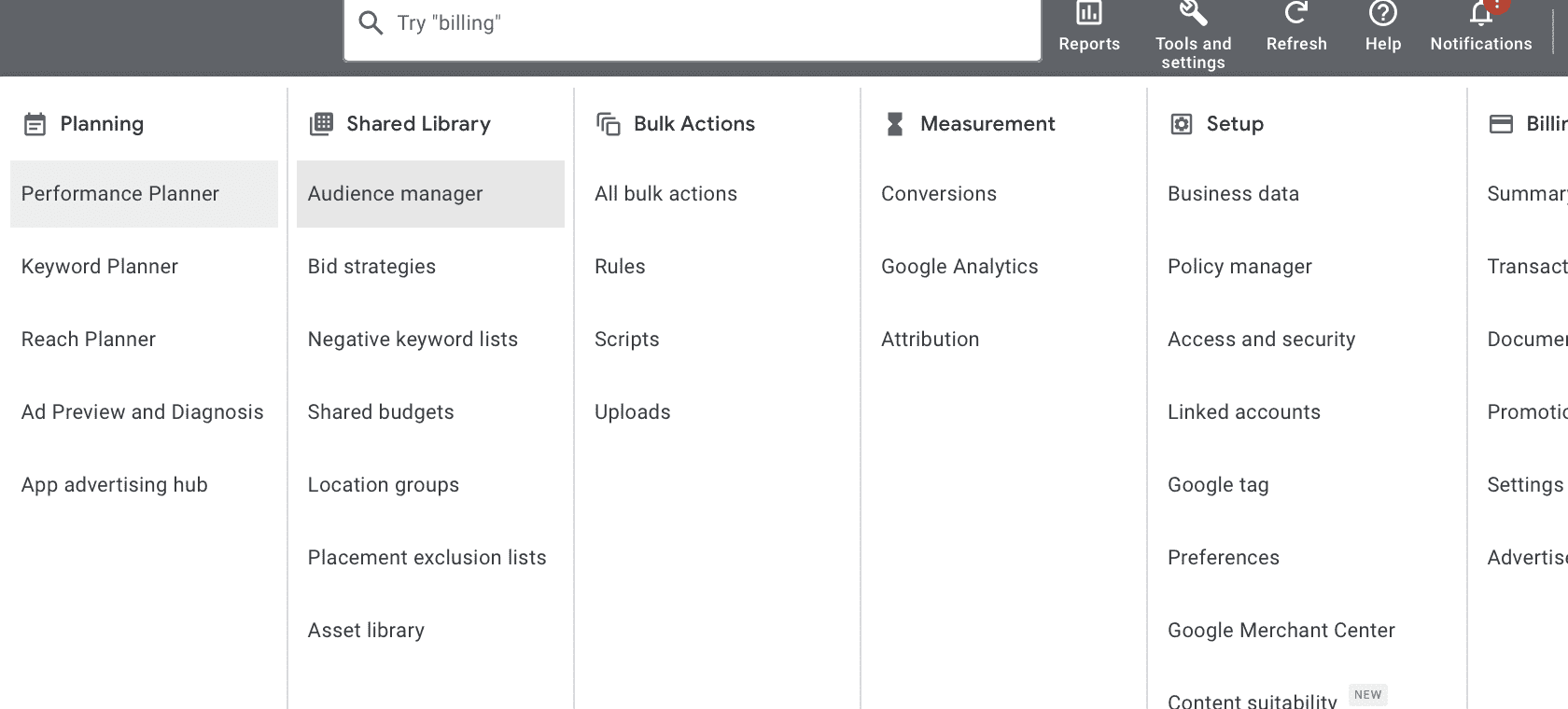 Add remarketing tags to your website or use Google Analytics so you can monitor user behavior and set up remarketing effectively. Create segmented user lists, such as users viewing a specific product page, users adding products to cart but not checking out, or users signing up for your newsletter.
Utilize customer lists by uploading email addresses to Customer Match with the objective of contacting users with targeted advertisements. Implement dynamic remarketing to the fullest extent of personalization, whereby individuals are shown ads for products or services that they had expressed interest in. The same human segmentation can be utilized as a foundation to provide the correct individuals with the correct advertising.
Step 2: Google Ads Remarketing Campaign Setup
Once your audience list is in place, the next important step is to properly target your campaign in Google Ads so that your ads appear in front of these audiences effectively, leveraging Google Search and display ads. Begin by setting campaign objectives, which are your advertising goals of conversions or lead generation, and be sure to create a remarketing strategy that aligns with these goals. This will allow Google Ads to choose the best ad optimization to serve.
 Select the Display Network as the type of campaign to use and select to advertise in Gmail advertisements in this network. Under the audience settings, you will want to choose the remarketing lists you have already established in order to reach your users who are already aware of your brand or have expressed interest.
Refine the audience that will see your remarketing advertisements with fine-tuned demographic targeting or keyword targeting. Customize design remarketing advertisements to fit various formats on Gmail—design with compelling headlines, graphics, and call to action that direct readers to a specific landing page. Choose your bidding strategy and daily budget to optimize conversions or maximum reach. This structure will make your remarketing campaign well-organized and focused on targeting your remarketing audience.
Step 3: Optimize Your Gmail Remarketing Campaign
It doesn’t end there with campaign promotion. There is constant optimization needed to get maximum performance and ROI. With the capacity to split remarketing segments, you can target messaging and bids separately. Divides your remarketing list (e.g., ads to users who viewed a product page, added a product to cart, or bought) into targeted ads.

Create sets of ad groups in your campaign to split-test what creative approach or set of targets is best. Ensure the ads direct the users to extremely relevant and optimized landing pages, an effort toward the ultimate user experience and maximum conversions. Track post-click user activity using Google Analytics and adjust your campaign based on analytic insights.
Add the ad and frequency with frequency capping so you don’t over-expose your audience. Make use of A/B ad testing and targeting capabilities with the goal of identifying and extrapolating on more lucrative areas. You can level up your Gmail remarketing by promoting an optimization and testing culture.
More Tips and Tricks for Gmail Remarketing to Succeed
Along with expanding your campaigns’ audience, leverage the following other strategies that support all Google Ads remarketing capabilities.
- Standard Remarketing: Overlay Gmail remarketing on standard remarketing or dynamic remarketing on the Google Display Network to be omnipresent and persistent.
- Customer Match: Leverage customer match and email remarketing to message and target custom audiences.
- Search Ads Integration: Leverage search ads and Gmail ads in your campaign mix to reach a user at various points in the buying funnel.
- Performance Monitoring: Keep track of how well your remarketing campaign is performing in order to ensure that your ads are being viewed by only those interested in your products at the most effective rates.
Conclusion
To create a Gmail remarketing campaign in Google Ads, you should be cautious while segmenting the audience, create a strong campaign foundation, and optimize the strategy step by step. You can revive the leads at affordable costs and with efficiency by strategically releasing your own remarketing lists and creating interesting and custom remarketing ads that prospect based on the interest of the interested users in your products or services.

Vijay Sood is a seasoned digital marketer with a passion for driving online growth and innovation. With a robust background in developing and executing comprehensive digital strategies, Vijay excels in leveraging SEO, content marketing, and social media to boost brand visibility and engagement. His expertise lies in transforming data-driven insights into actionable marketing campaigns, helping businesses achieve their digital objectives.