Google Shopping is now one of the most important tools for retailers and e-commerce; not only does it allow businesses to showcase their products, but it also provides unparalleled visibility and traffic. In addition, Google Ads expands opportunities further by allowing advertisement display to people who need those products. Due to the range of its services, Google stands out as one of the main platforms offering advertisement placements, but also serves as a powerful marketing and sales revenue generator… If only you knew how to make the most of it.
This whitepaper is designed to assist in formulating plans to enhance the effectiveness of Google Shopping sales campaigns and further deepen user understanding of Google services like Google Shopping, Google Ads, and Google Merchant Center.
What are Google Shopping campaigns?
Google allows you to run shopping campaigns, which are a special type of advertising geared toward increasing your sales and marketing your products effectively. They allow you to promote your products to people searching for them on Google.
These ads often include photos of your merchandise and they show up at the very top of Google search results. In addition, there is also a ‘shopping tab’ that has free product listings. Potential customers can see these listings even in the absence of paid advertisements from competitors.
Why You Need Advanced Google Shopping Techniques
It is no secret that in the current technology-driven world, a business cannot hope to remain competitive in the already saturated e-commerce market with just simple automated Google Shopping tactics. The implementation of advanced methodologies is required to increase marketplace competition, manage targeting, and ensure optimized conversions. With the automation of several applications associated with Google Shopping campaigns, the use of sophisticated methods, such as dynamic remarketing, feed optimization, and strategic bidding, becomes vital to ensuring products are exposed to the right potential customers at the right time.
With these advanced techniques, you can optimize autonomous spending and supervise automated assets by tailoring the campaigns to meet performance goals, which helps you measure the efficiency of budget and resource allocation per segment. These methods help you to stay competitive by monitoring prices and using supplemental feeds for customization. With Google Performance Max campaigns, it becomes possible to adjust things like seasonality and use AI-controlled predictive performance to respond to demand in the face of changing marketplace dynamics.
Furthermore, adding reviews, good-quality photos, and advertisements helps gather attention, build trust, and build a following. Implementing these sophisticated approaches will put you ahead of your rivals, increase ROI, and elevate your brand’s standing in the market. Advanced tactics are crucial for achieving continuous growth.
Steps for Improving Google Shopping Campaigns
These are the new trends for enhancing your Google Shopping campaigns and achieving remarkable results:
1. Google Ads Targeting with Optimized Feeds

The Google Shopping campaigns are reliant on the product feeds, which contain skeletons of your products. For optimum performance, make sure they include correct titles, descriptions, and images. Markup schema type will help Google understand your products better by providing them with important details such as prices, stock status, and proprietary numbers. Avoid getting disapprovals and errors by routinely changing outdated inventory or pricing.
2. Bidding Strategies and Targeting Bids by Specific Campaigns
Targeting specific campaigns will empower you to manually adjust bids and targets. Divide products by best sellers, seasonal items, or high-margin ones
3. Dynamic Remarketing for Retargeting Opportunities
Use dynamic marketing feeds to reconnect with users who have visited your site but have yet to make a purchase. These customized advertisements may display particular items that the customer has already browsed and increase the chances of completing a sale.
4. Performance Max Campaigns
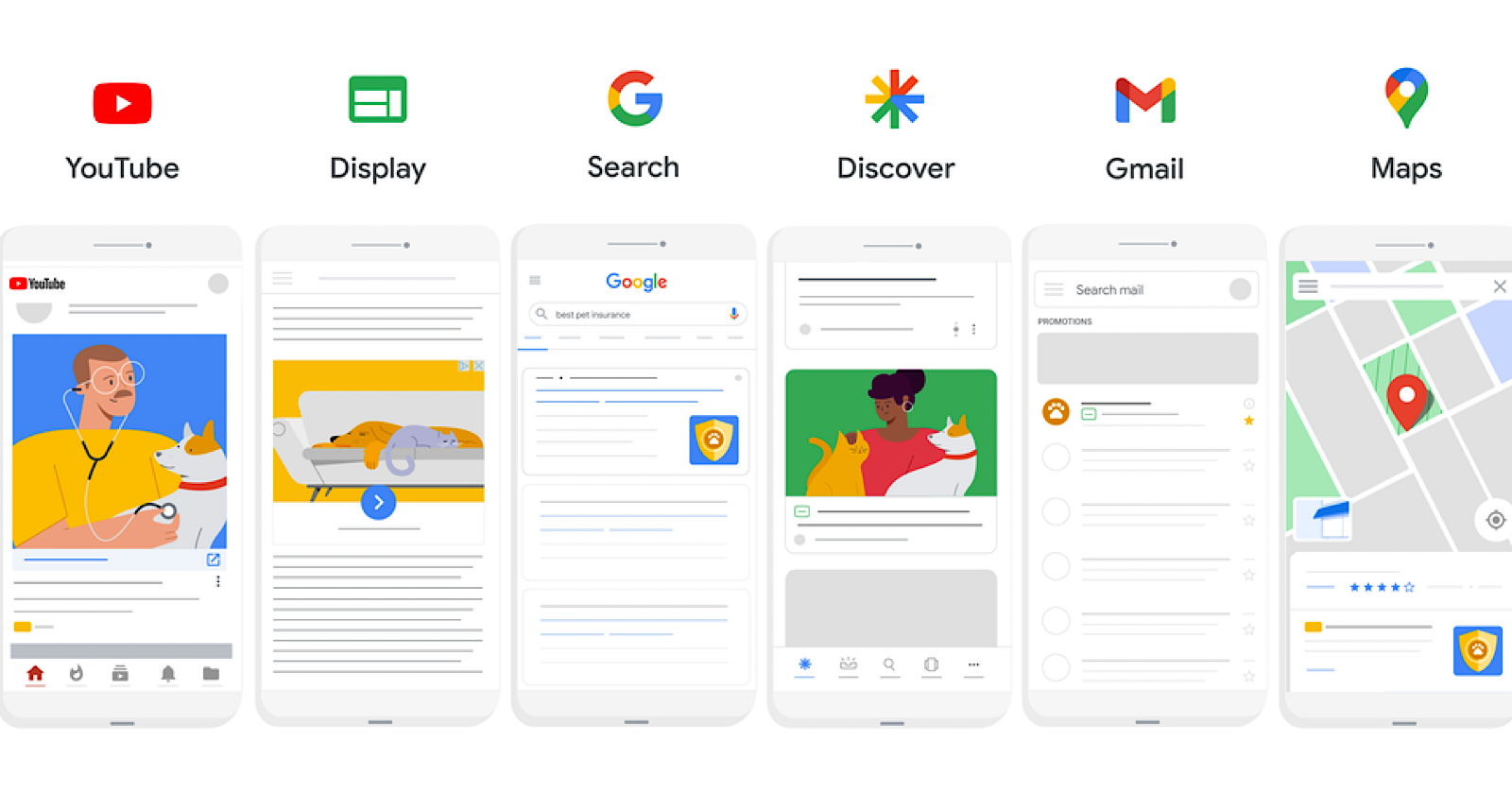
Use standard shopping campaigns alongside PMax campaigns to take full advantage of Google’s AI-powered optimization across all platforms. PMax campaigns automate the setting of targets, optimum bidding, and advertising through display ads. This method is very helpful to balance sales and brand recognition activities.
5. Advanced Bidding Techniques
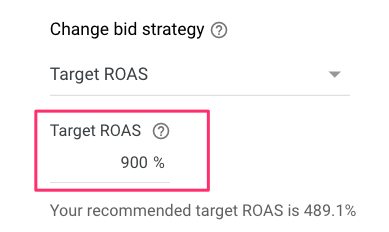
Employ fully automated bidding methods such as Target ROAS (Return On Ad Spend) and Target Impression Share to manage the level of visibility without sacrificing profits. For manual edits, look into activity data per device, geography, and time of day to adjust bids appropriately.
6. Campaign Prioritization
Utilize Google’s campaign prioritization settings—high, medium, and low—to determine which items to prioritize and display first for overlapping query searches. This strategy is most effective in marketing high-performing and seasonal items while ensuring economical spending across campaign levels.
7. Supplemental Feeds for Better Customization
Supplemental feeds help with carving out custom seasonal labels or changing specific attributes from the primary data feed. These supplemental feeds are crucial for rectifying product disapprovals and custom-tailoring listings during promotional periods.
8. Competitor Price Monitoring
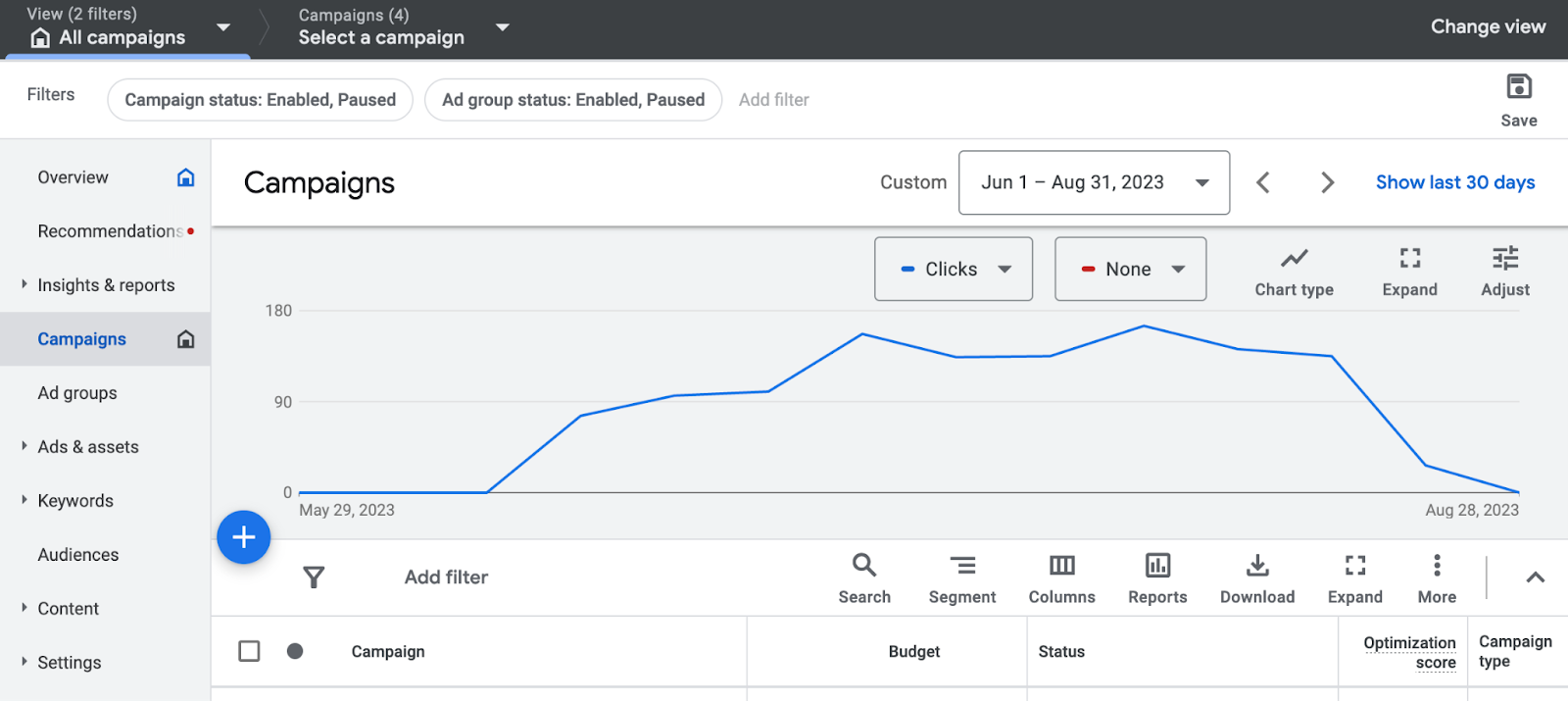
Further, deploy pricing tools such as Price Watch to keep track of competition. Change your bid and price strategy in accordance with competition, but do not trade off on profitability.
9. Leveraging Promotions and Reviews
Pull attention with promotions by Google Merchant Promotions for ad spending. Add promotional ratings and reviews on competitors’ products to create a competitive edge.
10. Seasonality Adjustments
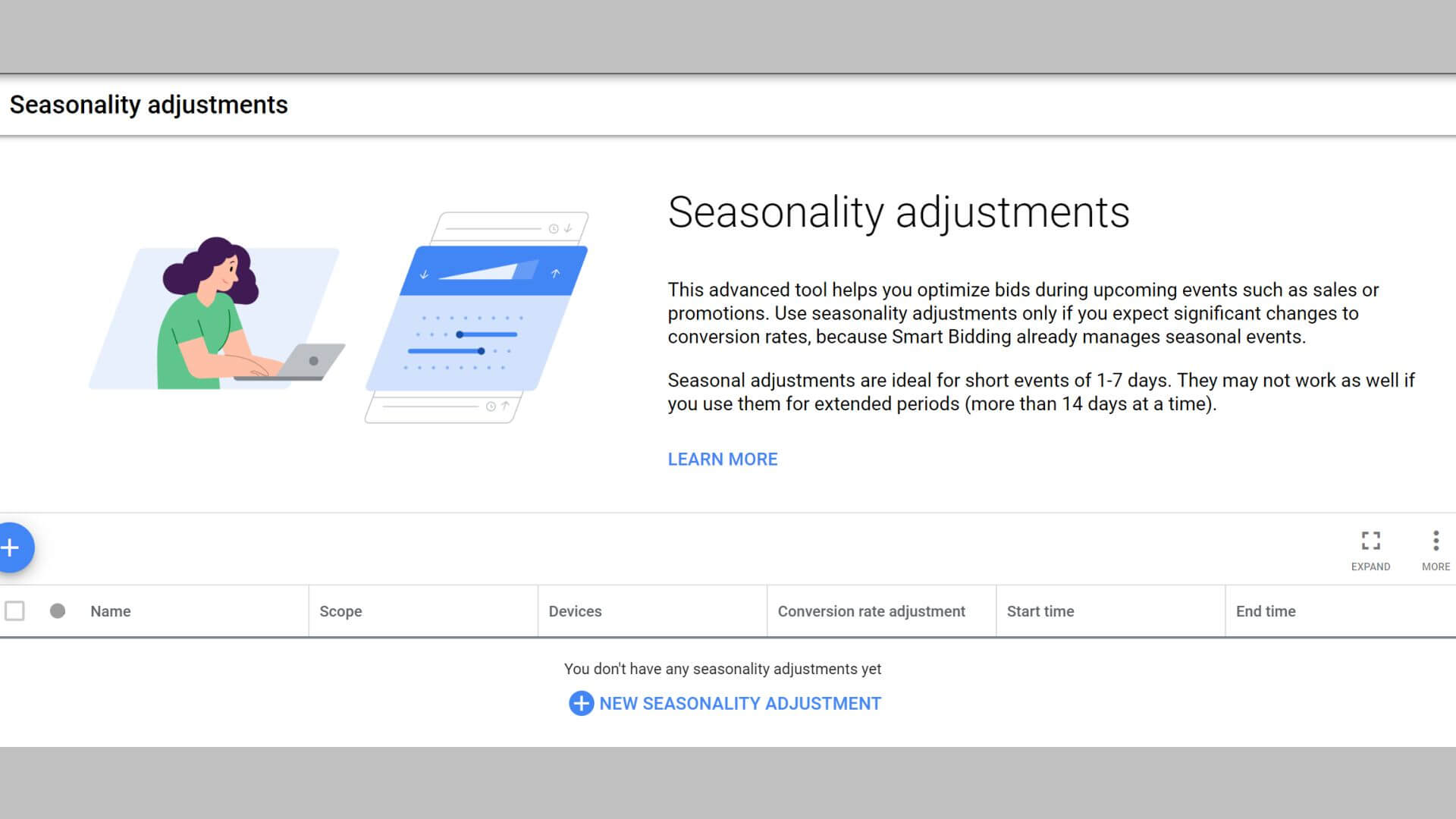
Incorporate holiday-themed descriptions and title modifiers to coincide with the peak shopping season by adding seasonality to Smart Bidding strategies. Set product descriptions and title modifiers for relevant holidays to coincide with the peak shopping season.
11. Optimizing Product Imagery
To increase user engagement, it is important to capture their attention with high-quality images. Make sure to turn on logo and image policies to automatically apply Google’s image enhancement requirements.
12. Continuous Performance Analysis
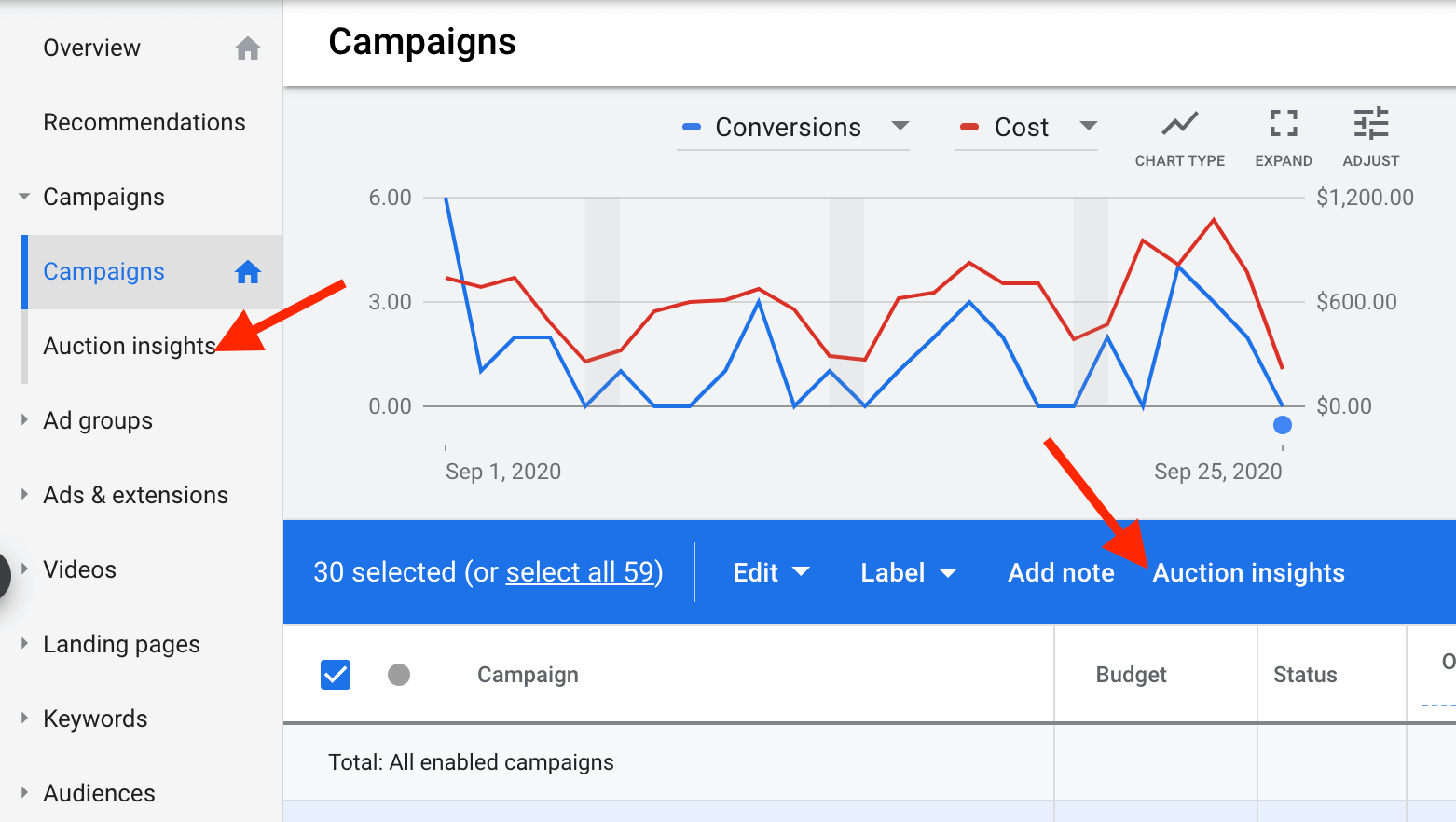
Utilize custom reports in Google Ads to monitor campaign metrics, such as CTR (click-through rate), ROAS, and conversion rates on a regular basis. Re-evaluate product listings for items with low sales volumes by changing bids or pausing listings to improve overall effectiveness.
More Advanced Features of Google Shopping Ads
Google Shopping Campaigns have a multitude of advanced features that can be useful for optimizing your ads.
1. Use ad enhancements
Give shoppers more targeted information by using these enhancements that come with a variety of ads.
Promotions
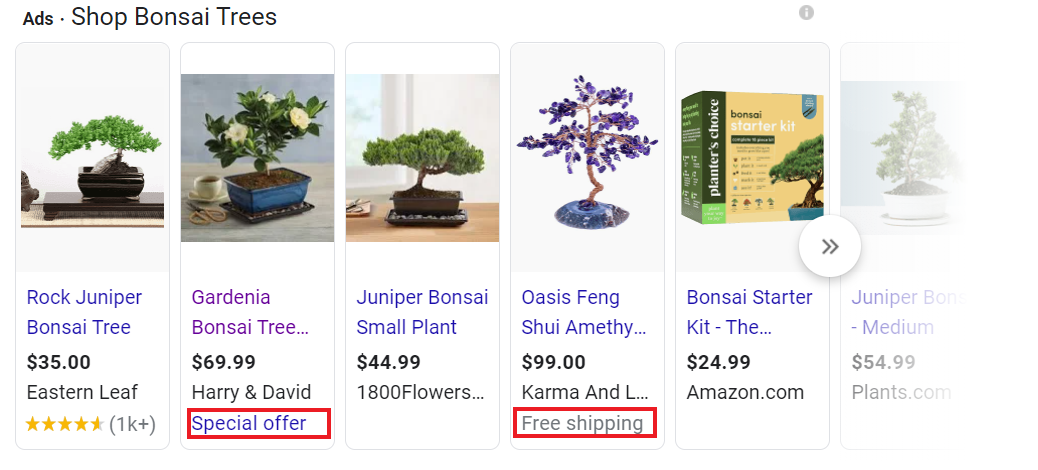
When applying discounts to your shopping ads, links marked “Special Offer” will be generated and users can click to find out more about the additional information you’re offering.
Display product ratings
Displaying product ratings enables users to check how your products have been rated by previous customers. This puts you one step ahead of your competitors, as ads that are product-rated tend to perform better on average.
Customer reviews
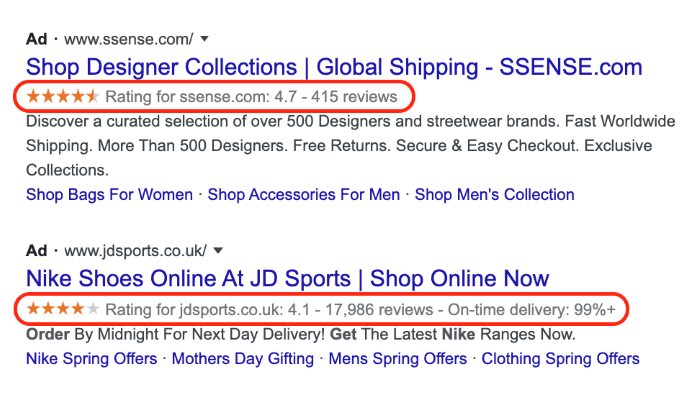
Showing customer reviews enables users to see the opinions your customers have regarding your products. In this case, they will be able to furnish their feedback in the format of a one-click survey at checkout.
2. Additional feed types
You will be familiar with the regular Google Merchant Center feed. However, depending on how you sell, these additional feed types may become useful for you.
Dynamic remarketing
Implementing this feed can help you create personalized ads meant to advertise to shoppers who have previously visited your website or interacted with your products but did not complete the transaction.
Local inventory ads

If you operate an offline retail outlet, you can use this feed to drive online customers into your physical store.
Feed with Promotions
It allows you to enhance your product feed with promotions that highlight specific business offerings available to users.
Manufacturer center
This feed is for brand owners and manufacturers who wish to exert more control over the visibility of their products online.
3. Use Google Merchant Center to enhance images
By enabling ‘automatic image improvements,’ you allow Google to edit and enhance your product images. Doing so automates the process of ensuring image compliance with Google’s standards and also enhances their performance. This is particularly helpful for images that contain prohibited overlays or promotional text.
The advantages of Google Shopping Ads
With Google search results getting more ad-laden, shopping ads being put at the very top make it easier for more and more people to notice the product. As a result, shopping ads can significantly boost your business’s growth.
Get qualified leads coming to your website
Moreover, potential customers are waiting on other websites so as to make the final decision to purchase, which means your website will be getting traffic from paid customer leads as well.
Repeat appearances on the SERP
In cases where you’ve included text adverts, there is an opportunity to show your information up to two times. Your product ads may also appear relevant to the same search, allowing you to dominate SERP real estate.
Receive detailed analytics
To paraphrase a well-known quote, knowledge is power. The very granular information available regarding your advertisements will assist with creating new advertising approaches. This will help you achieve and even exceed your targets.
Best Practices for Google Shopping
1. Guide your campaign in the right direction
The right strategic Google Shopping campaign direction begins with formulating the right questions. What are the campaign objectives? What would you want to optimize for: click-through rate, conversion rate, or cost-per-conversion? Are you hoping to strengthen brand awareness?
Customers who browse products on Google are often comparison buyers and eager to check what you have in store, thus making Google Shopping a vital growth driver for your business. According to data, 31% of shoppers who were driven to a brand’s website via a Google Shopping product listing went on to purchase similar products in the same category, while the remaining 35% bought a product in an entirely different category.
One other amazing technique to encourage brand discovery is using Google Shopping Actions, which enables customers to purchase directly through Google instead of your website. Early evaluations of this initiative noted a 30% increase in shoppers’ basket sizes and cost-efficient conversions for merchants.
2. Make product pricing a top priority
Let’s start with the consumer’s perspective. On Google Shopping, products that are priced below the market average experience an increase of up to 135% more clicks. Pricing also has an effect on the Google algorithm. In an analysis, researchers found that when the average product price increased by 43%, total impressions plummeted by 70%.
Many users who click on your Google Shopping Ads are still researching the product. Consider advertising your hero product at a lower, appealing price to drive conversions. Through Merchant Promotions in Google Merchant Center, advertisers can better their chances of gaining attention, as these promotions help products to be easily identified amongst competitors by showing indisputable promotions.
Your ROI will be influenced by the two extremes of pricing and bidding. If your offered price is high, you will need to bid high so that you can maintain the same level of impressions. On the other side, if you reduce the offered price, you will enjoy lower profit margins.
To assist you in getting pricing right, Google Shopping’s benchmarks (currently in beta) offer insight into competition and access to real-time data pertaining to average product price and weighted price data based on click-throughs.
3. Tools
Regardless of the eCommerce platform you’re using, check if there’s any available native plugin or extension that will aid in the automatic updating of shopping feeds. Ensure that Google for Retail is used to its full extent. For instance, local inventory can show the prospective buyers what is available near them, while smart shopping can showcase products through YouTube and Gmail.
For Google Shopping, you may sync reviews from your website and star ratings and reviews will automatically populate on Google Shopping Ads. This type of user-generated content serves as key building block of credibility and authority as well as customer delight.
Conclusion
To wrap things up, capturing maximum visibility for your Google Shopping campaigns requires a combination of strategic planning and action with ongoing optimization. From crafting the product feed’s titles, descriptions, and images to including sophisticated two-tier campaign structures, dynamic remarketing, and advanced tactics, everything matters in capturing the desired outcomes.
Creating automatically segmented campaigns based on product categories or performance metrics improves resource targeting and allocation. Smart allocation enhances return on investment (ROI) by directing focus towards high-converting items, while bidding can be done either manually or through automation. Incorporating customer reviews, ratings, and promotional deals can raise engagement and rates of click-through significantly.

Vijay Sood is a seasoned digital marketer with a passion for driving online growth and innovation. With a robust background in developing and executing comprehensive digital strategies, Vijay excels in leveraging SEO, content marketing, and social media to boost brand visibility and engagement. His expertise lies in transforming data-driven insights into actionable marketing campaigns, helping businesses achieve their digital objectives.